My name is Hugh. I live in the city of Swansea, South Wales, in the United Kingdom.
My blog covers a wide range of subjects, the most popular of which are my blogging tips posts.
If you have any questions about blogging or anything else, please contact me by clicking on the 'Contact Hugh' button on the menu bar of my blog.
Click on the 'Meet Hugh' button on the menu bar of my blog to learn more about me and my blog.
Wordless Wednesday – No words, just pictures. Allow your photo(s) to tell the story.
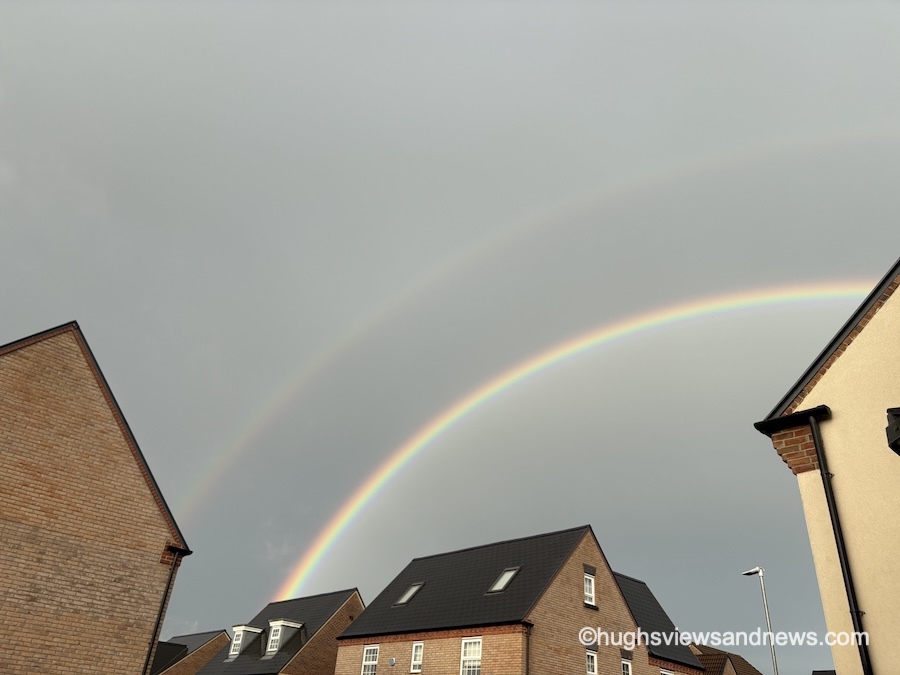
A double-rainbow over rooftops
Not sure what Wordless Wednesday is or how to participate? Click here for full details.
Are you participating in Wordless Wednesday? Although I am not hosting this challenge, you can leave a link or pingback to your post in the comments section to help promote it to other bloggers.
To help those with eyesight-impaired vision, please remember to complete a description of your photo in the ‘alt-text’ and description boxes of the picture in the WordPress media library. For more details, check my post, Adding Images Or Photos To Your Blog Posts? 4 Essential Things To Do.’
If you want to know more about the photo featured on this post, ask me in the comments section.
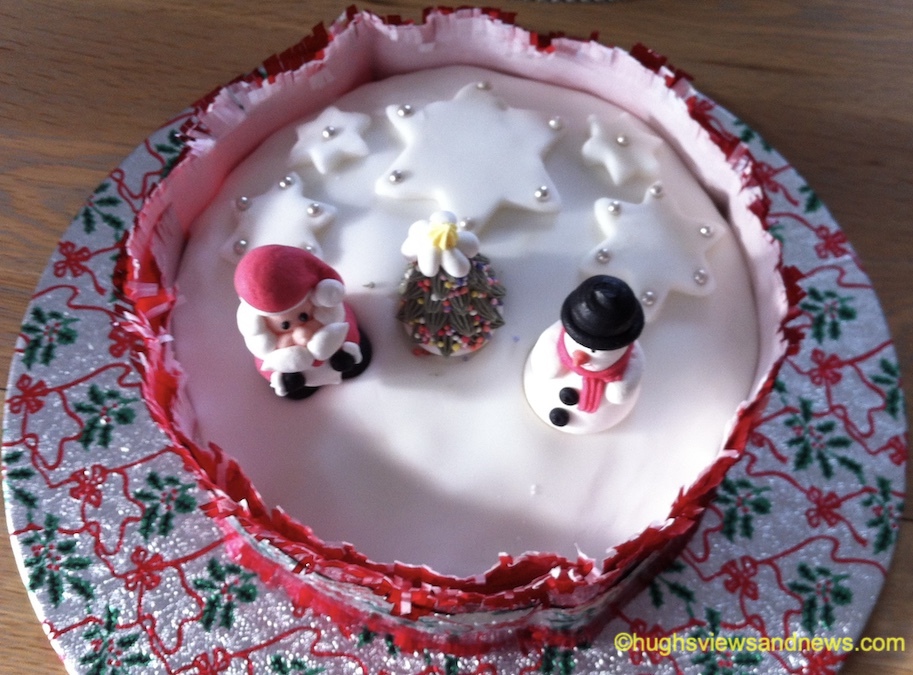
How To Ice A Cake And Change Your Life – by Hugh W. Roberts
I was so proud when I received the certificate for my professional grade in cake decorating. I’d recently been made redundant and needed a new skill.
Being the only man in the 18-week course had its advantages. By week three, Kate made it clear how much she liked me. But there was a problem. I had been married for 12 years and still deeply loved my wife. This inner conflict deeply troubled my feelings, and for a while, I was torn between my devotion to her and my growing attraction to Kate.
By week 13, not only had Kate changed my life, but the love I had for my wife had slowly dripped away, leaving behind an almost forgotten heavy burden of guilt and regret for the betrayal. However, I was proud that I could now bake and ice cakes, something I’d always dreamed about doing professionally.
But a tiny part of me wasn’t proud of my situation regarding my affair. I couldn’t deny the sense of self-worth a much younger woman found me attractive and (in her words) loved me. Yet, a more significant part of me felt I was on top of the world.
Then, during the last week of the course, the week before Christmas, everything eventually came together. As I finished plastering the wall next to the fireplace, I questioned what I’d done over the past six months. Feel proud, I kept telling myself. Briefly, a dark cloud hung over me and only dispersed when there was a loud knock on the front door.
“Have you done it?” asked Kate as she pushed past me as I opened the door to her.
“I told you not to keep coming here; the neighbours will see.” I protested. “We need to give it more time.”
“To hell with the neighbours; I want proof that you love me,” replied Kate. “Show me what you learned at the cake decorating class.”
I thought she wanted to see the Christmas cake I’d iced, but she went to the living room and stood before the fireplace.
“Nice work!” Kate announced. “I’m proud of you for what you have done for me. Is she..?” she asked, pointing at the newly plastered wall.
Icing cakes not only helped me get a new job as a professional cake maker but also taught me how to plaster the remains of my wife’s body behind a brick wall of the fireplace.
Time is the enemy for all of us, especially Mr Kingston, who needs to frantically clean his house before time runs out and his visitors arrive. But why the panic?
A difficult choice of lip colour, comfortable purple shoes, a new green dress, and nostalgic gold nail varnish set the stage for an unexpected encounter.
Are you participating in Wordless Wednesday? Although I am not hosting this challenge, you can leave a link or pingback to your post in the comments section to help promote it to other bloggers.
To help those with eyesight-impaired vision, please remember to complete a description of your photo in the ‘alt-text’ and description boxes of the picture in the WordPress media library. For more details, check my post, Adding Images Or Photos To Your Blog Posts? 4 Essential Things To Do.’
If you want to know more about the photo featured on this post, ask me in the comments section.
Wordless Wednesday – No words, just pictures. Allow your photo(s) to tell the story.
What can you see in the dark?
Not sure what Wordless Wednesday is or how to participate? Click here for full details.
Are you participating in Wordless Wednesday? Although I am not hosting this challenge, you can leave a link or pingback to your post in the comments section to help promote it to other bloggers.
To help those with eyesight-impaired vision, please remember to complete a description of your photo in the ‘alt-text’ and description boxes of the picture in the WordPress media library. For more details, check my post, Adding Images Or Photos To Your Blog Posts? 4 Essential Things To Do.’
If you want to know more about the photo featured on this post, ask me in the comments section.
Sometimes, I struggle to find a subscribe or follow button on blogs. I came across one recently where there wasn’t one. I spent ages looking and even left a comment asking how to subscribe to receive more posts, but the host didn’t reply to my comment!
But I’m delighted that WordPress now makes adding a subscribe (to my blog) button to all your posts (past and future) even more effortless. And the best part is that once you switch on this setting, you won’t have to do it again.
Is it easy for visitors to follow your blog?
Where and how to switch on the Subscribe Block button.
On the dashboard of your blog, go to Settings – Newsletter.
On the Newsletter settings page, look for ‘Add the Subscribe block at the end of each post,’ and slide the button to the ‘on’ position.
Slide the button to the ‘on’ position.
Click the ‘Save Settings’ button.
That’s it! The ‘Subscribe’ block will appear on all of your posts (past and future), making it easy for anyone visiting your blog to follow you.
This is what the block looks like if you’re already subscribed to the blog or have just signed up.
You’re following my blog. Thank you.
How easy is it for a new visitor to follow or subscribe to your blog?
Did you enjoy reading this post? Then you may also like…
Pingbacks are a vital tool in the blogging world, fostering connections and increasing site traffic. Are you making the most of pingbacks or missing out on their benefits? This post details their benefits, creation, and anti-spam measures.
Wordless Wednesday – No words, just pictures. Allow your photo(s) to tell the story.
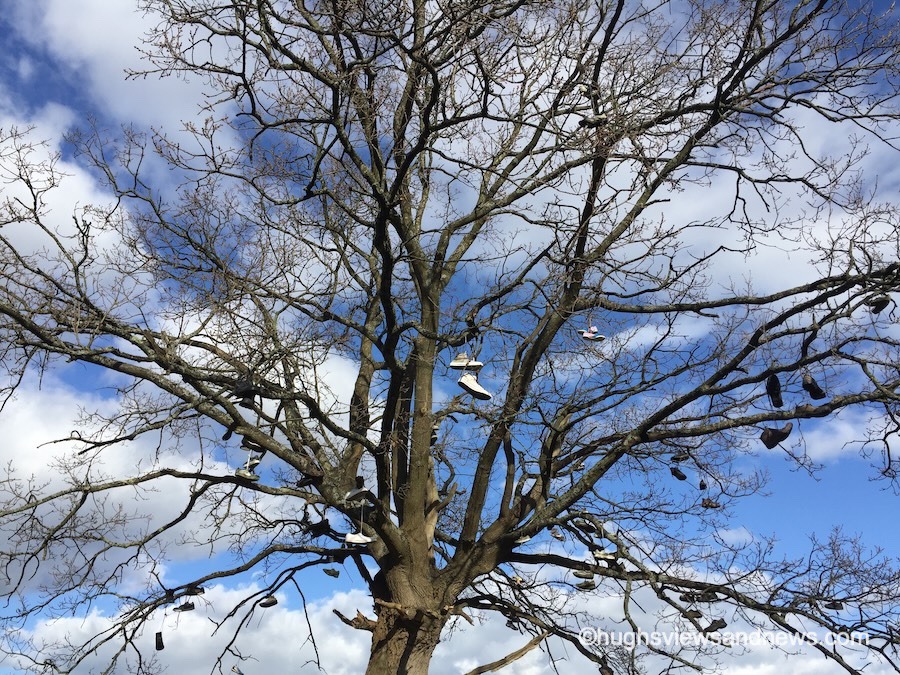
Has anyone seen my shoe?
Not sure what Wordless Wednesday is or how to participate? Click here for full details.
Are you participating in Wordless Wednesday? Although I am not hosting this challenge, you can leave a link or pingback to your post in the comments section to help promote it to other bloggers.
To help those with eyesight-impaired vision, please remember to complete a description of your photo in the ‘alt-text’ and description boxes of the picture in the WordPress media library. For more details, check my post, Adding Images Or Photos To Your Blog Posts? 4 Essential Things To Do.’
If you want to know more about the photo featured on this post, ask me in the comments section.
I don’t use the WordPress Reader nearly as much as I should.
I get email notifications when new blog posts are published by the bloggers I follow. This makes sense as I only follow around 55 blogs, most of which publish no more than a few times a week.
Am I missing out on not using the WordPress Reader? I think so, yes! But why?
Tell me why you use or don’t use the WordPress Reader.
One of the reasons I stopped using the WP Reader was that when I was following over 500 blogs, I felt like a hamster constantly running around a wheel in my endless battle to reach the top of the reader. I never reached the top, so I thought I was missing out!
However, I occasionally use the WordPress Reader to search for posts on subjects I enjoy reading. In my opinion, this is where the WordPress Reader is at its best!
For example, I recently entered the word ‘WordPress’ into the reader search bar and was presented with a long list of blog posts in which ‘WordPress’ had been used as a category or tag (this shows how important categorising and tagging your posts is).
But before I discuss some of the search results, let me first say that, unlike some bloggers who seem to think WordPress has deleted the ‘Reader,’ the WP Reader has moved.
Where is the WordPress Reader?
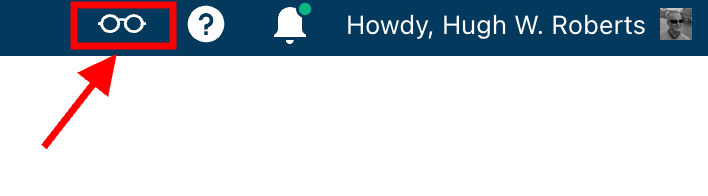
If you’re using a desktop computer, the WP Reader is now located in the top right corner of your blog. Look for the pair of spectacles icon.
The WordPress Reader icon has changed and moved.
Click on it, and you’ll be taken to the WordPress Reader.
On mobile phones and tablets (using the Jetpack app), the WP Reader icon (spectacles) is located at the bottom of the screen.
What I found in the search results!
I was delighted to see some of my posts appear in the search results. However, I was more interested in the posts from blogs I don’t currently follow.
One of those posts that grabbed my attention was from Mitch, who blogs at The Power Of Story. Mitch’s post, ‘What’s Up WordPress?‘, was about the sudden ups and downs of his blog’s number of subscribers/followers. Indeed, I’ve noticed the same thing happening with my blog.
My subscriber/follower stats have become like a fairground rollercoaster ride. Some days, I lose a lot of subscribers/followers, and then the numbers suddenly return, although not the same subscribers.
I did some digging and found that WordPress are now actively deleting spam blogs and blogs run by spambots. That’s a good thing, especially since I’ve been manually unsubscribing them for many months. WordPress is unsubscribing these blogs for me, although I will unsubscribe any I find myself.
Have you noticed your subscriber/follower numbers going on a rollercoaster ride recently?
Another post that grabbed my attention from the results page was from Kevin, who blogs at Chef Kevin Ashton. Kevin’s post, titled ‘The Thorny Issue Of WordPress Likes.’ touched on a subject I’ve often written about – the ‘like’ button!
Love it or hate it, the ‘like’ button is something just about every WordPress user and visitor will use. However, Kevin touched on the subject of ‘guilt’ by not using it, especially when he doesn’t have enough time to visit and read blogs.
I’ve been there, Kevin. Many bloggers feel guilty or stressed about not clicking ‘like’, visiting blogs that follow them, or leaving comments. Yet, in my opinion, nobody really cares that you can’t always visit their blog. I’ve discovered that leaving one engaging comment occasionally that shows you read the post is much more appreciated than leaving short, non-engaging comments just to prove you visited. However, you may not have read their post.
I’ve written many posts about blogging guilt and stress. In my last post on the subject, ‘Stressed Or Feeling Guilty About Blogging? Please Read This Post. Let’s Keep Blogging Fun,’ many readers spoke up about how bad they feel when they don’t have the time to read blogs, click ‘like,’ and leave comments, often resulting in blogging feeling like a chore rather than something that should be enjoyed.
Nobody should ever feel obliged to read posts, click the ‘like’ button or leave comments. Keep blogging fun.
How do you deal with blogging stress or guilt?
The happy and sad sides of blogging!
It was also lovely to see blog posts celebrating milestones on WordPress in the results. From celebrating 15 years of blogging on WordPress to publishing their 100th post and some folks being notified that their blogs had achieved half a million visits, these posts brought a smile to my face.
Of course, posts complaining about how bad WordPress is and the problems bloggers are having also appeared in the results. Although I only read a few, most of the reported issues were related to WordPress’s changes, and the author often confirmed in the comments section that the issue(s) had now been resolved.
Personally, I’m pleased that WordPress does make changes. If they left things alone, the platform would quickly become outdated and dull, as would all our blogs. WordPress would lose many paying customers, and we’d all lose our blogs if they went out of business. I used to hate change but learned that adapting to it is much less stressful than fighting it
Are your blog posts appearing on the WordPress Reader?
I always check that my blog posts appear in the WordPress reader. To do this, I follow my blog and check the reader immediately after publishing a post. If it’s not there, I know there’s a problem.
There are several reasons why your posts may not appear in the WordPress Reader. The main reason is that you add too many categories and tags to a post. WordPress allows up to 15 categories and tags combined. Your post could be marked as spam and won’t appear if you add more, so ensure you do not add more than 15 tags and categories (combined).
There may also be technical reasons why your posts don’t show in the reader. If you don’t see your posts, contact WordPress. They’ll be able to help.
That’s it for today. I’ll share other interesting posts when I do more searches on the WordPress Reader.
Why Do You Use The WordPress Reader?
Did you enjoy reading this post? Then you may also like…
Pingbacks are a vital tool in the blogging world, fostering connections and increasing site traffic. Are you making the most of pingbacks or missing out on their benefits? This post details their benefits, creation, and anti-spam measures.
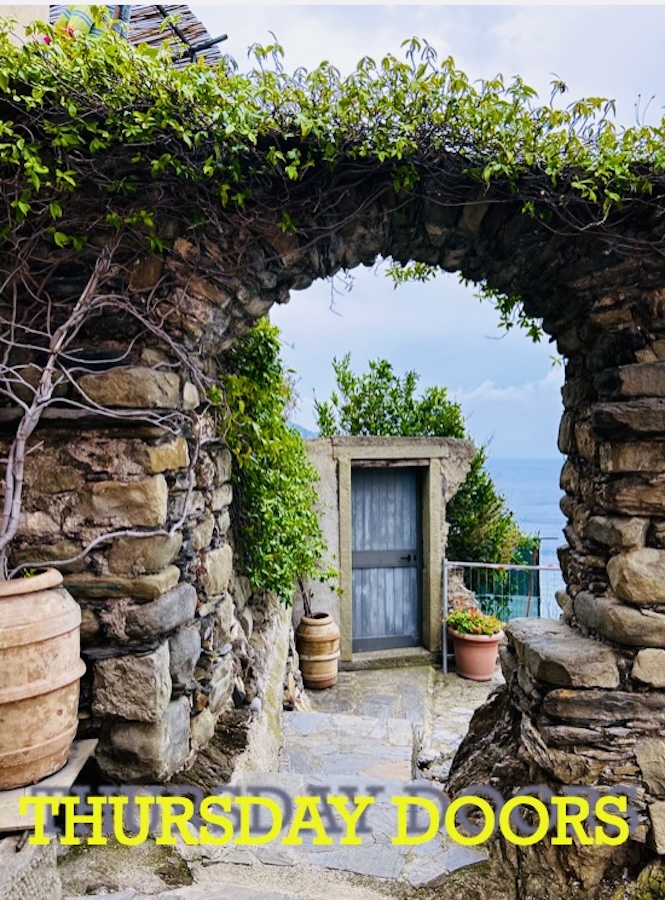
Thursday Doors is a photography challenge hosted by Dan Antion, who blogs at No Facilities.
The whole Thursday Doors thing is about sharing pictures of doors that catch your eye. Loads of bloggers get involved each week and give a shout-out to Dan’s post. Dan also encourages everyone to check out each other’s door pictures and drop a comment.
I’ve participated in Thursday Doors in the past. It’s great fun, and although there is no pressure to participate every week, you’ll find Dan has built up a great Thursday Doors community.
Here’s my second entry for 2024.
Is this the door to inside the sandcastle?
What do you think? I wonder if this door is the opening into the sandcastle. But what do those strange symbols on the door mean? Maybe they say, ‘Do not enter.’ Or, worse, they could invite danger, saying, ‘Come on in.’ Would you step through?
Wordless Wednesday – No words, just pictures. Allow your photo(s) to tell the story.
Hello Autumn
Not sure what Wordless Wednesday is or how to participate? Click here for full details.
Are you participating in Wordless Wednesday? Although I am not hosting this challenge, you can leave a link or pingback to your post in the comments section to help promote it to other bloggers.
To help those with eyesight-impaired vision, please remember to complete a description of your photo in the ‘alt-text’ and description boxes of the picture in the WordPress media library. For more details, check my post, Adding Images Or Photos To Your Blog Posts? 4 Essential Things To Do.’
If you want to know more about the photo featured on this post, ask me in the comments section.
Time To Leave, Time To Arrive – by Hugh W. Roberts
“Good afternoon, transport helpline; how may I be of assistance?”
“Is that the transport helpline?”
“It is, yes. How may I be of assistance?”
“I’d like to book some transport, please.”
“For you, or is the transport for somebody else?”
“It’s for me.”
“Have you used us before?”
“Yes.”
“For security purposes, could you provide your password’s first and fourth letters?”
“W and T.”
“And your date, time and place of birth.”
“January fourteenth, Twenty-One-O-Five, St Mark’s Hospital, Cardiff, Wales.”
“Thank you. You are a little young to leave now, although you can book the transport up to twenty years in advance. Are you sure you want to go ahead and book now?”
“Yes.”
“And when would you like your transport to arrive?”
“Within the next hour, please.”
“Are you sure?”
“Yes.”
“Let me check if your driver is available. Some chillout music will play to keep you relaxed while we check your driver’s availability. Please hold the line.”
(Several minutes later)
“Good news, your driver is available and will be with you at ten past eight. Please ensure you have the correct payment. We no longer accept American Express.”
“Thank you.”
(Ten past eight.)
“Your driver has arrived. Enjoy your trip, Mr Evans. Thank you for visiting. We hope you enjoyed your stay.”
“Hello, Mr Evans, I’m Mary, your driver. You probably won’t remember me, but I transported you into this world. Mine will have been the first face you saw and the first hands to touch you.”
“Hello, Mary. Pleased to meet you again.”
“My goodness, did you scream when I delivered you into this world. You screamed the hospital down. Already had enough of this place, yes?”
“Yes, they’re destroying this planet. It’s time to move on. Please transport me to my next destination. I hope your hands are warm this time.”
Time is the enemy for all of us, especially Mr Kingston, who needs to frantically clean his house before time runs out and his visitors arrive. But why the panic?
A difficult choice of lip colour, comfortable purple shoes, a new green dress, and nostalgic gold nail varnish set the stage for an unexpected encounter.













 Hugh's Views & News