Did You Miss Any Of These? Monthly Round-Up – October 2024

Here’s your chance to catch up on the nine blog posts published in October 2024.

Hugh’s Views and News is at the heart of great conversations and engagement. Did you join the debates and conversations? If not, why not jump in and let us know what you think?

  • Question: Do you know the name of this strange-looking fruit on this tree?

What Type Of Tree Is This? #WordlessWednesday #Photography

  • Do you have a life-changing event you’re proud of?

Flash Fiction – How To Ice A Cake And Change Your Life

  • Question: Have you spotted a rare double?

Are You Seeing Double? #WordlessWednesday #Photography

  • Are you seeing too much spam on your blog? How To activate Akismet’s spam setting in WordPress to significantly reduce spam comments and streamline your blogging experience.

Turn This Setting On To Stop Seeing Too Much Spam On Your WordPress Blog

  • Do you use excerpts in your WordPress blog posts? If so, there’s an ongoing issue with them. WordPress has now fixed this problem. Read on for more details.

Is This WordPress Problem Affecting You? It’s Been Reported

  • Question: Have you ever seen more than one ghost simultaneously?

Are You Ready For Halloween? #WordlessWednesday #Photography

  • Do you use excerpts in your WordPress blog posts? If so, there has been an ongoing issue with them that has now been fixed. However, for the fix to work, you must take action. Read on for more details.

WordPress: Excerpts Are Working Again!

  • Question: Could you beat me at this game?

Do You Play This Game? #WordlessWednesday #Photography

  • Question: When did you last see something eerie looking out from a window at you?

Halloween #WordlessWednesday #Photography

Comments are closed here. Please leave any new comments on the original posts.

Image with a white background with a desktop computer and camera with the words 'Monthly Round-Up - October 2024
Your chance to catch-up on posts published on Hugh’s Views And News.

Follow Hugh On Social Media.

Copyright @ 2024 hughsviewsandnews.com – All rights reserved.

WordPress: Excerpts Are Working Again!

Earlier this week, in my post, ‘Is This WordPress Problem Affecting You? It’s Been Reported.’ I outlined a problem where excerpts no longer appeared in WordPress’s new post email notifications.

Is This WordPress Problem Affecting You? It’s Been Reported

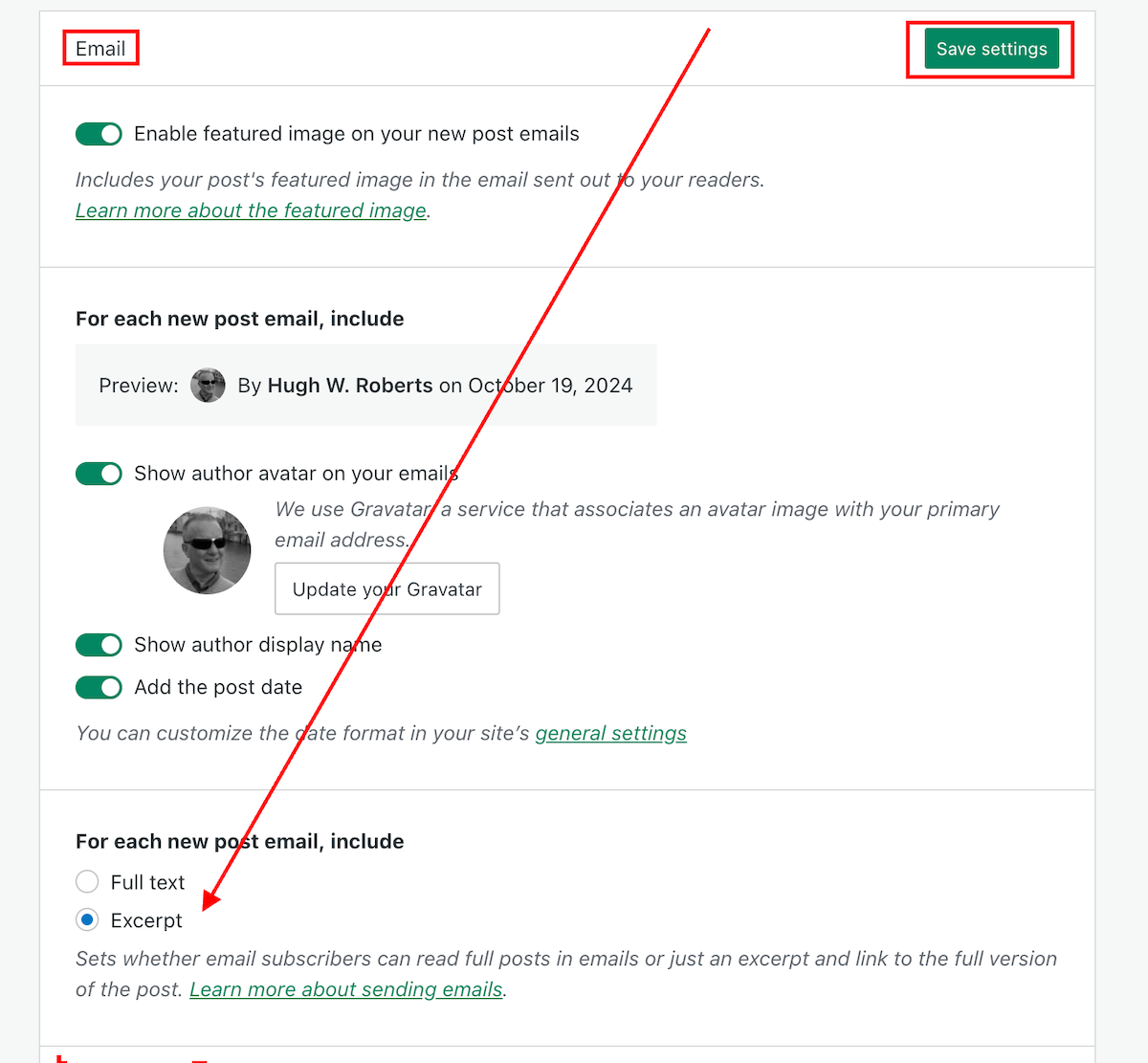
I’m delighted to say that the problem has now been fixed. Unfortunately, users will need to change the ‘For each new post email, include‘ setting back to ‘Excerpt,’ as the fix has caused the setting to default back to ‘Full text.’

Do the following now if you want your new post email notifications to only show an excerpt.

  • On the dashboard of your blog, go to Settings – Newsletter.
  • Scroll down to the Emails sections of the Newsletter settings page, and change the ‘For each new post email, include‘ setting back to ‘Excerpt.’
  • Click the ‘Save Settings‘ button.
Image highlighting where to change the 'For each new post email, include..' setting to 'Excerpt,'
Change this setting to ‘Excerpt.’

Your new post notification emails will now only show an excerpt rather than the full post.

The ‘For each new post email, include‘ setting can also be found on your blog’s dashboard under SettingsReading.

My thanks to Dave Martin at Automattic and WordPress for fixing this problem.

Layout, content, settings, and format might differ on self-hosted blogs.

Any questions? Leave them in the comments section.

Follow Hugh on social media. Click the links below.

Copyright @ 2024 hughsviewsandnews.com – All rights reserved.

Turn This Setting On To Stop Seeing Too Much Spam On Your WordPress Blog

Is your WordPress blog getting too much spam?

Do you want to free up the time it takes you to filter through spam looking for genuine comments?

Turn this setting on now.

Light blue image with the words 'Turn This Setting On To Stop Seeing Too Much Spam On Your WordPress Blog' in white text.
Does your blog get too much spam? Turn this setting on.
  • On your blog’s dashboard, go to Jetpack – Akismet Anti-spam.
Image highlighting Jetpack - Akismet Anti-spam on the dashboard of a WordPress blog
Click Jetpack – Akismet Anti-spam
  • On the page that opens, look for the Settings box. Under Spam Filtering, ensure ‘Silently discard the worst and most pervasive spam so I never see it’ is selected.
Image highlighting the 'Silently discard the worst and most pervasive spam so I never see it' setting on WordPress.
Ensure ‘Silently discard the worst and most pervasive spam so I never see it’ has been selected.
  • Click the ‘Save changes‘ button.

You’ll now see much less spam in your blog’s spam folder.

Obviously, you can continue to review all spam, but this can be very time-consuming if your blog gets a lot of spam.

On average, I now see less than 10 spam comments per week in my spam folder. It used to be hundreds. Turning this setting on has helped.

On the same page, you can also see how much good work the Akismet anti-spam software has done in capturing spam comments on your blog. Here’s a snapshot of my blog.

Image showing the stats of how much spam has been blocked on Hugh's Views And News.
How much spam has been blocked on your WordPress blog?

Akismet has caught over 308,000 spam comments since I started blogging in February 2014!

Occasionally, spam comments will get through, but you can help WordPress by marking them as spam. Likewise, if a genuine comment ends up in the spam folder by mistake, mark it as ‘not spam.’

Something else you may find interesting is that WordPress now deletes spam that is over 15 days old in the spam folder, so you no longer have to do it! Another win! Thank you, WordPress.

Don’t stress about spam!

I’ve come across some bloggers who allow spam to stress them. This does nothing but spoil the enjoyment blogging brings.

If your blog receives too much spam, turn on the setting outlined in this post. You’ll soon see a vast decrease in the amount of spam you see.

How do you deal with spam on your blog?

Layout, content, settings, and format might differ on self-hosted blogs.

Did you enjoy this post? Then you may like…

Click the buttons below to follow Hugh on Social Media

Copyright @ 2024 hughsviewsandnews.com – All rights reserved.
How Easy Is It To Follow Your Blog? How To Add A Subscribe Button To All Your WordPress Posts

Sometimes, I struggle to find a subscribe or follow button on blogs. I came across one recently where there wasn’t one. I spent ages looking and even left a comment asking how to subscribe to receive more posts, but the host didn’t reply to my comment!

But I’m delighted that WordPress now makes adding a subscribe (to my blog) button to all your posts (past and future) even more effortless. And the best part is that once you switch on this setting, you won’t have to do it again.

Light blue image with the words 'How Easy Is It To Follow Your Blog? How To Add A Subscribe Button To All Your WordPress Posts' in white text.
Is it easy for visitors to follow your blog?

Where and how to switch on the Subscribe Block button.

  • On the dashboard of your blog, go to Settings – Newsletter.
  • On the Newsletter settings page, look for ‘Add the Subscribe block at the end of each post,’ and slide the button to the ‘on’ position.
Image highlighting the 'Add the subscribe block at the end of each post' button on WordPress.
Slide the button to the ‘on’ position.
  • Click the ‘Save Settings’ button.

That’s it! The ‘Subscribe’ block will appear on all of your posts (past and future), making it easy for anyone visiting your blog to follow you.

This is what the block looks like if you’re already subscribed to the blog or have just signed up.

Image showing the Subscribe block once you've subscribed to a blog on WordPress
You’re following my blog. Thank you.

How easy is it for a new visitor to follow or subscribe to your blog?

Did you enjoy reading this post? Then you may also like…

Layout, content, settings, and format might differ on self-hosted blogs.

Click the buttons below to follow Hugh on Social Media

Copyright @ 2024 hughsviewsandnews.com – All rights reserved.

Why Do You Use The WordPress Reader? This Is Why You Should Use It.

I don’t use the WordPress Reader nearly as much as I should.

I get email notifications when new blog posts are published by the bloggers I follow. This makes sense as I only follow around 55 blogs, most of which publish no more than a few times a week.

Am I missing out on not using the WordPress Reader? I think so, yes! But why?

Light blue image with the words 'Why Do You Use The WordPress Reader?' in white text.
Tell me why you use or don’t use the WordPress Reader.

One of the reasons I stopped using the WP Reader was that when I was following over 500 blogs, I felt like a hamster constantly running around a wheel in my endless battle to reach the top of the reader. I never reached the top, so I thought I was missing out!

However, I occasionally use the WordPress Reader to search for posts on subjects I enjoy reading. In my opinion, this is where the WordPress Reader is at its best!

For example, I recently entered the word ‘WordPress’ into the reader search bar and was presented with a long list of blog posts in which ‘WordPress’ had been used as a category or tag (this shows how important categorising and tagging your posts is).

But before I discuss some of the search results, let me first say that, unlike some bloggers who seem to think WordPress has deleted the ‘Reader,’ the WP Reader has moved.

Where is the WordPress Reader?

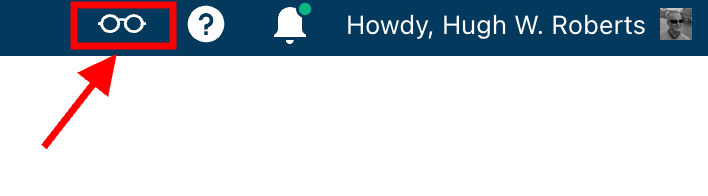
If you’re using a desktop computer, the WP Reader is now located in the top right corner of your blog. Look for the pair of spectacles icon.

Image highlighting the WordPress Reader icon and where to find it.
The WordPress Reader icon has changed and moved.

Click on it, and you’ll be taken to the WordPress Reader.

On mobile phones and tablets (using the Jetpack app), the WP Reader icon (spectacles) is located at the bottom of the screen.

What I found in the search results!

I was delighted to see some of my posts appear in the search results. However, I was more interested in the posts from blogs I don’t currently follow.

One of those posts that grabbed my attention was from Mitch, who blogs at The Power Of Story. Mitch’s post, ‘What’s Up WordPress?‘, was about the sudden ups and downs of his blog’s number of subscribers/followers. Indeed, I’ve noticed the same thing happening with my blog.

Image showing the ups and downs of subscriber/follower numbers on WordPress

My subscriber/follower stats have become like a fairground rollercoaster ride. Some days, I lose a lot of subscribers/followers, and then the numbers suddenly return, although not the same subscribers.

I did some digging and found that WordPress are now actively deleting spam blogs and blogs run by spambots. That’s a good thing, especially since I’ve been manually unsubscribing them for many months. WordPress is unsubscribing these blogs for me, although I will unsubscribe any I find myself.

Have you noticed your subscriber/follower numbers going on a rollercoaster ride recently?

Another post that grabbed my attention from the results page was from Kevin, who blogs at Chef Kevin Ashton. Kevin’s post, titled ‘The Thorny Issue Of WordPress Likes.’ touched on a subject I’ve often written about – the ‘like’ button!

Love it or hate it, the ‘like’ button is something just about every WordPress user and visitor will use. However, Kevin touched on the subject of ‘guilt’ by not using it, especially when he doesn’t have enough time to visit and read blogs.

I’ve been there, Kevin. Many bloggers feel guilty or stressed about not clicking ‘like’, visiting blogs that follow them, or leaving comments. Yet, in my opinion, nobody really cares that you can’t always visit their blog. I’ve discovered that leaving one engaging comment occasionally that shows you read the post is much more appreciated than leaving short, non-engaging comments just to prove you visited. However, you may not have read their post.

I’ve written many posts about blogging guilt and stress. In my last post on the subject, ‘Stressed Or Feeling Guilty About Blogging? Please Read This Post. Let’s Keep Blogging Fun,’ many readers spoke up about how bad they feel when they don’t have the time to read blogs, click ‘like,’ and leave comments, often resulting in blogging feeling like a chore rather than something that should be enjoyed.

Nobody should ever feel obliged to read posts, click the ‘like’ button or leave comments. Keep blogging fun.

How do you deal with blogging stress or guilt?

The happy and sad sides of blogging!

It was also lovely to see blog posts celebrating milestones on WordPress in the results. From celebrating 15 years of blogging on WordPress to publishing their 100th post and some folks being notified that their blogs had achieved half a million visits, these posts brought a smile to my face.

Of course, posts complaining about how bad WordPress is and the problems bloggers are having also appeared in the results. Although I only read a few, most of the reported issues were related to WordPress’s changes, and the author often confirmed in the comments section that the issue(s) had now been resolved.

Personally, I’m pleased that WordPress does make changes. If they left things alone, the platform would quickly become outdated and dull, as would all our blogs. WordPress would lose many paying customers, and we’d all lose our blogs if they went out of business. I used to hate change but learned that adapting to it is much less stressful than fighting it

Are you encountering any issues with WordPress? My recent post, ‘WordPress Problems: Don’t Panic! How To Solve Issues Quickly,’ may be of some help.

Are your blog posts appearing on the WordPress Reader?

I always check that my blog posts appear in the WordPress reader. To do this, I follow my blog and check the reader immediately after publishing a post. If it’s not there, I know there’s a problem.

There are several reasons why your posts may not appear in the WordPress Reader. The main reason is that you add too many categories and tags to a post. WordPress allows up to 15 categories and tags combined. Your post could be marked as spam and won’t appear if you add more, so ensure you do not add more than 15 tags and categories (combined).

There may also be technical reasons why your posts don’t show in the reader. If you don’t see your posts, contact WordPress. They’ll be able to help.

That’s it for today. I’ll share other interesting posts when I do more searches on the WordPress Reader.

Why Do You Use The WordPress Reader?

Did you enjoy reading this post? Then you may also like…

Layout, content, settings, and format might differ on self-hosted blogs.

Click the buttons below to follow Hugh on Social Media

Copyright @ 2024 hughsviewsandnews.com – All rights reserved.

Did You Miss Any Of These? Monthly Round-Up – August 2024

Did you see these nine blog posts that got readers talking, asking questions and wondering? If you haven’t joined the conversation yet, why not jump in and let us know what you think!

  • I don’t write book reviews. But this book has helped me change my mind. Read on for more details.

Book Review: Borrowed Time by Russell Dean @RussDeanWrites

  • Question: Did you watch the closing ceremony of the Paris 2024 Olympic Games?

Olympics – London 2012 – Closing Ceremony #WordlessWednesday #Photography

  • WordPress users often face problems, but they may not always be caused by their blogging platform. Device issues, internet browsers, poor blog housekeeping and retired themes can all contribute to problems. My post outlines what to do if you’re experiencing issues with using WordPress.

WordPress Problems: Don’t Panic! How To Solve Issues Quickly

  • Question: Do you grow fruit or vegetables in your garden or allotment?

Homegrown #WordlessWednesday #Photography

  • He’d been promised gold, but he only found a dusty trail. But where did it lead?

Flash Fiction – Gold

  • Are you following too many blogs? 7 common mistakes to look out for before following a blog.

7 Common Mistakes To Avoid When Deciding Whether To Follow A Blog

  • Question: What strange garden objects have you found?

Strange Garden Objects #WordlessWednesday #Photography

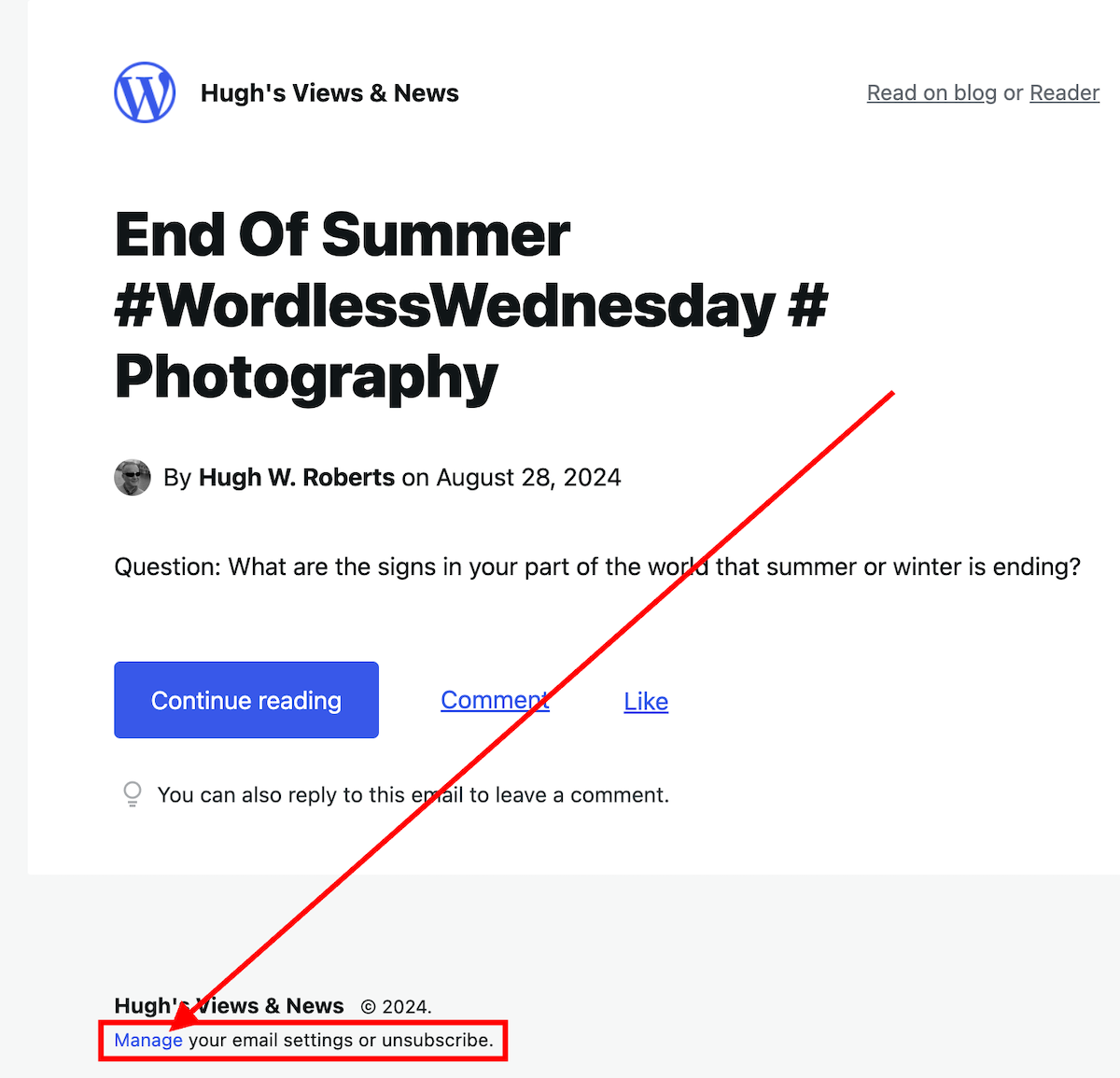
  • Question: What are the signs in your part of the world that summer or winter is ending?

End Of Summer #WordlessWednesday #Photography

  • Are you following too many WordPress blogs? This is how easy it is to unsubscribe from those you want to unfollow.

5 Easy Ways To Unfollow A WordPress Blog

Comments are closed here. Please leave any new comments on the original posts.

Image of a desktop computer and camera on a white background with the words 'Monthly Round-Up - August 2024'
Did you miss any of these blog posts?

Follow Hugh On Social Media.

If you enjoyed this post and want more like it, enter your email address and click ‘Subscribe’ to stay up-to-date with my latest content.

Copyright @ 2024 hughsviewsandnews.com – All rights reserved.
5 Easy Ways To Unfollow A WordPress Blog

If you missed my recent post, 7 Common Mistakes To Avoid When Deciding Whether To Follow A Blog, you won’t have seen the fantastic discussions in the comments section that raised many questions.

One of those questions was, ‘How do I Unsubscribe From A WordPress Blog I’m No Longer Interested In Reading?’

Not sure why you should unfollow a blog? Read the post for the answers.

Light blue image with the words '5 Easy Ways To Unfollow A WordPress Blog' in white text.
It’s easy to unfollow a blog on WordPress.

For this post, I’m using a desktop computer.

1. From The WordPress Reader

Ensure you are viewing posts from the WordPress Reader.

Click the three horizontal dots (meatball menu) next to the blog you want to unfollow and click the ‘Unsubscribe‘ button.

2. From A Post

Open the post from the WordPress Reader.

Right-click on the post title and click ‘Open in a new tab.’

Click the ‘Subscribe‘ button in the screen’s floating action bar in the lower right corner.

You’ll now be unsubscribed from following that blog.

3. From An email Notification

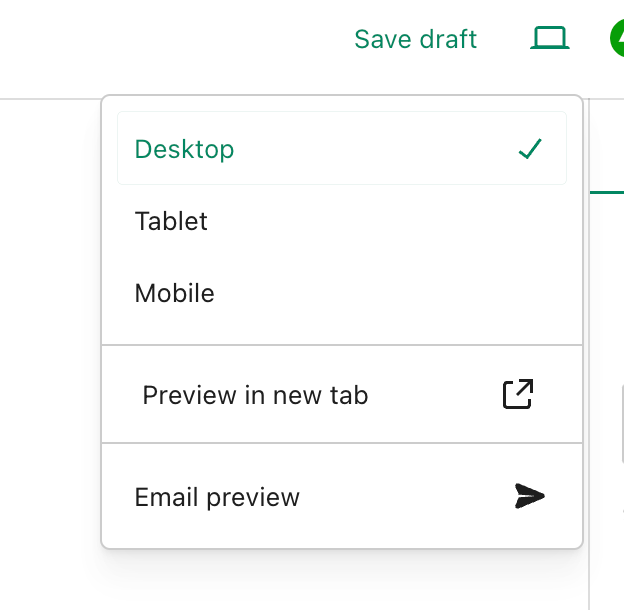
If you get email notifications of new posts, click the ‘Manage your email settings or unsubscribe’ link in the email.

Image highlighting the 'Manage your email settings or unsubscribe' link on a WordPress new post notification email.
Click the ‘Manage your email settings or unsubscribe’ link

On the new page that opens, click the ‘unsubscribe‘ button.

4. From the ‘Manage’ subscriptions list on the WordPress Reader

From the ‘manage‘ section of the blogs you’re following, click on the ‘Manage‘ link (next to ‘Subscriptions‘).

Image highlighting the 'Manage' link in the WordPress Reader page
Click the ‘Manage’ link.

A list of all the blogs you’re following will show.

Click the three horizontal dots (meatball menu) next to the blog you want to unfollow and click the ‘Unsubscribe‘ button.

5. From a WordPress Web Address

Ensure you are signed into WordPress.

Type or click on the following URL address https://wordpress.com/following/edit

A list of all the blogs you are following will show.

Click the three horizontal dots (meatball menu) next to the blog you want to unfollow.

Click the ‘Unsubscribe‘ button.

If you have any questions, please leave them in the comments section.

More blogging tips posts from Hugh

Click the buttons below to follow Hugh on Social Media

Copyright @ 2024 hughsviewsandnews.com – All rights reserved.
7 Common Mistakes To Avoid When Deciding Whether To Follow A Blog

How many blogs do you follow?

How many of those blogs do you regularly visit and comment on?

How many of those blogs do you never visit? I bet most of you never visit at least a few. Yes? Then why are you still following them?

I used to follow over 500 blogs! I merely followed many because they followed me first.

What a big mistake that was!

New blog posts were continually dropping onto my WordPress reader and email box.

It wasn’t long before I started to feel overwhelmed by it all and realised I couldn’t possibly read and comment on every new blog post. Only fools try doing that.

Then, I started feeling guilty about not having enough time to visit and comment on every blog I followed.

Something had to change.

I decided to go through all the blogs I followed and unfollow some of them – gulp! Shock horror. Wouldn’t that upset somebody?

Today, I’m following 55 blogs, and I’ve set myself a target of never exceeding a total of 75.

For some, that may seem like a lot of blogs to follow. For others, not enough. But it’s the perfect balance for me.

But what mistakes did I make when following blogs?

1. Following blogs that publish content I had no interest in

Seems obvious, doesn’t it? But look through the list of blogs you follow and count how many of them publish content you’re not interested in reading.

Then, ask yourself why you are following them.

Many of the blogs I unfollowed were blogs that followed my blog first. I felt it polite to follow back even though I had no idea what content they published.

It was like buying a car without having test-driven it first.

Before following a blog, check out some of the posts and ask yourself these two questions.

Does the content interest me enough to keep me coming back?

Does the content motivate me enough to leave engaging comments? 

If you answer ‘No’ to the first question, then don’t follow.

Some bloggers you unfollow may unfollow you but don’t get yourself all worked up about it. It’s no big deal.

My blog loses followers almost every day. If readers no longer find my content interesting, they have every right to unfollow me.

2. Following unfriendly blogs

Two things that I dislike in blog posts are lots of swearing and belittling others. Even worse is swearing in blog post titles. There’s no need for it.

I’m adult enough to know that most adults do swear, but when there’s too much of it in blog posts, or there isn’t any need for it, then I won’t follow.

The same goes for bloggers who publish content that belittles other people or criticises them for how they live, look, write or talk.

By all means, warn readers at the beginning that a post contains swear words or may offend, but never swear at or criticise others in the post or comments section.

If you think you’ll be offended by the content on a blog or in its comments section, don’t follow it.

3. Following non-engaging blogs.

While reading blog posts, remember to check the comments section to see if the blogger responds to them. If the comments are all one-way, think seriously before following and commenting.

If they don’t respond to comments (especially on their ‘about‘ page), ask yourself if the blog is worth following.

If the content is interesting, then, by all means, follow, but think hard about whether it’s worth trying to engage with the blog host.

If they do respond, look at the way they respond. Are they lazily interacting with their readers? Do they respond to all comments in the same dull, non-engaging manner (e.g. ‘Thanks for reading!’)?

Even though a blogger may respond to all the comments, if they are not engaging with their audience, ask yourself if it’s worth leaving comments and following their blog. 

4. Following blogs that could damage your health

There are lots of things that can damage your health when online. For example, too much screen time, addiction to social media and reading too many negative articles or comments.

One of the worst things that can happen to a blogger is feeling overwhelmed, stressed or guilty. This usually occurs when they can’t keep up with reading blog posts or leaving comments. It also happens when a blogger feels obliged to read and comment on other blogs simply because that blogger follows and comments on their blog.

Don’t feel obliged, guilty, or stressed because certain bloggers comment on your posts. 

If you’re following blogs that you believe publish too many daily posts, think about unfollowing them or turning off notifications for those posts when they are published.  

Of course, we can ignore all those posts, but don’t fall into the trap of thinking you could miss out on something if you don’t read or comment on them all.

Remember to make the most of setting up to receive notifications on a daily or weekly basis rather than every time somebody publishes a new post. This gives you the power to pick and choose which posts to read.

5. Following ghost blogs

I’ve mentioned it many times before, but the first thing I now do before deciding whether or not to follow a blog is to visit its ‘about’ page. If there isn’t one, I consider it a ‘ghost blog.’

If there isn’t an ‘about’ page, it isn’t easy to find, is outdated, or doesn’t contain any interesting information, I won’t follow.

Why? I want to find out about the person behind the blog before deciding whether to follow it.

If the site owner doesn’t care about having an ‘about’ page or updating it, the rest of their blog could also be outdated and not worth your time.

A blogger who does not care about their blog won’t care about their audience.

6. Following uncared-for or neglected blogs

If a new blog I’m visiting is eye-catching, well-organised, easy to navigate, has excellent content, feels friendly, and seems a great place to be, I will press the follow button.

After all, if it looks and feels good and the content is interesting, I will likely read posts and leave engaging comments.

If a blog’s design is poor, it takes too long to download, it uses a font that is too small to read, it has a brightly lit background that produces stars in front of my eyes, it hasn’t been updated in years, or it has lots of broken links, then I’ll move on quickly.

If a blogger doesn’t care about their blog, they are unlikely to care about their audience.

7. Following the blogs of trolls

We talked about checking out responses a blogger leaves to comments on their posts, but are those responses written in a friendly manner? And do they leave unfriendly comments elsewhere?

Because we blog or leave reviews, not everyone will agree with what we have to say.

I’ve witnessed many rude comments from the host and readers on many blogs.

I’ve been the victim of rude and unfriendly comments on other blogs where I’ve left a friendly comment. If the host of a blog responds to me in an unfriendly manner, I’ll unfollow their blog.

If a blog host allows other followers to attack readers without taking action, I will unfollow them.

I always respond to comments in a friendly, courteous, and professional manner, even if a reader disagrees with my words.

If there’s evidence of a blogger attacking somebody because they have not agreed with all or some of the content in a post or in the comments section, consider whether it’s worth following that blog.

Blog hosts should do all they can to prevent trolls from commenting on their posts. If they don’t, they probably don’t care much or have any concern about the welfare of their audience.

By all means, if the content of that blog still interests you, you can still follow and never leave any comments, but be careful when reading negative responses to comments, as they can often affect your mood.

Whatever you do, though, never respond to unfriendly comments by attacking the person who has left them. Leave the trolls alone. They’ll soon get fed up with not getting the attention they crave and will move on.

#blogging

I’m looking for 20 new blogs to follow. If you’d like to recommend any, please leave a link to that blog and a couple of sentences about why I should follow. Please do not just leave a link as it will be deleted.

How many blogs do you follow? Is that number the right balance, or do you need to reduce the number? What factors are important to you when deciding whether or not to follow a blog? Join the discussion by leaving a comment.

Looking for blogging tips from Hugh?

WordPress Problems: Don’t Panic! How To Solve Issues Quickly

WordPress users often face problems, but they may not always be caused by their blogging platform. Device issues, internet browsers, poor blog housekeeping and retired themes can all contribute to problems.

My post outlines what to do if you’re experiencing issues with using WordPress.

WordPress: How To Close Comments: What You Need To Know

WordPress has relocated the ‘Discussion’ setting to a more visible and accessible position, simplifying the control of comments and pingbacks.

My post outlines where to find the ‘discussion setting’ and when you should consider turning comments off on specific posts.

To follow Hugh on Social Media, click on the buttons below.

Copyright @ 2024 hughsviewsandnews.com – All rights reserved.

WordPress Problems: Don’t Panic! How To Solve Issues Quickly

Do you encounter problems using WordPress? Are your posts not aligning correctly, or are you unable to leave comments on certain blogs? What’s causing these problems? Is it WordPress, or are you or your device causing them?

Light blue image with the words 'WordPress Problems: Don't Panic! How To Solve Issues Quickly' in white text
Don’t panic when WordPress causes you problems. The problem could be you!

Like any online website, the WordPress platform experiences problems. Bugs occur. They can often cause havoc for users. Sometimes, things don’t go to plan when new updates are released.

But what causes these problems, and how can they be fixed?

Case 1 – Your posts are not displaying correctly.

A few years ago, a reader informed me that my blog posts were not displaying correctly.

I checked my blog and couldn’t see any problems. I used another device and couldn’t see any issues.

I contacted the WordPress Happiness Engineers. They assured me that from what they saw, there were no problems with how my blog posts were displaying. They even sent me screenshots and some short video clips showing me what they were seeing at their end.

But I was still not happy.

I decided to write and publish a post about the problem.

I asked my followers to check some of my blog posts and let me know if there were any problems with how they were displaying. Over 100 people came to my call for help. Only one person said there was a problem with how my posts were displayed, and this was the person who reported the problem to me.

It turned out that the problem wasn’t my blog or WordPress. The problem was the device belonging to the reader who reported the issue.

I asked them to make sure their device had the latest updates. They never informed me that my blog was displaying incorrectly again.

Case 2 – I can’t leave comments on certain blogs.

I recently saw a post from a blogger who said he had problems leaving comments on certain blogs.

He named the blogs so they knew who they were and apologised, saying that his comments were being cut off as he wrote them.

He asked if anybody else was having the same problem when leaving comments.

By the time the responses came in (and all were saying ‘No’), he’d gone to another device. He tried leaving comments on the same blogs. They all worked, and he came back and apologised.

The problem was caused by the device he was using. He updated the device’s software and also tried using another internet browser, and his comments worked.

Case 3 – When was the last time you cleaned your house?

Some of my WordPress data and stats were not displaying. ‘Have you tried clearing your browser history, cookies and cache on your computer?” somebody asked?

I did the clear-out, and the data all showed up.

Like your home, your blog device needs some housekeeping to keep it working correctly.

Case 4 – Have you tried the most popular advice when things go wrong?

A user contacted me saying they could not leave comments or ‘likes’ on any blog posts. She was using the Jetpack app on her mobile phone.

I told her to try signing out of the Jetpack app, delete it, reinstall it and sign in again.

Problem solved.

Case 5 – Has the blog theme you’re using been retired?

Another WordPress user was experiencing many problems with her blog. Her posts were not aligning correctly, and some readers contacted her to say they couldn’t leave comments. The sharing buttons at the end of her posts were also not working. There were also other issues like certain tools no longer working.

She contacted WordPress, which informed her that her blog theme was retired and was no longer supported. The advice was to change her theme. She didn’t want to change the theme; she liked it. She tried working around the problems. That worked for a while. Then, the issues worsened, and she eventually gave up on her blog.

The WordPress platform wasn’t the problem. The device she was using wasn’t the problem. She was the problem for refusing to change to a theme that WordPress supported.

If your theme has been retired, you will find this notice on the theme’s info page:

Image showing the message 'This theme has been retired' on WordPress
Has your WordPress theme been retired?

When a theme is retired, it no longer appears in the list of themes at Appearances – Themes or at Appearance – Theme Showcase if using the Classic Editor.  

But, if the theme is already active on your site, you can continue to use it. Some retired themes will usually stay available for the lifetime of your site or blog without any issues. However, if you continue using a retired theme, you should note the following:

  • A retired theme no longer receives WordPress updates or new features. This includes security updates that protect your blog from spammers and hackers.
  • A retired theme should continue functioning on your site. However, WordPress does not guarantee that it will always work well with its ever-evolving software.
  • You may lose access to certain features like sharing and reblog buttons, blocks, writing tools and clicking the ‘like’ button.

If you still use a retired theme, you will likely encounter problems at some point. Visitors to your blog may also experience problems viewing it correctly or engaging with you.

How do I change my WordPress theme?

Some bloggers are terrified of changing the theme of their WordPress blog. It can seem like a daunting task.

Once upon a time, changing your WordPress blog theme was a nightmare. I recall the first time I changed the theme of my blog. It took a whole weekend to finish.

But changing the theme of your WordPress blog is now easy and quick. WordPress provides full details on how to do it on the ‘Change your theme‘ page.

Have you checked the WordPress forum?

A user experiencing problems with their WordPress blog does not necessarily mean that other users are experiencing the same problems. Sometimes, problems can be exclusive to one blog (as in some of the above cases).

The WordPress forum page is great for determining if problems affect other users. Here, you can report issues and check what other issues users are experiencing.

Another way to find out if other users are experiencing the same problems with their WordPress blog is to ask them (as I did in Case Number One). Sometimes, issues can be theme-related. Once reported and provided the theme has not been retired, WordPress quickly fixes theme-related problems.

Let’s Wrap It Up!

  • Like any website, the WordPress platform will suffer from bugs and problems.
  • While some problems are widespread, many problems can be caused by a user’s device when blogging, especially if the device is old and does not have the latest updates installed.
  • If you can access another device, try using it to determine whether the problem is only related to one device or a certain web browser.
  • Some problems are related to themes. If a theme has been retired, consider changing to one WordPress support.
  • Changing your blog theme is now easier and quicker.
  • You can check if other bloggers are experiencing the same problems you’re having with your blog by asking them, posting on the WordPress forum, or doing both.
  • Consider that any issues lie outside of WordPress first before blaming them solely.
  • Ensure all devices you use to blog have the latest updates.
  • Report issues and problems to WordPress. They may not know about issues unless you report them.

Are you experiencing any problems using WordPress? Have you checked if the issues are sitewide or only affecting you? How do you deal with issues using the WordPress platform?

Layout, content, settings, and format might differ on self-hosted blogs.

More blogging tips posts from Hugh

Click the buttons below to follow Hugh on Social Media

Copyright @ 2024 hughsviewsandnews.com – All rights reserved.

Did You Miss Any Of These? Monthly Round-Up – July 2024

Did you see these nine blog posts that got readers talking, asking questions and wondering? If you haven’t joined the conversation yet, why not jump in and let us know what you think!

  • After a decade of crafting short stories and flash fiction on my blog, I’ve learned valuable storytelling techniques, which I shared in a guest post. But what helped me write better stories that many readers love? Read on for more details.

How To Write Fantastic Stories That Will Impact Readers

  • Question: Would you swim to the boat or wait by the lamppost for somebody to bring it to you?

An Interesting View #WordlessWednesday #Photography

  • WordPress has relocated the ‘Discussion’ setting to a more visible and accessible position, simplifying the control of comments and pingbacks. My post outlines where to find the ‘discussion setting’ and when you should consider turning comments off on specific posts.

WordPress: How To Close Comments: What You Need To Know

  • Question: What would you have liked to have been behind the shutters?

Behind The Shutters #WordlessWednesday #Photography

  • You can now add images to WordPress posts directly from your phone using the Jetpack app, with simple resizing options. Read my posts for all the details.

Blogging Simplified: Adding Images From Your Phone To A WordPress Post

  • Question: Have you seen signs of nature fighting back?

When Nature Takes Over #WordlessWednesday #Photography

  • Time is the enemy for all of us, especially Mr Kingston, who needs to frantically clean his house before time runs out and his visitors arrive. But why the panic?

Flash Fiction – Has Anyone Seen Felix?

  • Question: What kind of creature is this?

The Nighttime Visitor #WordlessWednesday #Photography

  • Question: Have you ever attended the Olympic games?

Olympic Rings – London 2012 #WordlessWednesday #Photography

Comments are closed here. Please leave any new comments on the original posts.

Image of a desktop computer and camera with the words 'Did you miss any of these? Monthly Round-Up - July 2024.
Did you miss any of these blog posts?

Follow Hugh On Social Media.

If you enjoyed this post and want more like it, enter your email address and click ‘Subscribe’ to stay up-to-date with my latest content.

Copyright @ 2024 hughsviewsandnews.com – All rights reserved.