My name is Hugh. I live in the city of Swansea, South Wales, in the United Kingdom.
My blog covers a wide range of subjects, the most popular of which are my blogging tips posts.
If you have any questions about blogging or anything else, please contact me by clicking on the 'Contact Hugh' button on the menu bar of my blog.
Click on the 'Meet Hugh' button on the menu bar of my blog to learn more about me and my blog.
It never ceases to amaze me how many bloggers do not have a page on their blog where they can introduce themselves to their audience.
Sometimes, their ‘About’ page is blank or hasn’t been updated for years.
Given that a blog’s ‘About’ page is one of the most visited areas, it’s no wonder that all bloggers should have one and ensure it is regularly updated.
I’ve previously written about the importance of an ‘About’ page. This new post is an important reminder.
What is an ‘About’ Page?
An ‘About’ page is one of the most critical components of your blog.
It serves as an introduction to your readers, offering insights into who you are, what your blog is about, and why you started it.
It also helps you connect with your audience, establish credibility, and set the tone for your content.
Here is why it’s important and what to include in it.
Why the ‘About’ Page Matters
Personal Connection: Readers love to know the person behind the blog. An engaging ‘About’ page humanises your content, making it relatable and fostering community.
Establishing Credibility: Sharing your background, expertise, and experiences can enhance your credibility. It shows that you know your niche or what you write about, which can attract more readers and followers.
Setting Expectations: It informs visitors about the blog’s purpose, the type of content they can expect, and how often you post. This clarity can help keep readers coming back.
Encouraging Interaction: An inviting ‘About’ page can motivate readers to engage with you through comments, emails, or social media. It opens the door for dialogue and connection.
Have you seen my ‘About ‘page? Take a look and let me know what you think.
What to Include on Your ‘About’ Page
Your Story: Share your personal journey. Explain why you started the blog and what motivates you to write. This could include anecdotes that resonate with your audience.
What’s Your Name?: While you do not need to give your full name, it’s essential to include and tell visitors a name by which you want to be known. Not only does this make you come over as approachable, but it also gives the impression that you are friendly. Use a pseudonym if you do not want to provide your real name.
Your Expertise: Highlight your knowledge or experience in your niche or what you write about or publish. This may include your education, career background, or significant achievements related to your blog’s topic.
Blog Mission Statement: Clearly state the purpose of your blog. What topics do you cover? What value do you aim to provide to your readers? A concise mission statement can help readers understand your blog’s focus.
Target Audience: Briefly mention who your blog is created for. Understanding who will benefit from your content can help new visitors feel more connected and engaged.
Call to Action: Encourage readers to explore your blog further. This could be a suggestion to read your latest posts, subscribe to your newsletter, or follow you on social media.
Professional Photo: Including a personal photo can make your page more inviting and relatable. Choose a high-quality image that reflects your personality.
Contact Information: Allowing readers to contact you through a ‘contact’ page, email, or social media links can facilitate interaction and community building. However, never give your telephone number, address, or personal email details.
Conclusion
Your ‘About’ page is not merely a formality but a crucial point of engagement for your blog.
Sharing your story, expertise, and mission creates a welcoming atmosphere for readers and cultivates a loyal community. Crafting a compelling and authentic ‘About’ page can significantly enhance your blog’s impact and strengthen your connection with your audience.
Don’t forget to keep your ‘About’ page updated. I update mine at least once every six months.
Don’t hesitate. Write and publish your ‘About’ page now.
Do you have an ‘About’ page on your blog? What information does it include, and when was the last update you made? Any questions? Leave them in the comments section.
Click the buttons below to follow Hugh on Social Media
Since BlueSky is new and (at the time of this post) has over 30 million users, it’s an exciting opportunity for WordPress bloggers to enhance their posts by adding a BlueSky sharing button at the end of their posts!
Let me empower your blog by showing you how to connect it to BlueSky. Many blogs have yet to embrace this fantastic feature (and it’s not only BlueSky that you can connect to your blog).
On the dashboard of your blog, go to Tools – Marketing.
On the Marketing and Integrations page, click on the Sharing Buttons icon.
click the Sharing Buttons icon.
Click on the Edit sharing buttons icon.
Click the Edit Sharing Buttons icon.
In the Edit visible buttons box, click on the BlueSky sharing button. If you do not already have it as a sharing button, it will be ghosted out.
Select the BlueSky sharing button.
Click the Save Changes button.
The BlueSky sharing button will now appear on your blog posts.
Visitors can now share your posts with BlueSky.
Click the Reorder button to rearrange the order of the sharing buttons on your blog posts. To do so, click on one of them and drag the button to where you want it to sit.
Click the Save Changes button.
How To Connect Your BlueSky Account To Your WordPress Blog
On the dashboard on your blog, go to Tools – Marketing.
On the Marketing and Integrations page, click on the Connections icon.
Click the Connections icon.
In the Share posts with Jetpack social box, look for BlueSky and click the connect button.
Click the BlueSky connect button.
Add your BlueSky Handle and BlueSky app password in the boxes and click the Connectaccount button.
Add your BlueSky details.
You’ll be asked to confirm your BlueSky account by clicking another Connect button.
Confirm your BlueSky account.
Your BlueSky account is now connected to your WordPress blog. WordPress will share your posts directly with your BlueSky account whenever you publish a new post.
Remember to connect other social media accounts to your WordPress blog by following the same instructions.
Are you on BlueSky? I’d love to connect! Please share your BlueSky details in the comments so I can follow you. If you have questions about BlueSky, adding a sharing button, or linking your BlueSky account to your blog, feel free to drop them in the comments section—I’m here to help!
“Would you like to write a short story that I can publish on my blog?”
Those were the words of Marsha Ingrao, a writer and blogger who blogs at Always Write, who went on to create something special with the story I submitted.
The story, The People Under the Stairs, received many comments, many of which led to discussions. It was like sitting in a book club discussing the book everyone had read that month.
Three years later, Story Chat is a big success. Two books containing the stories for it have been published, and a third book is in the pipeline.
What is Story Chat?
Story Chat is more than a book club or writing or reading challenge. It is a unique and proven online program that encourages interaction between authors and readers. It’s part writers’ group, part beta readers, part fun fiction, and, best of all, pure enjoyment.
I give all the credit to Marsha, who had the idea. Although I contributed some input, Marsha worked hard to make Story Chat successful.
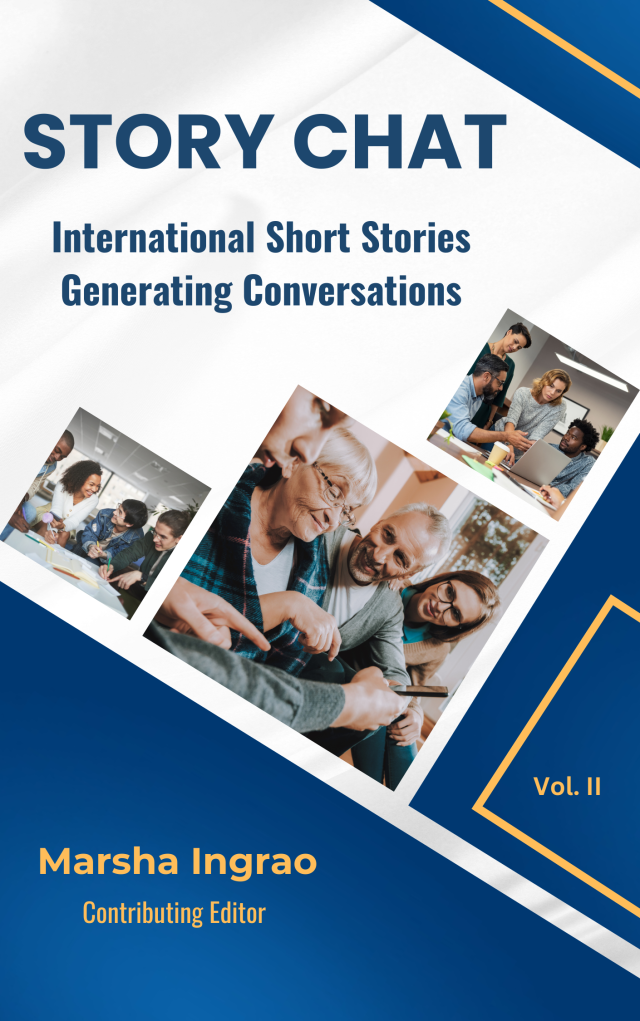
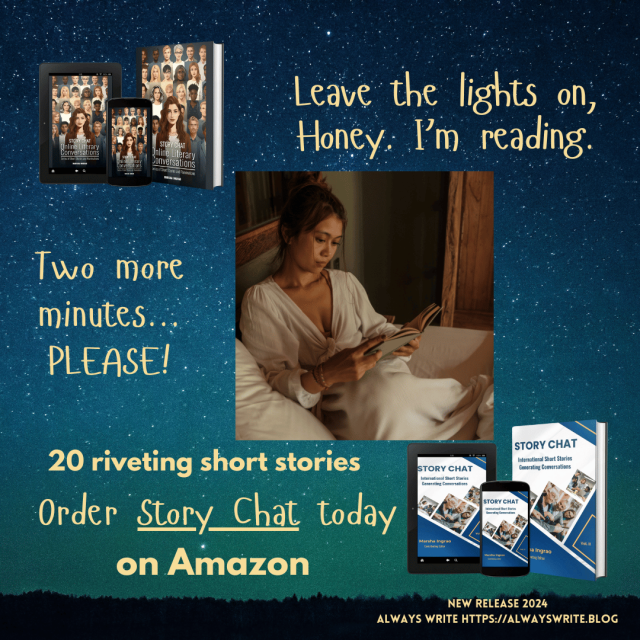
Story Chat Vol II is available on Amazon.
Story Chat—Vol. II, the 2024 compilation, was expertly edited by Colleen Cheseboro. As I reflect on the pages of the book, I feel a sense of happiness and pride in having contributed to both it and the Story Chat—Vol. I book.
This second book features a varied collection of original short stories by 20 authors from around the globe. While most stories are dramas suitable for all ages, from children to older adults, this collection includes science fiction and comedy. Additionally, two non-fiction articles (one of which I penned) discussing the writing process are included. All selections are family-friendly, even though the topics cater to adult readers.
Once you begin reading Story Chat, you won’t be able to put it down.
The book features realistic fiction, surprises, and open-ended stories. Halloween vampire horror tales may make you laugh and reflect on how you can find humour in them. Travelling to an alternate universe – familiar to some – will keep you entertained. You might discover yourself stepping into one or two other universes that are so bizarre you won’t know how to respond to them. My story, ‘The Watcher,’ which centres on a walk in the fog, is one of those peculiar tales.
The characters will move you to tears as they courageously reach for love or confront tragedies you wish no one had to endure. You will chuckle at the older couple deliberating whether to book the adventure of a nudist cruise. You will root for a mother and her autistic child as they overcome challenges. One story will evoke memories of Toy Story or The Velveteen Rabbit. Another feature is an epic children’s poem with illustrations crafted from fondant by the talented author and her son.
The book is so much fun. Yet, it can be educational, especially for writers who constantly work to improve their craft. Each story has discussion questions you can use if you belong to a book club or writing group.
All of us, known as Story Chatters, hope this book will impact your lives.
You can purchase the Story Chat Vol II by following these links. Amazon.uk and Amazon.com
Six Reasons to Own This Book
Great reading when relaxing on holiday.
Introduce the Story Chat concept to your friends as a coffee table book.
A book for writing groups or book clubs to improve members’ writing.
Stories in the book are no longer available to read online.
A birthday or any time of the year gift for friends that read.
You’ll be supporting a growing number of blogging authors and writers to publish next year.
Story Chat Vol: I
Don’t forget to also take a look at Story Chat Vol: I, which includes stories from 14 international authors.
I have two stories in this book – ‘The People Under The Stairs’ and ‘Puddles,’ both of which will take you on a journey to the edge of your imagination.
Do I have any favourite stories in the books?
Yes, but I’m not going to share them with you. Every story has a reason why it’s in the book, and behind every story is a talented author and writer who has poured their heart and soul into crafting each word.
It is not merely about telling a tale; it’s about the intricate web of ideas, emotions, and experiences that culminate in a narrative that resonates with readers on various levels.
Each author draws from a well of inspiration, life experiences, and unique perspectives, making the stories not just entertainment but also a means of connection, reflection, and understanding of our world.
We’re seeking writers, authors, and bloggers to contribute stories to Story Chat 2025, which is currently underway on Marsha’s Blog. For full details, please visit Marsha’s blog.
Click the buttons below to follow Hugh on Social Media
Social media is a powerful tool. When used correctly, it can connect us with thousands of individuals and bring visitors to our blogs, resulting in new followers and connections.
However, social media is a ravenous beast. Before you realise it, it’ll consume all your time while scattering you far and wide without delivering results. It’ll take everything from you and give little back.
One of the first pieces of advice I received from another blogger was to join as many social media platforms as possible to attract visitors. It turned out to be one of the worst pieces of advice I followed, as it wasn’t long before I found myself spending too much time on numerous platforms.
I realised that spreading myself too thinly on social media was not the solution, so I reduced the number of accounts I managed. This freed up significant time, allowing me to engage more on those platforms. Before long, I noticed increased visitors coming to my blog from various social media sites. Social media was finally paying me back for the time I was investing in it.
Since starting my blog in 2014, I’ve tried most social media platforms. Today, I will discuss five of them and explain why they have worked or not for me.
I joined BlueSky in November 2024. It’s one of the new kids on the block. When this post was written, it had gone past the 27 million milestone of the number of users. That number is rising fast.
Not only have I found BlueSky a friendly place to engage with other users, but it’s simple to use, running a similar platform to X. Like any social media platform, the more you engage with other BlueSky users, the better the results.
I’ll write more about BlueSky in an upcoming post, but early indications are that it’s a rising social media platform that all authors, writers and bloggers should seriously consider joining.
I’ve also found a lot of photographers on BlueSky. If you have a photography blog or host a photography challenge, ensure you join BlueSky.
Don’t forget to add the BlueSky sharing button to the sharing buttons on your blog posts so visitors can share your posts to BlueSky.
I joined Flipboard in 2019. It has brought incredible amounts of traffic to my blog and has an excellent customer service team that reaches out whenever problems occur.
Users add information to magazines, so, as in blogging, setting up categories is essential. My most popular magazines are Blogging Tips, Entertaining (short) Stories You’ll Enjoy, LGBTQI, and Writing Tips.
Mastodon is a big part of the Fediverse, which WordPress promotes heavily. The Fediverse is a global, open social network of independent servers that communicate with each other using a common protocol.
Users create posts in much the same way as on X and BlueSky. Posts appear on the timelines of those who follow the person who created and published the post, but other users can also see them.
I’ve had a steady flow of traffic from Mastodon to my blog, although out of the three social media accounts I use, it’s the one I use the least.
X/Twitter
After 14 years, I deleted my X account on December 31st, 2024, for reasons I won’t go into. This means that I will no longer share my blog posts or other bloggers’ posts on X.
Given that I had over nine thousand followers on X, I hope those who followed me there will now follow me on BlueSky. Some already have, but given that this post is my first mention of joining BlueSky, many will not know I am now active there.
I recently gave Instagram another chance. I did my best to boost engagement, but I struggled significantly. While some people interacted with my posts, it was difficult to stand out amidst all the self-promotion on the platform.
There is nothing wrong with self-promoting your own books and blogs, but I find it too overwhelming when it’s every post. I only saw a little of others promoting the posts of others.
Maybe I was following the wrong accounts?
Instagram wasn’t for me. I deleted my account in December 2024.
Avoid following the accounts of those who only promote their own work and who give nothing back to others.
Other Social Media Platforms
There are many other social media platforms that I have not mentioned, and other bloggers, writers, and authors use them successfully. But how?
I would love to know which social media platforms you use and which ones have been the most successful. In the comments section, feel free to share which platforms you use and your username so that anyone reading the comments can follow and connect with you.
Click the buttons below to follow Hugh on Social Media
Wordless Wednesday – No words, just pictures. Allow your photo(s) to tell the story.
You should always go feet-first!
Not sure what Wordless Wednesday is or how to participate? Click here for full details.
Are you participating in Wordless Wednesday? Although I am not hosting this challenge, you can leave a link or pingback to your post in the comments section to help promote it to other bloggers.
To help those with eyesight-impaired vision, please remember to complete a description of your photo in the ‘alt-text’ and description boxes of the picture in the WordPress media library. For more details, check my post, Adding Images Or Photos To Your Blog Posts? 4 Essential Things To Do.’
If you want to know more about the photo featured on this post, ask me in the comments section.
“Are you sure this is what you want to see?” said Michelle as she struggled to hold back the tears.
Her daughter nodded. “Don’t cry, Mummy. Look at the tree. It’s beautiful, isn’t it? You know how much I love Christmas.”
Choked, Michelle could not answer her young daughter’s question. The tears in her eyes made the lights on the Christmas tree blur into one another. Warm on her cold cheeks, they trickled towards the scarf her daughter had gifted her last Christmas.
Standing together, holding hands, Michelle made a Christmas wish that would prove the doctors’ predicament regarding her daughter’s upcoming journey into the darkness due to blindness untrue.
High up, in the skies above the Christmas tree, a shooting star ferried the wish away.
“Merry Christmas, Mummy. I love Christmas, but not as much as I love you.”
Wordless Wednesday – No words, just pictures. Allow your photo(s) to tell the story.
The cakes and pastries are on me. Which one?
Not sure what Wordless Wednesday is or how to participate? Click here for full details.
Are you participating in Wordless Wednesday? Although I am not hosting this challenge, you can leave a link or pingback to your post in the comments section to help promote it to other bloggers.
To help those with eyesight-impaired vision, please remember to complete a description of your photo in the ‘alt-text’ and description boxes of the picture in the WordPress media library. For more details, check my post, Adding Images Or Photos To Your Blog Posts? 4 Essential Things To Do.’
If you want to know more about the photo featured on this post, ask me in the comments section.
Wordless Wednesday – No words, just pictures. Allow your photo(s) to tell the story.
A wooden snowman. Can you name him?
Not sure what Wordless Wednesday is or how to participate? Click here for full details.
Are you participating in Wordless Wednesday? Although I am not hosting this challenge, you can leave a link or pingback to your post in the comments section to help promote it to other bloggers.
To help those with eyesight-impaired vision, please remember to complete a description of your photo in the ‘alt-text’ and description boxes of the picture in the WordPress media library. For more details, check my post, Adding Images Or Photos To Your Blog Posts? 4 Essential Things To Do.’
If you want to know more about the photo featured on this post, ask me in the comments section.
This is my annual post about blogging in December, and it’s also my eleventh December in the blogging world. As I’ve discovered previously, December in the blogging world differs from any other time of the year. Why? Read on for more details.
Are you planning a blogging break in December?
I see a familiar path. As December arrives and the days tick by, the blogging world grows quieter.
I’ve already had the pleasure of witnessing bloggers saying farewell to their blogs and followers for Christmas, joyfully extending warm wishes to their readers for a Merry Christmas while eagerly expressing their intention to return promptly in the New Year. Some have published their final posts of 2024, while others have happily shared their anticipated dates for a well-earned blogging break.
And who can blame them? Blogging is enjoyable, but all bloggers need a break from the blogging world.
However, just because the blogging world gets quiet, it doesn’t mean you have to stop blogging. Instead, it’s the perfect time of year to focus on the behind-the-scenes blogging tasks you may have meant to do throughout the year but never quite got around to.
Embrace this opportunity to make progress on all that behind-the-scenes work and watch your efforts flourish in the New Year.
1. Fix broken links.
It can be daunting if you’ve never checked for and fixed broken links on your blog, but don’t be put off doing it.
I use the free version of Brokenlink.com to check and fix broken links on my blog.
Fixing broken links helps improve your blog’s SEO score and reduces spam.
Your readers will also be happier once those broken links are fixed because they won’t be taken to pages and posts that no longer exist. No more ‘404-page not found’ errors!
Top Tip: Don’t try to tackle your list of broken links in one go. Do a few each day. Before you know it, you’ll have smashed it.
2. Update your ‘About’ page.
Every blogger should definitely have an ‘About’ page on their blog! Why? Well, not only do most readers enjoy getting to know the person behind the blog before deciding to follow, but it also happens to be one of the most visited sections of any blog. Therefore, it’s a win-win situation for bloggers and their readers alike!
It’s just as essential to keep your ‘About’ page updated. When did you last update the ‘About’ page of your blog? I updated mine a few days ago.
Top Tip: Tell visitors when you last updated your ‘About’ page by inserting the month and year you updated it. For example, mine reads, Meet Hugh – updated November 2024.
3. Do some blog housekeeping.
December is perfect for performing behind-the-scene blog housekeeping.
From sorting out the tags and categories on your blog to updating the menu bar, maintaining your blog is vital to keeping it fit and healthy for the New Year.
Blogs where little or no housekeeping is performed lose more followers and readers than well-maintained blogs. Why would anyone want to follow a poorly maintained blog or website full of broken links? They can also appear spammy and unsafe to visit.
Prepare your blog for the New Year by performing some housekeeping during December.
Top Tip: Blog housekeeping may seem daunting, but doing a little each day will significantly improve your blog.
4. Explore the WordPress Editor.
Are you still terrified of the WordPress (Block) Editor? As the number of bloggers using the WordPress Editor continues to skyrocket, now is the perfect time to explore the WordPress Editor and join all those already using it.
The WordPress editor isn’t complex to use; it’s just different!
Remember that you can use the Classic editor via the ‘Classic’ Block. Soon, this may be the only option available to gain access to the Classic editor, so start using it today rather than panicking when the old Classic editor is removed.
Top Tip: Create a free WordPress blog to test the WordPress editor. That is what I’ve done, and it has helped me greatly.
5. Declutter the blogs you follow.
Following too many blogs is not good for your mental health. It can cause some bloggers stress and guilt from being overwhelmed by too many posts they feel obliged to read and comment on. Why follow a blog if you feel compelled to read and leave uninspiring comments?
Take control of your time rather than lose it on blogs you are not interested in.
Check which blogs you are following by clicking on the ‘spectacle (glasses)’ icon at the top of your blog. Click on ‘Manage’ (next to ‘Subscriptions’). You will be presented with a list of blogs you are following. Go through them and unfollow the blogs you are no longer interested in.
Look after your mental health by unsubscribing from blogs that no longer interest you.
Top Tip: Set yourself a limit on how many blogs you follow. When this limit is reached, do not follow any more blogs unless you unsubscribe from some first.
6. Choose a new theme for your blog.
December is the perfect time to change the theme of your blog.
If the WordPress theme you are using has been retired, you are likely (or soon will be) having problems with your blog. This can result in being unable to leave comments on other blogs and not being able to draft and publish posts without encountering issues.
Once WordPress retires a theme, it removes support for it. Don’t waste your time trying to find workarounds. I have witnessed many bloggers give up blogging because they are trying to work around problems with their retired themes.
To choose a new theme, go to your blog’s dashboard and click Appearance—Themes. You’ll be presented with a selection of current themes. As soon as you find one you like, select it.
Many of the themes on offer are Full Site Editing themes. However, Classic themes are also available that still come with full support from WordPress.
The current theme I’m using is Toujours. It’s a Classic theme and is still fully supported by WordPress.
Top Tip: To find fully supported Classic themes, type ‘Classic’ in the search box of the themes page and click on ‘Classic theme.’ A complete list of Classic themes will appear.
7. Delete old blog posts.
Did you know that keeping old, out-of-date posts can damage the health of your blog? These outdated posts are often the source of many broken links and errors that attract spammers.
Top Tip: Deleting old blog posts will also free up storage space in your media library (if they contain images or photos). However, you must manually delete photos and images from your media library to free up space.
Conclusion:
Although all the above tips can be performed at any time of the year, make the most of December by undertaking these tasks.
Remember, doing a little daily goes a long way, rather than doing nothing to look after your blog.
December is often a busy time outside blogging, with holidays and festivities. Taking a break from blogging allows you to recharge, relax, and fully immerse yourself in the holiday spirit. It enables you to step away from the computer and focus on spending quality time with family and friends, as well as doing other fun things.
For those who do not celebrate Christmas, taking a break from blogging while other bloggers do the same will help improve their well-being. Whenever I have returned from a blogging break, I have come back refreshed and full of new ideas for blog posts.
While taking a blogging break in December is a personal choice, finding a balance that suits your needs and goals is essential. Whether you decide to take a break or continue blogging, ensure to prioritise your well-being and enjoy the holiday season.
Am I planning a blogging break?
Yes, I’m taking a blogging break in December. This year, I’ll recycle some Christmas-themed posts and publish a Wordless Wednesday post on December 4th, 11th, and 18th. I also have a book promotion post planned, which may happen in the new year.
My monthly round-up post will go live on December 31st.
I won’t be reading and commenting on blog posts during the Christmas period. However, I will respond to comments left on my blog posts.
What will you be doing with your blog during December? Are you planning a blogging break, or will you continue to blog?
Click the buttons below to follow Hugh on Social Media
Wordless Wednesday – No words, just pictures. Allow your photo(s) to tell the story.
Where’s your favourite place to sit and relax?
Not sure what Wordless Wednesday is or how to participate? Click here for full details.
Are you participating in Wordless Wednesday? Although I am not hosting this challenge, you can leave a link or pingback to your post in the comments section to help promote it to other bloggers.
To help those with eyesight-impaired vision, please remember to complete a description of your photo in the ‘alt-text’ and description boxes of the picture in the WordPress media library. For more details, check my post, Adding Images Or Photos To Your Blog Posts? 4 Essential Things To Do.’
If you want to know more about the photo featured on this post, ask me in the comments section.















 Hugh's Views & News