
Why Now Is The Time To Pull Up My ‘Big Boy’ Trousers’ About My Blog

Have you heard of the saying, ‘Don’t put off today what can be done tomorrow’? I should tell myself that more often because tomorrow becomes tomorrow, and that tomorrow becomes another tomorrow. Before you know it, weeks, months or even years have passed you by, and you still haven’t done what you were putting off until tomorrow.

Last week, after visiting some blogs, I asked myself, ‘Why haven’t I done what they have done yet?’ And the simple and truthful answer was ‘Because of me.’ But what am I referring to?

‘What if?’ moments. Do you ever have them?

A ‘What if’ moment is those moments in life when you believe something is holding you back from doing something you know needs to be done, but you have doubts about it. The problem is that it isn’t the doubts that are holding you back.

The ‘What if’ moment I’ve been having has lasted for the best part of two years.

‘What if changing the theme of my blog from Classic to Block causes problems?’

Given that thousands of other bloggers have done it, I know that, while problems may occur, they can be resolved!

When WordPress introduced the Block Editor, which now seems like many years ago, I disliked it and did everything I could to avoid giving it a chance. I fought myself, declaring I’ll never use it and that I hated the change. And there was my downfall – ‘change.’ I wasn’t willing to accept it.

Then another blogger said in one of her posts, ‘The Block Editor isn’t hard to use; it’s just different.’ That got me thinking, and it was not long before I realised that the reason I didn’t like the change was that I hadn’t set aside any time to read tutorials and watch them, and to give the Block editor a try.

It wasn’t long before I was telling myself that trying out the Block Editor was like switching up from black-and-white to colour television.

Why then has it taken me so long to begin the switch from a Classic to a Block theme? The answer to that question is ‘Me.’ What if something goes wrong? What if I break my blog? What if all my posts disappear? What if my blog disappears without a trace?’ Why if, what if, what if?

The problem with all those questions is that they are not problems. They are excuses. Excuses to stop myself from making changes. And I have found in life that change opens new doors and brings new opportunities. And that’s what switching to using the Block editor did.

But why fix what’s not broken?

I hear people say, ‘Why fix what’s not broken?’ But nobody is fixing anything. All websites have to keep up with technological changes; they would lose many paying customers if they didn’t adapt. It’s paying customers who keep companies alive by buying their products or services, allowing some users to use the site for free.

Now, replace the question ”Why fix what’s not broken?’ with, ‘Why update what is not broken?’ You now have your answer.

Not all WordPress users are lucky enough to have had a choice between a Classic and a Block editor. Many have never known anything but the Block Editor, and they all seem to be doing a great job. However, did you know that the Block editor includes a Classic block that allows users to use the Classic editor?

What’s about to happen on my blog?

Over the next few weeks, you may notice a few changes with my blog as I switch from a Classic to a Block theme. If you notice anything wrong, please let me know, so I can resolve it. There’s plenty of support available on WordPress when you take the time to find it. Part of the excitement for me is choosing a new theme, but another reason I am making the switch is that I gain access to many more blogging tools and options, many of which help users save time.

Finally, I’m pleased to say I’ve changed concerns into excitement. I’m no longer allowing change to stop me from moving ahead on my blogging journey. I want my blog to become part of today’s technology, rather than remain stuck in yesterday’s.

This is my final post using a Classic theme on my blog. Bear with me while I make the changes to a Block theme. Hopefully, it won’t be long before I see you on the other side.
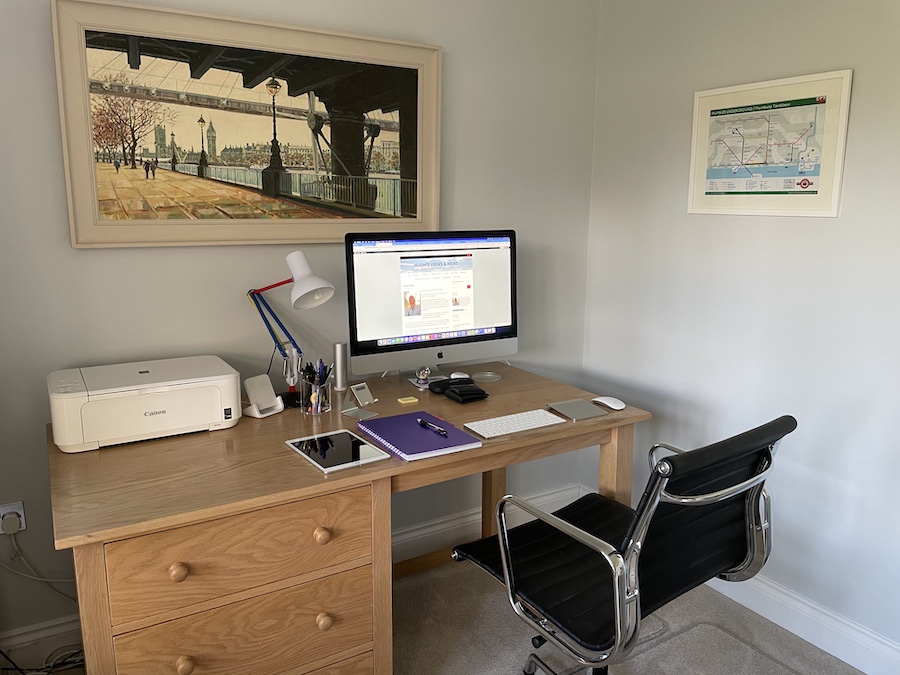
A photo of a neat and tidy desk with a desktop computer, lamp, iPad, keyboard, printer and stationery items on it.
Where I blog from

Update – I did it! I made the change. Check my post How I Finally Switched My Blog to a Block Theme – Challenges, Wins, and Must-Know Tips for WordPress Bloggers for all the details.

Have you changed the theme of your WordPress blog from Classic to Block? Did you encounter any problems? What were they, and how did you resolve them?

The featured image in this post was created using the WordPress image generator. AI was used to check for grammar and spelling mistakes and to help with the layout of the post.

You can follow me on the following sites.

Subscribe to receive further updates from Hugh

Copyright @ 2026 hughsviewsandnews.com – All rights reserved.

Fediverse reactions


Discover more from Hugh’s Views & News  

Subscribe to get the latest posts sent to your email.

88 responses to “Why Now Is The Time To Pull Up My ‘Big Boy’ Trousers’ About My Blog”

  1. How Should a Story End? 3 Types of Endings That Matter Most – Marsha Ingrao Always Write avatar

    […] — “How to Write Fantastic Stories That Will Impact Readers,” by Hugh W. Roberts, Story Chat: International Short Stories Generating […]

  2. Inspire Me Monday Linky Party #558 | Mostly Blogging avatar

    […] Why Now Is The Time To Pull Up My ‘Big Boy’ Trousers’ About My Blog […]

  3. Janice Wald avatar

    I am proud of you. I remember years ago a famous blogger vehemently arguing against switching to Gutenberg blocks and even threatening to sick Neil Patel on the powers that be.

    I made the switch years ago and never looked back regardless of the push back.

    Congratulations. You won the linky party with this reflective and helpful post.

    Janice

    1. Hugh W. Roberts avatar

      That’s great news, thank you, Janice.

  4. Urspo avatar

    I thought I had commented on this, although I don’t see it now. The demons of WP ate it – again. I think an update/change is inevitable so might as well see the good about it. After all there is nothing like a new frock to brighten up the day, isn’t ?

    1. Hugh W. Roberts avatar

      That’s very true. Thank you.

  5. musicman1959daily avatar

    I’m on a different blogging platform but I’ve used WordPress before. The block editor is a breeze once you get the hang of it. You’ll do just fine. As for your new theme, you’ve got to get one that uses the hamburger icon. You tap it and your sidebar appears. The extra room that you have on your page is very good. Also a white background will make your images and text really standout. Especially if you use bold black text in your writing. Happy blogging. 💻

    1. Hugh W. Roberts avatar

      Thank you, Musicman.

      I’ve been using the Block editor since 2020, and I like it a lot. Now it’s time to change to a Block theme.

      You mentioned a hamburger icon. That’s something new to me. What is it, and how do I find out which themes have one?

      I’ll definitely be using a white background with black text.

      1. musicman1959daily avatar

        The hamburger icon is three lines on top of each other. You can go to WordPress Themes and look at all of their themes to see which ones have it.

        1. Hugh W. Roberts avatar

          Thank you. I had a quick look around to find out more about it. For now, I’ve chosen a theme with a visible sidebar, but I may change it again at some point.

  6. Marsha avatar

    Terri asked me if my blog had a block or classic theme. I had no idea what she was talking about.

    “Geez, didn’t you read Hugh’s post?”

    “Not yet.”

    “Well, you need to read it.”

    So, here it is and I still don’t know, but it reminded me that I should check. I sure hope it is because I’m not ready to change to big-girl pants, if it’s not! I just got used to this theme. Sometime soon, after I get my nerve up, I’ll let you know whether or not I’m up to date. :)

    1. Hugh W. Roberts avatar

      To determine if your WordPress theme is a Block or Classic theme, navigate to Appearance in your dashboard. If you see Editor, you are using a Block theme. If you see Customise, you are using a Classic theme. Block themes enable full site editing (headers, footers, templates) via blocks, while classic themes use the customiser. Block themes work much better with the Block editor.

      I hope that helps, Marsha.

      1. Marsha avatar

        Very good to know. I have a block theme. YAY!

        1. Hugh W. Roberts avatar

          I thought you did because your blog looks updated and, unlike other blogs, not out of the ark.

          1. Marsha avatar

            LOL! I love you, Hugh! You keep me on track and up to date!

  7. Mr. Ohh's Sideways View avatar

    Change is inevitable. I moved to every WP change as it happened. There was grumbling but ohh well.

    The change I’d like to see is how can they make my blog more accessible. I’m big inside Reader. But outside the bloasphere I am virtually unknown. 🤣😎🙃

    1. Hugh W. Roberts avatar

      Getting noticed outside of WordPress can be difficult, but it can be done. Adding the right tags and categories helps, as does ensuring you share your posts (and those of other bloggers) on social media.

  8. Expedition Nomadic Adventurer avatar

    Hugh, I believe I have been using a mix of both as I’m learning the current “AI” feature which I so far like. Good luck in your transition as we bloggers/writers continuing our education on lifestyle journey.

    1. Hugh W. Roberts avatar

      I’ve tried some of the AI tools WordPress offer. They seem to be getting better as time goes on. But I hear that Block themes are much better with AI than Classic themes. I’m looking forward to finding out.

  9. Eugi avatar

    I’m proud of you, Hugh, for changing to a Block Theme. I’ve tried several block themes, and they all have a unique style of their own. The theme I selected I found was one of the simpler ones to put together (Nook). I also like Nook because it offers a sidebar on all templates. Think of it as putting a jigsaw puzzle, and take your time. Good luck, my friend.

    1. Hugh W. Roberts avatar

      I’ll have a look at the Nook theme because I definitely want a right hand sidebar on my blog, Eugi.

      I’m looking forward to doing the switch, and I’ll certainly take my time with it.

      1. Eugi avatar

        If you need any help, let me know, Hugh. 😊

        1. Hugh W. Roberts avatar

          Thank you so much, Eugi. I may well take you yup on that offer.

          1. Eugi avatar

            You’re welcome, Hugh.

  10. TanGental avatar

    I’ve used the block editor for ages but one thing that riles me is of i want to copy two or more blocks, maybe to move them or transfer to another post. I have to copy each block separately whereas classic gave you mire freedom. If your research shows a way to do this I’ll be delighted but I’ve not found one myself.

    1. Hugh W. Roberts avatar

      Hi Geoff, here are two ways you can copy and paste multiple blocks at the same time to another post.

      Click the List View icon (three horizontal lines) in the top-left toolbar to see all blocks.

      Click on the first block, hold down the Shift key, and click on the last block in the sequence. Alternatively, drag your mouse across the blocks in the main editor area.

      With the blocks highlighted, click the three-dot menu in the block toolbar and select Copy, or use the keyboard shortcut Ctrl+C / Cmd+C.

      Open your new post, click where you want the content, and use Ctrl+V / Cmd+V to paste.

      It can also be done via this method –

      Select multiple blocks (as above). Click the Group icon in the toolbar (or select “Group” from the three-dot menu). Copy the entire Group block. Open your new post, click where you want the content, and use Ctrl+V / Cmd+V to paste.

      With the Block editor, there is always a way.

      Hope that helps.

Feel free to leave a comment. Engagement helps keep blogs alive and forms community.

This site uses Akismet to reduce spam. Learn how your comment data is processed.

I’m Hugh

Welcome to my blog. I’m delighted to have you here. This is the place to discover tips on blogging and WordPress, flash fiction, photography, and more. I enjoy engaging with my readers, so please feel free to explore, join discussions, and contact me. I’m happy to assist! Find out more about me and my blog by clicking the ‘Meet Hugh’ button.

Let’s connect

Subscribe to Hugh’s Views And News

Latest Posts

Looking for your next quick read? Try my books

An image of book covers, book, tablet and mobile phone, for the book Glimpses.
An image for the book More Glimpses - showing a book cover, tablet and mobile phone.

Follow Hugh in the Fediverse

Hugh's Views & News  
Hugh's Views & News  
@hughsviewsandnews.com@hughsviewsandnews.com

WordPress & Blogging tips, flash fiction, photography and lots more!

314 posts
10 followers
A widget with the words 'Team Effort - Story Chat Digest - Where Authors Meet - Author'

Most Viewed Posts & Pages Over The Last 24 Hours

Recommend Blogs To Follow


Roaming About
A Life Less Ordinary

Second Wind Leisure Perspectives
Fun, Photography & Friends

Spo-Reflections
Spo-Reflections
To live is to battle with trolls in the vaults of heart and brain. To write; this is to sit in judgment over one's Self. Henrik Ibsen

Boomer Eco Crusader
Boomer Eco Crusader
Live Green | Declutter | Simplify Life

SONGS AND SCRIPTS AND DUNKING BISCUITS
Every day tales of a winging-it creative

Jacqueline Lambert
Jacqueline Lambert
Award-Winning Travel Humour Writer

Anne R. Allen’s Blog… with Ruth Harris
Writing about writing. Mostly.

Fancying France
The musings of a ‘femme d’un certain âge’ who divides her time between SW France and SE England

Marsha Ingrao         Always Write
Marsha Ingrao Always Write
Having fun blogging with friends

Curiosities, Castles and Coffee Shops
The musings of a curious mind

WrookieSchU
WrookieSchU
Live life 🙌🏼

WPcomMaven
WPcomMaven
Helping you make the most of your free WordPress.com website since 2011

Share Your Light
Share Your Light
You are a miracle – Let it happen

No Facilities
No Facilities
Random thoughts, life lessons, hopes and dreams

Esther Chilton
Writer, Tutor and Editor

Saying nothing in particular
Jan … JT Twissel

The Chicago Files
The Chicago Files
A Canadian Perspective on Living in the Windy City!

Thank you to all my visitors

489,486 hits

268,634 visitors

Scan the QR code to follow me on Bluesky

Copyright Protected Blog

COPYRIGHT ©2011-2031 Hugh’s Views And News BLOG – All Rights Reserved.

This work by Hugh W. Roberts, and/or Hugh’s Views And News blog, is licensed under a Creative Commons Attribution-Noncommercial-NoDerivatives 4.0 International License. Unauthorised use and/or duplication of this material (text and images) without express and written permission from this blog’s author and/or owner is strictly prohibited. If you want to use posts, excerpts, photos and links, you may contact me first. You must give full and clear credit to Hugh W. Roberts and Hugh’s Views And News dot com with links to the original content.