
The Commenting Problems So Far
If you are new to what’s happening with the problem I have reported to WordPress of having to sign in on some blogs to comment when I am already signed in, you may like to read my recent posts ‘WordPress.Com Comment Problems? Here’s What’s Going On,’ ‘WordPress Comment problems? Here’s What’s Still Going On,‘ and ‘WordPress Comment Login Problems: Latest Update and Fix Hopes,’
Although I don’t have a date for when a fix will be released, WordPress has contacted me again with answers to some questions I asked. Here are the questions and WordPress’s answers.
WordPress’s Answers to My Questions
Q: What’s changed to cause this problem, as it never happened before?
A: The new comment form from October gives each blog on its own domain, like alwayswrite.blog, a separate sign-in for you. That sign-in is meant to last 30 days, so being asked again the next day isn’t how it should work.
Q: Should users log out of WordPress every day or stay logged in?
A: From what you noticed on November 4, staying logged in looks like the way to avoid the prompt for now. That’s fine on your own computer, and on a shared one, logging out is still the safer choice. I’m passing your November 4 note to our developers so they can check whether logging out of WordPress.com is what ends those blog sign-ins.
Q: For site updates to take effect, should you log out of WordPress every day?
A: No. Site updates show up without logging out and back in.
What You Should Know
Some important points to note here.
WordPress acknowledges a login problem when commenting on certain blogs that is affecting some users.
WordPress has sent the comment issue to their development team. Unfortunately, there is no fix date in place, so we are in that team’s hands.
A Temporary Workaround
However, I have noticed that if I leave a comment on a blog and don’t log out of my WordPress account, I am not asked to sign in again when leaving another comment on any blog I have already commented on.
Some of you have told me that staying logged into WordPress hasn’t worked for you when leaving comments on blogs you’ve already visited and commented on. I’m afraid I cannot offer any advice on how to get around the commenting problem other than to sign in again when asked. To be honest, since the problem first started happening in October 2026, I’ve got used to checking that I am signed in before leaving a comment.
Jetpack App Update
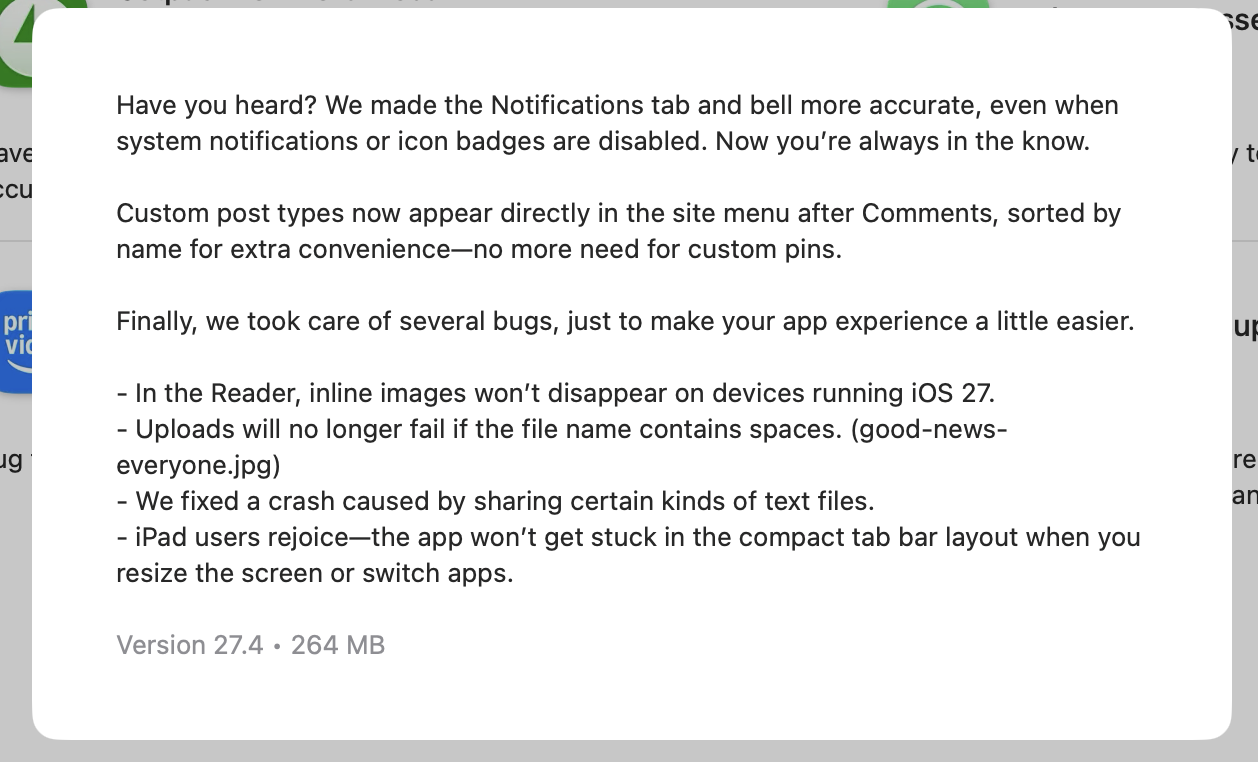
On another note, I noticed WordPress recently updated their Jetpack app. Here’s a screenshot with the details.
What Happens Next
Of course, I’ll keep you all updated on any further developments with the commenting problem, but that probably won’t happen until a fix is finally in place.
I’ve seen lots of comments across WordPress from bloggers and readers experiencing sign-in problems when leaving comments. If you know somebody having the same problem, please let them know I’m working with WordPress to fix it. If it helps, point them to this post.
Copyright @ 2026 hughsviewsandnews.com – All rights reserved.
The featured image in this post was created using the WordPress image generator. AI was used to check for grammar and spelling mistakes and to help with the layout of the post.
You can follow me on the following sites.
Please feel free to share this post.














Feel free to leave a comment. Engagement helps keep blogs alive and forms community.