
In April 2025, I published three posts. I seem to be settling into a schedule of three posts per month, much less than what I was doing this time last year. However, engagement and views remain high, which I’m delighted about, given that I was concerned a drop-off in posts would mean fewer views and engagement. But that’s not true.
My last post, in April, was about commenting, which received the most comments. It’s a hot topic among bloggers, so I wasn’t surprised by the results. If you’ve not read the post and comments yet, check it out and join the discussion.
In the meantime, here’s your opportunity to catch up on my three blog posts from April 2025.
We all make mistakes while blogging. But what are these mistakes, and how can we resolve them?
Are you having any issues with your current WordPress theme? Are you using a Classic or Full Site Editing theme? Would you let AI help you change your blog theme? Join the discussion.
Have you ever found yourself lost in the rabbit hole of themes while setting up your WordPress blog? Are you an existing blogger who needs to change an outdated, unsupported theme? Many bloggers embark on this journey—one filled with excitement, anxiety, and the quest for the perfect layout.
As I look back on my blogging evolution, I can’t help but recall the days of choosing that first simple theme, a decision that would shape my entire online presence. Little did I know, this was just the beginning of an adventure that would change with every new theme and update!
How did it all begin?
The first theme I chose was straightforward. It featured a space to add a profile picture and little else. It targeted first-time bloggers who sought a simple layout and a quick start. It got me off to a great start.
As the years progressed, I became more confident in changing the theme of my blog. I wanted a side widget bar to add information, such as a follow button, links to my social media accounts, and a box with links to previous posts.
That first theme change took me a whole weekend to complete. It wasn’t particularly complicated, but it required much work to ensure everything was as I wanted. After all, my followers had increased, and more people were visiting my blog, and I didn’t want anyone to think I was stuck in 2014 or going backwards in the blogging world.
Other theme changes occurred; each time, I found it easier and took less time to change themes. Then it came to a grinding halt.
Full-Site editing themes
Fast-forward a few years, and I considered changing my blog’s theme from the Classic theme I had been using to a new Full-Site-Editing (Block) theme. However, it seemed too complicated, and I was reading posts from other bloggers detailing the difficult transition they had gone through and a list of problems they faced. It reminded me of stories I’d read when some bloggers switched from WordPress.com to self-hosting their blogs.
Today, I’m still using a supported WordPress Classic theme (Toujours), and even though I have thought long and hard about switching to a Block theme, I haven’t jumped ship.
Future themes are here, but there’s a catch!
Last week, WordPress announced that anyone using WordPress could build a blog theme using AI for free. All you have to do is give AI some information about the type of layout you are looking for, and it’ll build the theme and do all the work for you.
Not only was I excited by this news, but it got me thinking about all those bloggers experiencing problems with their blogs because the theme they use is outdated and no longer supported by WordPress. These bloggers could let AI build a theme for their blog and eliminate all the problems they’re experiencing once and for all.
But what about those who won’t use AI? Would they rather continue using outdated, unsupported themes than allow AI to help them?
Using an outdated, unsupported theme can lead to several issues. Here are a few.
1. Security vulnerabilities: Without updates, the theme may become prone to security risks that could compromise your blog. 2. Compatibility issues: As plugins and WordPress itself update, an outdated theme may not function correctly with newer versions, causing layout glitches, functional problems such as not being able to leave comments and issues with WordPress believing you are not logged in. 3. Lack of support: You won’t have access to official support for troubleshooting any issues or queries that arise with the theme. WordPress will advise you to change to a supported theme. 4. Performance issues: Unsupported themes may not be optimised for speed and performance, leading to slower load times. 5. Missed features: Regular updates often include new features and improvements; sticking with an unsupported theme means missing out on these enhancements, which could benefit your blog’s features and user experience.
We’re not quite there yet!
Unfortunately, after a few messages exchanged between a member of WordPress staff and me, I discovered that this new service of AI creating a theme for your blog is only available to those who want to start afresh with a brand new blog. The AI software can not change themes for an existing blog. However, WordPress is working on this, and it will become available sometime in the future.
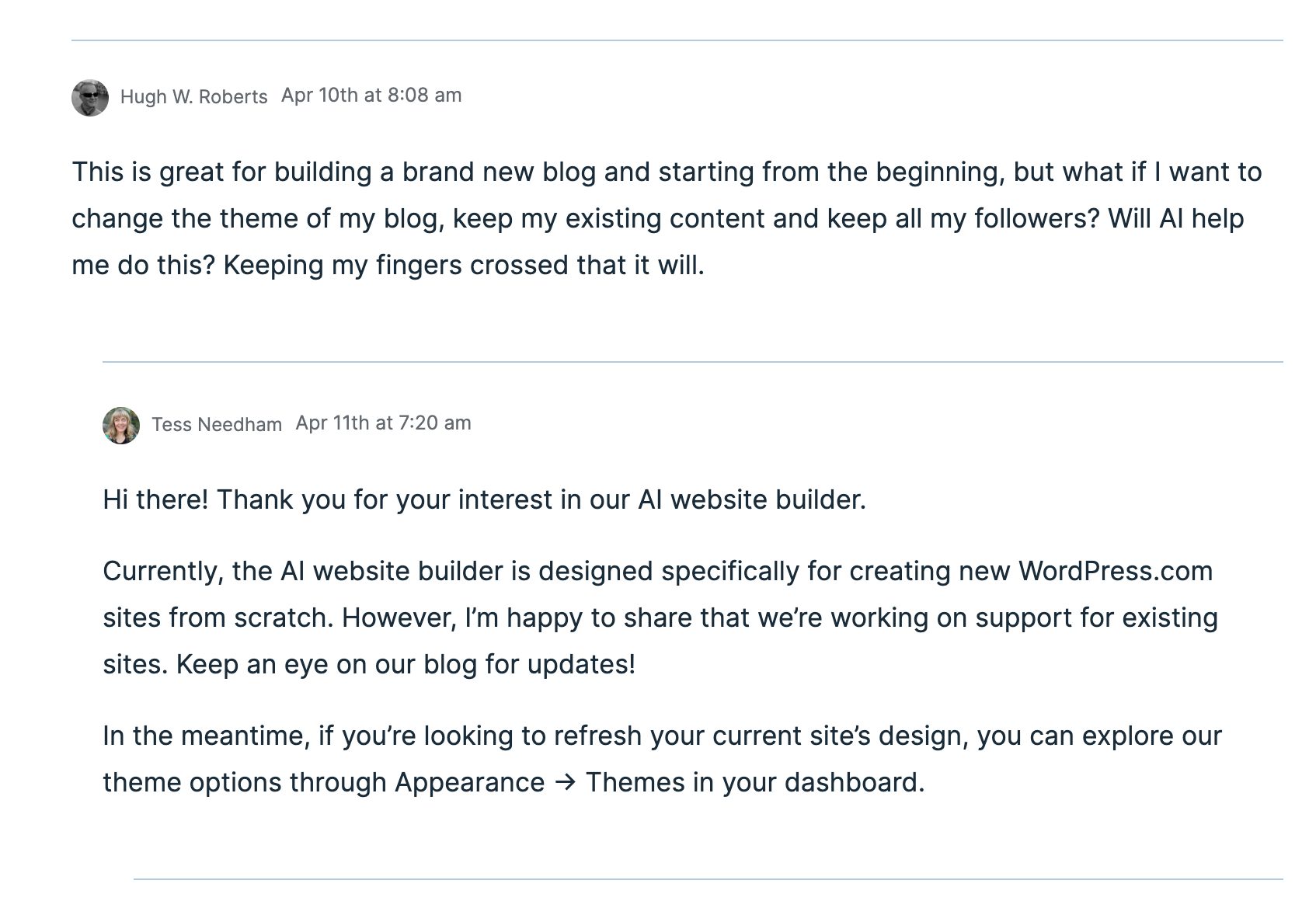
Would you allow AI to help you change the theme of your blog?
Given that I’m not confident about changing my blog’s theme from my current theme to a full-site-editing theme, I’m looking forward to AI doing the work for me. I just hope it’s something I’ll be able to do sooner rather than later.
Recommended reading about AI in blogging from other bloggers.
This post from Debbie at Deb’s World, “Reinventing Blogging: A Look into the Future,” dives into the controversial realm of AI in blogging, and trust me, it’s a must-read that has ignited plenty of debate. Are you ready to jump into the fray and add your voice to the discussion?
Would you use and trust AI to help change your blog’s theme? Are you still using an outdated, unsupported theme and experiencing problems? Are you someone who will never use AI, even if it means the problems you’re experiencing with your blog will continue? Drop your thoughts in the comments, and let’s chat!
I only published four posts (including this one) this month, compared to eleven in March 2024. Yet, compared to March 2024, my blog only got around 100 fewer views.
SEO (Search Engine Optimisation) continues to play a big part in bringing new visitors to my blog, so don’t allow those who say that SEO doesn’t matter to tell you otherwise. SEO is important if you want more visitors and potentially new followers to your blog.
If you have any questions about SEO, leave them in the comments section.
Here is your opportunity to catch up on my three blog posts published in March 2025.
Bluesky is an engaging social media platform for bloggers and creators. It fosters community despite challenges from bots and scammers. My ultimate guide to Bluesky includes details on engaging with other users and dealing with bots and scammers.
Engaging blog post titles are crucial for attracting visitors; they significantly influence click-through rates and post engagement. My post details how to create the best titles for your blog posts.
AI enhances blogging by improving efficiency, creativity, and SEO, but it also presents risks, such as a reduced personal touch and potential dependency. This post explores the benefits and drawbacks of using AI in blogging. Do you support using AI for blogging, or do you oppose it? Share your thoughts by joining the discussion.
In today’s digital landscape, artificial intelligence (AI) is emerging as a progressively popular tool across various domains, including blogging.
WordPress integrated AI into its platform a few years ago, joining numerous other sites that now offer AI as an option.
I have witnessed many bloggers who are afraid of what AI can do, but I have also seen many bloggers embrace AI and utilise it for the benefits it can offer.
However, like any tool, there are pros and cons to consider.
What are your thoughts about using AI to blog?
This post examines the advantages and disadvantages of integrating AI into your blogging process.
Pros of Using AI in Blogging
1. Improved Efficiency
AI tools can streamline the writing process. From generating topic ideas to creating content drafts, AI can save bloggers considerable time, allowing them to focus on refining their unique voice and style.
This may prove beneficial to bloggers who publish daily, but those bloggers who publish less often may not see any benefit.
2. Enhanced Creativity
AI can assist in brainstorming and generating creative content ideas. With access to vast databases and algorithms that identify trends, AI can offer fresh perspectives and innovative suggestions.
However, some consider this to be plagiarism, a term that specifically refers to taking another person’s work—words, ideas, and so forth—and presenting it as one’s own without proper attribution.
Did you know that WordPress users can choose to stop their blog’s content from being shared with a WordPress-licensed network of content and research partners, including those that train AI models? To achieve this, navigate to your blog’s dashboard, select Settings—Reading, and tick the box next to ‘Prevent third-party sharing...’.
Tick this box to stop AI from using your blog content.
3. SEO Optimization
Numerous AI-based tools can analyse keywords and optimise content for search engines. They offer insights into the types of content that rank well, assisting bloggers in enhancing their visibility and reach.
I utilise AI to generate titles for blog posts when I struggle to think of a captivating title that will entice readers to read and engage further. Consequently, I have observed a significant increase in engagement and visitors to my blog.
4. Data-Driven Decisions
AI can analyse reader behaviour and feedback to inform content strategy. By understanding what resonates with the audience, bloggers can create more targeted and engaging content.
However, your WordPress statistics can also provide this information by analysing the stats of posts that receive higher engagement. Typically, you’ll observe a correlation between those posts that engage readers more and those that attract less engagement.
5. Consistency
AI can assist in maintaining a consistent posting schedule by automating aspects of the content creation process. This guarantees that the blog stays active and engaging for readers.
It is widely known that blogs which publish on a schedule tend to retain readers; however, it is unwise to publish content merely for the sake of it. There is nothing wrong with occasionally missing the publication of a blog post or taking a break from blogging. Nevertheless, if you choose to take the latter route, ensure that you inform your readers.
Cons of Using AI in Blogging
1. Lack of Personal Touch
AI-generated content often lacks the emotional depth and personal touch that human writers naturally provide. Readers tend to connect more readily with personal stories and unique experiences that AI is unable to replicate.
If you let AI compose all your posts, you’ll soon notice a decline in visitors and engagement.
2. Quality Control
While AI can generate content rapidly, the quality does not always meet high standards. Bloggers must review and edit AI-generated content to ensure it aligns with their voice and is factually accurate. Remember, it is your blog, not that of AI. Your voice matters.
3. Dependence on Technology
Over-reliance on AI can hinder writing skills. Bloggers may grow overly dependent on tools, stifling creative development and originality. This is particularly evident in the fiction world, where I have observed AI produce stories that lack emotion or feeling, thus making them dull and unappealing.
My advice is that if you use AI, mix it with your written content.
4. Ethical Concerns
The use of AI raises ethical questions, such as plagiarism (which I discussed earlier) and authenticity. Bloggers must ensure that their use of AI does not compromise their integrity or mislead their audience. Always check (and check again) what AI produces.
5. Costs
Although some AI tools are free, many come with a cost. For bloggers on a tight budget, investing in AI technology might not be practical. However, this won’t affect those who choose not to use AI.
Do I use AI in blogging?
Yes, I utilise AI to assist with spelling and grammar corrections. I have also used AI to verify if I have omitted anything essential from a post, as well as for generating titles for blog posts.
The featured images I use in my blog posts (including this one) are primarily created using the WordPress AI image tool. However, I have found that the tool is not always particularly effective at generating images, especially when more than a few words are included. More work is needed to improve it.
Conclusion
Utilising AI in blogging offers both exciting opportunities and significant challenges. While it can enhance efficiency, creativity, and data-driven decisions, it is crucial to maintain a balance and preserve the unique voice that attracts readers. By carefully weighing the pros and cons, bloggers can make informed choices about incorporating AI into their writing process.
If you wish to utilise AI, do so with your own writing rather than generating posts entirely composed by AI.
Finally, we must never forget that we all have a choice regarding AI. We can either use it or leave it be. What we must never do is persuade other users to use it or not. It’s a personal decision. Never criticise those who choose to use AI if you are against any use of AI in writing. Likewise, don’t criticise anyone who refuses to use AI if you use it.
Recommended reading about AI in blogging from other bloggers.
This post from Debbie at Deb’s World, “Reinventing Blogging: A Look into the Future,” dives into the controversial realm of AI in blogging, and trust me, it’s a must-read that has ignited plenty of debate. Are you ready to jump into the fray and add your voice to the discussion?
Are you hopping on the AI train in your blogging adventure? If so, what tools are you using, and what benefits has AI brought you and your blog? Does the use of AI in the blogging world concern you? Are you against using AI in Blogging? If so, what are your reasons? We want to hear your thoughts if you’re for or against AI. Drop your thoughts in the comments, and let’s chat!
I’m getting tough with non-engaging comments. Any non-engaging comments such as ‘Nice post’ are marked as spam.
Click the buttons below to follow Hugh on Social Media
What do you consider the most crucial factor in attracting new visitors to your blog or website?
Many may immediately say, ‘content.’
However, content is not always king.
An essential element that nearly every visitor encounters first before deciding to read a blog post in depth exists.
Crafting Compelling Titles for Your Blog Posts
Why Great Blog Post Titles Are Essential…
“On average, 5x as many people read the title as read the body copy. When you’ve written your headline, you’ve spent eighty cents out of your dollar.” — David Ogilvy
Indeed, the secret lies in your blog post titles. Craft captivating titles, and you will witness a surge in new visitors eager to read your posts and explore your website.
I don’t know about you, but some blog post titles can make me sleepy, especially when they have been used repeatedly.
Blog Post Titles: The Equivalent of Book and Movie Titles
I consider blog post titles akin to the titles of books or movies. If a title captures my interest, I am likely to begin reading the book or watch the film.
Titles are as significant as the content itself, yet many bloggers give their blog post titles little, if any, thought. Master both, and you’re on the path to success.
If your blog post title isn’t engaging, how many potential new and existing visitors will scroll past it without a second thought?
I often find myself doing the same. If a title fails to grab my attention, I quickly move on.
Think about this: how many visitors to your blog are likely to do the same?
Tip: When creating titles for your blog posts, consider what title would motivate you to click on the ‘read more’ link.
Strategies to Make Your Blog Post Titles More Enticing
Certain words in blog post titles can attract readers’ interest in learning more. Here are a few examples:
How
How to
When
Have
Have you
Don’t
Did
Do you
This
This is
Who
Why
What
Where
Additional Techniques to Enhance Your Blog Post Titles
Incorporate Numbers
Numbers can greatly affect the effectiveness of your titles. Think about these two examples:
My thoughts onWays to Get People to Read Your Blog Posts.
7 Blogging Tips That Will Boost Your Post Engagement And Get Visitors Reading Your Blog.
According to Janice Wald of MostlyBlogging.com, odd numbers generally perform better than even numbers in titles, with prime numbers yielding even greater results.
Odd numbers tend to attract more attention as they seem less predictable compared to even numbers.
Tip: Opt for numerals instead of spelling them out when using numbers. Digits tend to stand out more in headlines and require less space.
Utilise Hashtags
Hashtags can enhance your blog post titles, aiding both SEO and drawing in visitors seeking specific topics.
Explore trending hashtags around your post’s publication time. Bluesky and X are great resources for identifying these trends, but always ensure your hashtags are relevant to your content.
Warning: Excessive hashtags can lead to search engines flagging your post as spam. To maintain a professional appearance, limit yourself to no more than three hashtags in your blog post title.
Incorporate Bluesky and X Usernames
If you mention someone in your blog post with a Bluesky or X account, including their handle in the title can be beneficial. When your post is shared, the individual mentioned receives a notification and may expand your reach by resharing it.
For example, when writing a book review, in the blog post title, include the Bluesky or X handle of the author.
Optimise Word Count
Research from CoSchedule.Com suggests that blog post titles around 55 characters long typically earn the highest click-through rates. Titles within six to ten words also tend to yield better engagement.
To establish a foundation for creating your blog post titles, consider these templates:
How To ____
How To Find ____
How To Completely Change ____
How To Create ____
How To Use ____
How To Get Rid Of ____
How I Made ____
How To Save ____
How To Help ____
How To Develop ____
What To Do With ____
Here’s How To ____
Where To Find ____
What No One Tells You About ____
(#) Questions You Should Ask Before ____
(#) Secrets To ____
(#) Signs You Might ____
(#) Rules For ____
(#) Facts About ____
(#) Ideas For/To ____
(#) Essential Steps For/To ____
(#) Foolproof Tips For ____
(#) Handy Tips For ____
(#) Tricks For ____
(#) Key Benefits For ____
(#) Reasons You ____
(#) Wrong Ways To ____
(#) Most Popular ____
(#) Tips For ____
(#) ____ Mistakes You Won’t Make Again
(#) Things I’ve Learned This Month
Why My Weekend Was Amazing
You’ll Never Believe What Happened Last Week
Why This Is The Only Chocolate Chip Recipe You Need
Meet ____ ____ Who Reveals Their Writing Secrets
Why I’m Recommending These (#) TV Shows to Fans of ____
Book Review: (#) Reasons I’m Giving ____ by ____ ____ (insert Bluesky or X username) 5 Stars
(Remember to insert a number in place of (#).)
I’ve used many of these title ideas and seen excellent results. My titles frequently include words that draw readers in.
Warning: Always remember to add a title to your blog post. Any title is better than having none. WordPress replaces empty titles with a five-digit number, which does not encourage visitors to click the ‘read more’ link.
AI – can it help with blog post titles?
Yes, it can.
Did you know that WordPress has an AI block? Just ask it to suggest a title for your post, and see the result.
Blog post titles are the first impression for visitors; make them as compelling as possible.
Titles are as important as the content of your posts.
Consider what would encourage you to click ‘read more’ when crafting a title.
A poorly chosen title could mean missing out on countless new readers, likes, and comments.
Ensure every post has a title; it doesn’t have to be perfect—just better than a default number.
Use engaging words like How, What, Why, and Where to entice clicks.
Odd numbers usually outperform even numbers in titles, making them more appealing.
Use numerals for numbers in titles for better visibility.
Keep hashtags limited to three to avoid looking spammy.
Mentioning Bluesky and X usernames can help boost your post’s visibility on social media.
Use AI to help generate blog post titles.
How do you generate titles for your blog posts? Are there any extra strategies you would like to share or questions about title creation? Join the conversation in the comments!
Click the buttons below to follow Hugh on Social Media
February 27, 2024, prompt: Write a story about artificial intelligence in 99 words (no more, no less). Use any genre. What is unfolding, or has the situation existed for a while? Who shows up, AI or a figure of imagination? Go where the prompt leads!
Future Affairs – by Hugh W. Roberts
“Kenneth, the AI isn’t working.”
“Have you tried turning it off and on again, dear?”
“No, I’ll try.”
***
“Kenneth, I can’t turn off the AI.”
“Did you unplug it from the mains?”
“No, I’ll try.”
***
“Kenneth, the AI just told me you’re having an affair!”
“Where did it get that information from?”
“I’ll ask.”
***
“Kenneth, the AI says you’ve murdered our marriage!”
“Me? Where did it get that information?”
“From me, Kenneth. That’s why I’m having an affair.”
Gunshots rang out.
“You’re dead for killing the marriage, Kenneth,” said the AI. “Will you marry me?”