Where To Legally Source Amazing Images For Your Blog Posts

The majority of bloggers understand the importance of visual content. Posts that include images receive up to 70% more traffic than those that contain no images. However, there is one major pitfall associated with using images in blog posts, which I will address shortly.

Images not only enhance the appeal of our posts but also help us communicate our messages more effectively. However, a key question remains: where do you source your images and photographs for your blog posts?

Are you breaking the law by using images that are not your own?

I’ve become concerned by the increasing number of bloggers using images or photos without giving credit to the owner or specifying the source of the image. Many of these images have been obtained from the internet; some are copyrighted and not freely available for use. Bloggers using these images and photos are breaking the law.

Some bloggers believe they will never be caught using copyrighted images and photos. They argue that their blog is too small for anyone to care. Nobody will come after them. However, I am aware of a few bloggers who have been prosecuted and fined for downloading and using copyrighted images and photos on their blogs.

It may also not have crossed the minds of some bloggers that there are serious consequences for using images and photos to which they do not have the rights in their posts. Hence, this post.

Where do bloggers get their images from?

Some bloggers, including myself, use stock photo websites that provide images and photos for free. However, even some of these can incur costs if the images are only free to use for a limited time or require the user to give full credit to the owner, along with a link to where the image was sourced. Always read the small print before using any images or photos that are not your own.

Here’s an example. The following image is from Pixabay, a website that offers a wide range of free-to-use images and photos.

An image of a desktop computer keyboard with the 'Copyright' trademark on it.
Image by Gerd Altmann from Pixabay

Notice that I have given credit to the person who created the image and where I obtained it from. The image is free to use, and although the content licence summary states ‘Use Content without having to attribute the author (although giving credit is always appreciated by our community!).’ I always include an attribute along with links to the source of the image.

Always check the content licence summary before downloading an image or photo from the internet and using it in a blog post. Ensure you follow any rules around the use of the image.

The perils of using copyrighted images

While it might be tempting to use appealing images from the internet, downloading and using copyrighted images and photos can result in serious legal trouble. Here are some risks to bear in mind:

Legal Consequences

Using copyrighted images without permission can lead to copyright infringement, which may result in potential legal action against you. This may result in hefty fines, the removal of your post, or even the closure of your blog, not to mention damage to your reputation.

Image Attribution Challenges

Even when images are shared with the intention of being used by others, understanding the precise attribution requirements can be confusing. Each source may have different rules, and failing to follow them can put you at risk.

Quality Concerns

Some free or low-cost images can often be of lower quality, which can damage the professionalism of your blog. Conversely, high-quality images usually come at a price, highlighting the importance of responsible sourcing. However, they can eat into your media space unless you reduce the size, which may then affect the quality.

The Perils of Reblogging

If you reblog a post of another blogger that contains images and photos, don’t think you are safe from prosecution if any of those images or pictures are copyrighted. You, too, could be fined for resharing images or photos that are not free to use, even though all you did was reblog the post. If you are not absolutely certain where those images and photos originated and whether they are free to use, don’t reblog the post.

Availability of Alternatives

Fortunately, there are many alternatives to using copyrighted images. Consider the following options:

  • Stock Photo Websites: Sites like Unsplash, Pexels, and Pixabay offer free images that are often licensed for commercial use.
  • Creative Commons: Use images that offer a Creative Commons license, ensuring you follow any stipulations regarding attribution or modification.
  • Original Content: Creating your own images can be the most reliable way to ensure your visuals are unique and free of legal concerns.
  • AI: Make use of the AI image creator on WordPress. It’s easy to use, although it doesn’t always come up with something relevant, especially if you don’t provide a clear enough description of what you want it to create, but I’ve found it very useful.

Summary:

In conclusion, sourcing images for your blog posts is an essential aspect of content creation that warrants careful consideration. However, be aware and always check if images and photos that do not belong to you are free to use!

The simplest way to avoid copyright issues with images and photos is to always use your own.

Please read this important yet alarming post by Jacqueline Lambert, ‘Bloggers Beware The Copyright Trolls – Even If You Use Royalty-Free Images,’ about a scam targeted at bloggers who use royalty-free images.

I want to open up the conversation and hear from you. What resources do you rely on for images? Do you have any favourite stock photo sites, or do you prefer to create your own visuals? Have you tried the WordPress AI image creator? What did you think of the images it created? Let’s discuss the various avenues we can explore to source images, and perhaps you’ll discover new options along the way.

The featured image in this blog post is taken from Pixabay. AI checked spelling and grammar mistakes.

Click the buttons below to follow Hugh on Social Media

Copyright @ 2025 hughsviewsandnews.com – All rights reserved.


Discover more from Hugh’s Views & News  

Subscribe to get the latest posts sent to your email.

65 responses to “Where To Legally Source Amazing Images For Your Blog Posts”

  1. […] Where To Legally Source Amazing Images For Your Blog Posts […]

  2. […] you have read my recent posts, ‘Where To Legally Source Amazing Images For Your Blog Posts‘ and ‘The Latest Blogging and Publishing Scams You Need to Be Aware Of Now‘, […]

  3. […] Where To Legally Source Amazing Images For Your Blog Posts […]

  4. Liz Gauffreau avatar

    I try as much as possible to use my own images. Since I’ve been writing historical fiction the past few years, I’ve been using images from the Library of Congress. The copyright status for the image is clearly stated, and a citation is available to copy-and-paste for APA, MLA, or CMoS format!

    1. Hugh W. Roberts avatar

      That sounds like a safeguard place to get images. But using our own images, of course, is much safer.

  5. robbiesinspiration avatar

    This is an excellent post, Hugh. I use mainly Unsplash for free images and I also have a paid account there. I have nearly 500 of my nature photographs available for free download on Unsplash.

    1. Hugh W. Roberts avatar

      That’s so kind to make all those photos of yours free top download on Unsplash, Robbie. I’ve never thought about doing that. Perhaps something for me to think about.

      1. robbiesinspiration avatar

        Yes, it’s helpful for students and bloggers

  6. Deborah Jay / Debby Lush avatar

    Some years ago I fell foul of the reblog issue, finding myself hounded by a legal firm for using a copyrighted photo I had not personally sourced. I argued and kept arguing, and eventually they gave up, but it was an anxious time.

    Thanks for the reminder.

    1. Hugh W. Roberts avatar

      I remember your story well, Deborah. You wrote a guest post about it that I published on my blog.

      I’m glad they eventually gave up, but going through the ordeal must have been a nightmare.

      1. Deborah Jay / Debby Lush avatar

        I still get that sinking feeling when I think about it.

  7. Wired Whiskers avatar

    The source I choose for my images depends a lot but I always state where it’s from somewhere in my posts.
    When I write reviews, I’d usually use cover images from “official” sites such as Goodreads, Steam or Amazon.
    For my travel and martial arts posts, I’d very much take my own pictures.
    And for my pets & tech blog, I’d also go for stock photos or take my own.
    For all of them, I’d edit them with a software and create my own featured images for my posts.
    As far as I know, that’s a legit way to go. I always try to stay on the right side when it comes to copyright and the law.
    It can be a lot to keep an eye on when first starting out on blogging/ having a website, so I get it to be overwhelming.
    Thanks for sharing!

    1. Hugh W. Roberts avatar

      Be cautious when using free stock images, as some licenses stipulate that the image should not be altered in any way. I’d recommend checking the licence details of any image before using it.

      There can be a lot to think about when creating a blog, and sadly, many do not consider the consequences or believe that nobody will come after them if they use copyrighted material. However, we must remain very vigilant and ensure we stay safe while online.

  8. […] such as Pixabay. Author, writer and blogger Jacqueline Lambert left a comment on my recent post, Where To Legally Source Amazing Images For Your Blog Posts.’ outlining how she was almost scammed by a company after using a royalty-free image from […]

Leave a Reply

I’m Hugh

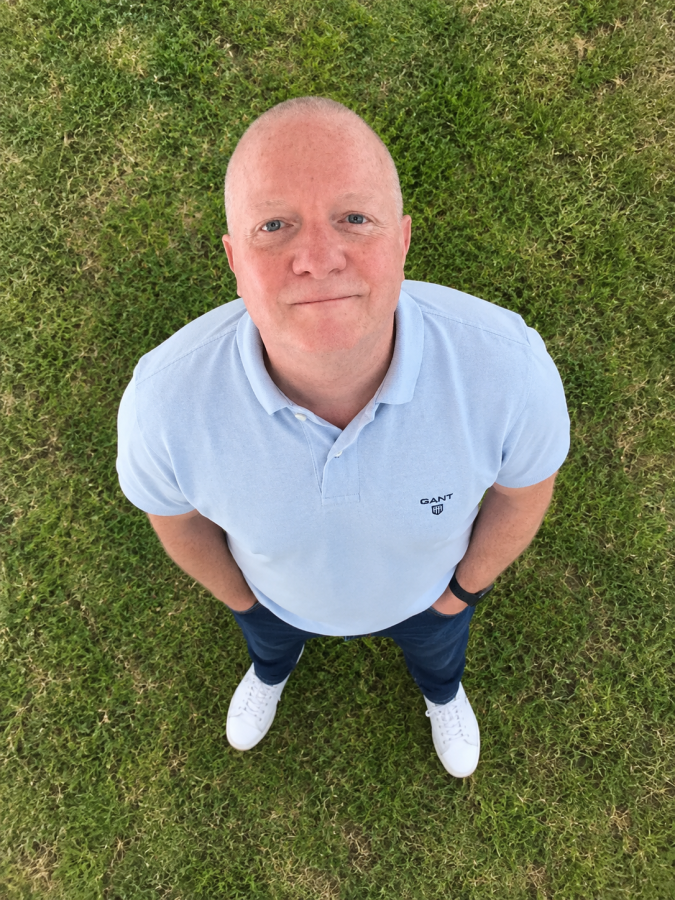
A high-angle, overhead portrait of a man standing on a green grass lawn, looking straight up toward the camera with a gentle smile. He is wearing a light blue Gant polo shirt, dark blue jeans with his hands in his pockets, and clean white sneakers.

Welcome to my blog. I’m delighted to have you here. This is where you can find tips on blogging and WordPress, flash fiction, photography, and more. I enjoy engaging with my readers, so please feel free to explore, join discussions, and contact me. I’m happy to assist! Find out more about me and my blog by clicking the ‘Meet Hugh’ button.

Let’s connect

Subscribe to Hugh’s Views And News

Latest Posts

  • How to Schedule a Post in WordPress After the Latest Update
    When WordPress quietly changed how scheduling works, I accidentally published a post immediately instead of queuing it. This guide explains what changed and walks you step by step through the new desktop scheduling process so your posts go live exactly when you want.
  • WordPress Comment Login Problems: New Answers, No Fix Yet
    WordPress has confirmed a bug that forces some users to sign in repeatedly before commenting, caused by changes to the new comment form. There’s no fix date yet, but staying logged in may help some people. This post shares WordPress’s latest answers and temporary workarounds.
  • WordPress Comment Login Problems: Latest Update and Fix Hopes
    Hugh shares the latest on WordPress’s comment sign‑in problems: partial improvements, an official response about changed login sessions and cookie rules, new subscription pop‑ups after commenting, and a workaround that involves staying signed in. He invites bloggers to report whether they’re still affected.
  • WordPress Comment Problems? Here’s What’s Still Going On
    Still being asked to log in when you comment on WordPress.com blogs, even though you’re already signed in? I’m sharing WordPress’s latest update on this known bug, which explains when it happens and demonstrates how to use the “Add your name” option and other workarounds. My post also includes information on the action WordPress is taking to resolve the problem.
  • WordPress.com Comment Problems? Here’s What’s Going On
    Are you suddenly unable to leave comments on WordPress.com blogs, or being asked to log in even when you’re already signed in? I’m sharing details of these current WordPress comment glitches, what engineers have confirmed, and a temporary workaround via the Reader.
  • Sunday Stills Photo Challenge: Steps & Stairs
    Explore the playful side of steps and stairs in this week’s Sunday Stills photo challenge. From optical-illusion doorways and autumn-leafed stone steps to a corgi “research assistant” and a mysterious figure at the top of the stairs. Plus simple guidelines to share your own creative images. Everyone is welcome to join in.

Looking for your next quick read? Try my books

An image of book covers, book, tablet and mobile phone, for the book Glimpses.
An image for the book More Glimpses - showing a book cover, tablet and mobile phone.
A widget with the words 'Team Effort - Story Chat Digest - Where Authors Meet - Author'

Most Viewed Posts & Pages Over The Last 24 Hours

Meet HughMeet HughAugust 12, 2022Hugh W. Roberts
Flash Fiction Friday – ButtercupMay 20, 2022Hugh W. Roberts
The PortholeThe PortholeMarch 20, 2019Hugh W. Roberts

Recommended Blogs To Follow


Roaming About
A Life Less Ordinary

Second Wind Leisure Perspectives
Fun, Photography & Friends

Spo-Reflections
Spo-Reflections
To live is to battle with trolls in the vaults of heart and brain. To write; this is to sit in judgment over one's Self. Henrik Ibsen

Boomer Eco Crusader
Boomer Eco Crusader
Live Green | Declutter | Simplify Life

SONGS AND SCRIPTS AND DUNKING BISCUITS
Every day tales of a winging-it creative

Jacqueline Lambert
Jacqueline Lambert
Award-Winning Travel Humour Writer

Anne R. Allen’s Blog… with Ruth Harris
Writing about writing. Mostly.

Fancying France
The musings of a ‘femme d’un certain âge’ who divides her time between SW France and SE England

Marsha Ingrao         Always Write
Marsha Ingrao Always Write
Having fun blogging with friends

Curiosities, Castles and Coffee Shops
The musings of a curious mind

WrookieSchU
WrookieSchU
Live life 🙌🏼

WPcomMaven
WPcomMaven
Helping you make the most of your free WordPress.com website since 2011

Share Your Light
Share Your Light
You are a miracle – Let it happen

No Facilities
No Facilities
Random thoughts, life lessons, hopes and dreams

Esther Chilton
Writer, Tutor and Editor

Saying nothing in particular
Jan … JT Twissel

The Chicago Files
The Chicago Files
A Canadian Perspective on Living in the Windy City!

Thank you to all my visitors

498,425 hits

275,876 visitors

Scan the QR code to follow me on Bluesky

Copyright Protected Blog

COPYRIGHT ©2011-2031 Hugh’s Views And News BLOG – All Rights Reserved.

This work by Hugh W. Roberts and/or Hugh’s Views And News blog is licensed under a Creative Commons Attribution-Noncommercial-NoDerivatives 4.0 International License. Unauthorised use and/or duplication of this material (text and images) without express and written permission from this blog’s author and/or owner is strictly prohibited. If you want to use posts, excerpts, photos and links, you may contact me first. You must give full and clear credit to Hugh W. Roberts and Hugh’s Views And News dot com with links to the original content.