Flash Fiction – Crossroads Of Desire

Bill found himself at a pivotal moment in his life, a crossroads where four paths presented a significant choice.

The first path urged him to continue as he was, the second promised a life of monotony, the third, a hidden path, offered a tempting solution. And the fourth, a choice he had contemplated but never acted upon, beckoned him.

The third choice, a path he had never before considered, now loomed before him. It was a problem he had never faced, one that had afflicted countless others but had never touched his life. It was a choice that carried a weight of uncertainty and fear.

With a sense of inevitability, Bill reached for the box that held the four blue pills. He’d made his decision and picked up his phone. He started his journey down path three.

An image of a middle-aged man texting on his phone. Sitting beside him is a woman of the same age, taking cash out of her purse.
Image created using WordPress AI.

‘I’ll be with you in an hour’ were the only words in his text message to Nina.

‘An hour?’ came the response. ‘I want you now!’

‘I need to run some errands for the Mrs first,’ he sent back.

Of course, the real reason was that he had to give the pill he’d just taken time to take effect, otherwise he couldn’t give Nina what he’d been giving her for the last five years of their affair.

A sad emoji with the words ‘See you in an hour, lover,’ came back.

Three miles away, Bill’s wife looked at the naked body of the younger man next to her. She remembered when Bill had a body of the man next to her, but Bill’s body had changed, and something didn’t work anymore.

“I’ve got to go,” said the young man.

Bill’s wife wondered if he had another client. “My payment?” he asked.

‘What a great choice I made,’ Bill’s wife told herself as she handed over the cash. She’d made the right choice and wondered if Bill had made any choices today.


Written for Esther Chilton’s writing prompt – This week’s prompt is ‘Choices.’

The featured image and main image in this blog post were created using AI.

I’m taking a proactive approach to comments to keep conversations meaningful on my blog. Please leave some constructive feedback. Short comments like ‘Nice story’ don’t help anyone!

Click the buttons below to follow Hugh on Social Media

Copyright @ 2025 hughsviewsandnews.com – All rights reserved.

This Is The One Thing You Can Do To Help Bloggers

We all know that comments play a crucial role in fostering community and enhancing conversations within the blogging world. When someone takes the time to engage thoughtfully with you, the impact is significantly greater than mere participation. But how?

An image depicting colourful individuals with vibrant comment boxes above them.
Image by Gerd Altmann from Pixabay

Imagine meeting a friend for coffee and hearing the same thing from them every time you meet. It would soon get boring, wouldn’t it? That’s what leaving the same comments on the blogs you visit can seem like.

I remember the first time somebody left me an engaging comment. I felt like they were not only listening to me but were interested in what I had to say. They were taking an interest in me instead of trying to get me to take an interest in them.

The benefits of leaving engaging comments, as opposed to short, non-engaging ones, are not only startling, but they help propel those receiving those types of comments into a whole new dimension of blogging.

Let’s examine some of the ways leaving thoughtful, engaging comments helps.

1. Enhances Community Interaction

Engaging comments foster a vibrant community atmosphere, often sparking discussions among commenters. When readers share their thoughts, experiences, or questions, it sparks conversation and encourages others to participate; even those who would not usually want to speak may be tempted to talk. This collaborative environment is crucial for fostering relationships among readers and between bloggers and their audience.

Short, non-engaging comments tend to have the opposite effect, creating off-page questions such as ‘did this person really read the post?’ or ‘is this person interested in my content or just proving they visited?’

2. Provides Valuable Feedback

When readers leave detailed, constructive comments, they provide valuable insights into your content. This feedback can help bloggers refine their writing and tailor future posts to better serve their audience. This is especially true for those who write fiction or poetry, in helping them become even better at what they write.

Short comments like “Great post!” “Great story,” or “These are lovely photos,” may be easy to type, but they don’t offer the depth of feedback that engaging comments can provide.

Next time you want to tell a blogger that their story, post, or photos are great, explain why you think they are wonderful. By doing so, you’ll be providing them with much higher quality feedback and likely brightening their day even more.

3. Boosts SEO and Visibility

Did you know that certain comments, especially those containing valuable feedback and questions, can enhance a blog’s SEO rankings? Search engines not only favour blogs with dynamic content, but an active comments section filled with meaningful discussions can improve visibility. Engaging comments indicate to SEOs that the blog is active and has a thriving community.

4. Encourages More In-Depth Discussion

Thoughtful comments often contain questions or points that invite further discussion and exploration. This creates an opportunity for dialogue and deeper exploration of the topic at hand. As discussions develop, so can connections and friendships. After all, trying to make connections with those who keep telling you the same thing can be much more difficult when all they are doing is taking you down a dead end every time they leave a comment.

5. Builds Blogger Credibility

When a blogger responds to engaging comments, they can demonstrate their expertise and invest in their readers. This back-and-forth not only shows that the blogger values their audience’s input but also positions them as knowledgeable in their field. Leaving engaging comments or questions can help boost a blogger’s confidence and encourage them to write and share more content.

Disengaged comments may go unnoticed and fail to establish any genuine connection between a blogger and their reader. When this occurs across all their posts, it can leave the blogger feeling disconnected from their audience, which may result in the blog being abandoned or deleted.

6. Increases Reader Retention

Readers who leave engaging and thoughtful comments are more likely to attract new visitors, encourage them to return, read future posts, and join in the discussions. They develop a sense of ownership and connection to the content they’ve interacted with. When other readers see their comments, they are more likely to view that blogger as friendly, engaging, and interested in expanding their audience. Their blog will seem like a fun place to visit.

Many visitors who encounter the same brief, uninspiring comments from the same individual are unlikely to wish to connect unless they, too, post similar comments.

Time isn’t the enemy!

Many will say that they don’t always have the time to leave thoughtful, engaging comments. Instead, they tend to leave numerous short, unengaging comments across the site. However, if they invested the time they spend leaving all those unengaging, brief comments to write just one thoughtful, engaging comment each day, they’d make a significant difference to the blogs and bloggers they visit.

Blogging isn’t a sprint to dash through all the blogs you follow, leaving brief, disengaging comments; it’s a space to take your time, enjoy what you read, and show other bloggers that you are genuinely interested in the content they create by offering valuable feedback that will help them craft and publish even better blog posts. Moreover, other visitors will perceive you as someone who seeks to engage with others.

Absolutely, you should feel free to engage or not, based on your desire! Always share your thoughts if you have something valuable to contribute to the conversation. Your insightful comments will be warmly welcomed and cherished by those who receive them.

And remember that there is nothing wrong with not leaving a comment if you have nothing of value to add.

Conclusion

  • Engaging comments are more than mere feedback; they are an essential part of the blogging ecosystem.
  • While short, unengaging comments have their place with some, the advantages of leaving thoughtful, engaging comments are much more powerful.
  • When you leave a thoughtful, engaging comment, you are not only enriching the conversation, but also enhancing SEO for that blog and providing valuable feedback for the blogger.
  • A blog with a comment section full of thoughtful and engaging comments is viewed by SEOs as having a thriving community.
  • As readers, taking the time to contribute meaningfully can transform a blog into a vibrant hub of interaction and knowledge sharing. It can also help boost the author’s confidence in their writing.
  • The next time you read a blog post, consider the impact of your comments—make them count!

How do you feel about the quality of the comments you receive? Do they inspire you to write more? What strategies do you employ to create engaging comments on other blogs? Have you ever felt discouraged by short or generic comments, and how did that affect your motivation? What tips would you offer someone who struggles to leave meaningful comments? How do you balance leaving thoughtful comments with limited time when visiting multiple blogs?

I’m getting tough with non-engaging comments. Comments such as ‘Nice post’ are marked as spam.

The featured image in this blog post is taken from Pixabay. AI checked spelling and grammar mistakes.

Click the buttons below to follow Hugh on Social Media

Copyright @ 2025 hughsviewsandnews.com – All rights reserved.

    Flash Fiction – Blue Sky

    When Mike went back to the piece of wall art, this time on his own, there was something different about it.

    There was still the blue sky and some fluffy white clouds, with a young man looking up at the sky through the V-shaped gap that had appeared in a stone-cold grey wall. The ground around the young man was strewn with rocks and parts of the wall that had fallen away, revealing the blue sky.

    There was still the blue sky and some fluffy white clouds, with a young man looking up at the sky through the V-shaped gap that had appeared in a stone-cold grey wall. The ground around the young man was strewn with rocks and parts of the wall that had fallen away, revealing the blue sky.
    Image created using WordPress AI

    It didn’t take him long to realise what was different. Somebody had added a pair of blue wings to the V-shape where the wall met. It was the message he’d been waiting for.

    Three minutes later, after gazing at the blue sky, with butterflies fluttering in his stomach, Mike stood on the precipice of his life, his blue eyes fixed on the future. He refused to look down, for fear of being trapped in his past. All he craved was the promise of what lay ahead.

    With both arms outstretched, Mike positioned them at shoulder height. As the sun emerged from behind a cloud, making his blue eyes shine, a silent affirmation of his chosen path, he took a step forward. He flapped his arms, now transformed into wings, a symbol of his journey to his true love, David.

    It wasn’t just the butterflies that soared; his final journey to reunite with David carried him through the artwork towards the blue sky. On the other side, he was greeted by a serene landscape, a testament to the peace and acceptance he had found.

    With open arms, his first love, David, and the endless blue skies welcomed him.


    Written for Esther Chilton’s writing prompt – This week’s prompt is ‘Blue.’

    The featured image and main image in this blog post were created using AI.

    I’m taking a proactive approach to comments to keep conversations meaningful on my blog. Please leave some constructive feedback. Short comments like ‘Nice story’ don’t help anyone!

    Click the buttons below to follow Hugh on Social Media

    Copyright @ 2025 hughsviewsandnews.com – All rights reserved.
    Look! Blame Me For A Painful Drop In Blog Subscribers

    Do you know who follows your blog? Do you care about who is following you? If not, you ought to.

    I’ve recently gained many new followers. Delighted, you may ask? Far from it. You see, I’ve noticed a trend among these followers. They all have a lot of random numbers (sometimes mixed with letters) in their profile names. Here’s an example:

    An image displaying the details of a spam bot account that follows my blog. The profile name is made up of a combination of random numbers and a few letters.
    An example of a recent spam-bot subscriber.

    Not only that, but all of them ended with @gmail.com or @hotmail.com. And they follow in batches.

    They not only seemed strange to me, but I also had no way of discovering who these new followers were, as none of them had any links in their Gravatar profile apart from their email address.

    I soon realised that most of these new followers were spam-bots. What’s wrong with that, you may ask? There are several reasons why permitting spam-bots to follow and subscribe to your blog is not advisable.

    Reasons to Not Allow Spam-Bots to Follow Your Blog

    1. Reduced Engagement
      • Spam followers do not contribute meaningful interactions, which can skew your engagement metrics and give a false impression of your blog’s popularity. They will, however, try to bombard your blog with spam comments and try to spam the comments box of your readers, too.
    2. Dilution of Community
      • Genuine followers are lost in a sea of spam accounts, making it harder to build a real community around your blog.
    3. Potential Security Risks
      • Spam-bots may pose security threats, as they can be linked to malicious activities such as hacking attempts or phishing schemes.
    4. Impact on SEO
      • Search engines may see high numbers of spam accounts as a sign of poor-quality content, which can negatively affect your blog’s search ranking.
    5. Email Spam
      • Spam-bots can lead to unwanted comments and email communication, and may even compromise your email’s reputation if they harvest your blog’s content.
    6. Negative Perception
      • A blog with many spam followers can create a negative impression on potential genuine followers, who may question the legitimacy of your content, especially if lots of spam comments show up on your posts.
    7. Lack of Valuable Feedback
      • Engaging with real readers provides valuable feedback and insights, whereas spam accounts offer no legitimate input on your content.

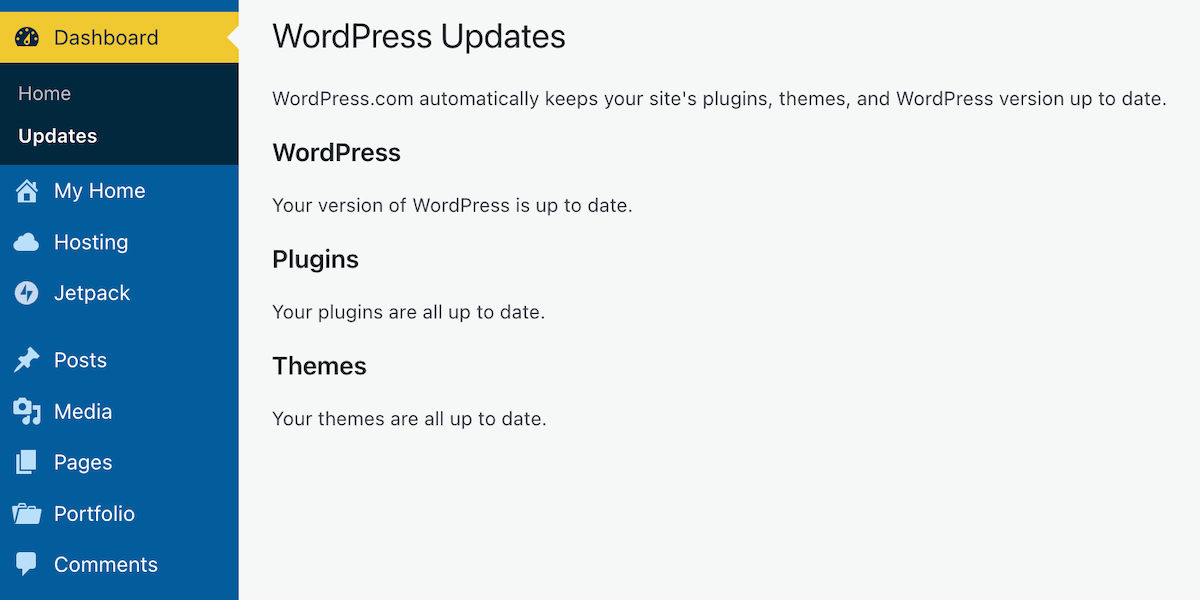
    It’s simple to unsubscribe anyone (including spam-bots) from following your blog. Here’s how to do it. I’m doing this using an iMac Desktop computer.

    • On your blog’s dashboard, select Jetpack – Subscribers.
    An image showcasing Jetpack - Subscribers on a WordPress blog's dashboard.
    Click on Jetpack – Subscribers
    • You will see a list of all your subscribers.
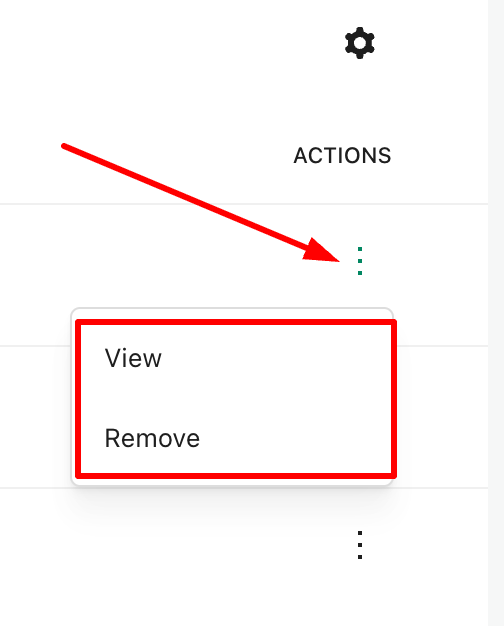
    • Click on the three dots (also known as a kebab menu) next to the subscriber you wish to delete and select ‘Remove.’ You have now unsubscribed the account from your blog.
    • If you wish to discover more about the subscriber, click the ‘View‘ button. Doing so allows you to gather further information about the subscriber, including whether they have a WordPress blog.
    An image displaying the Remove and About links on a subscriber list of a WordPress blog.
    Click the view or remove button.

    While removing these spam-bots from my blog, I noticed that WordPress had also been busy informing me of purged subscribers.

    An image of a suspended WordPress account.
    WordPress has also been working to suspend suspicious accounts on my behalf.

    I had no idea WordPress did this. However, I still had to unsubscribe the purged accounts and remove them from following my blog.

    By being vigilant in monitoring your followers, you can help ensure that your blog remains a vibrant and secure space for genuine interaction.

    And here’s what happened when I unsubscribed these spam-bot and purged accounts.

    An image depicting a sudden decline in subscribers on a WordPress blog.
    Sometimes, a drop in subscribers is a sensible thing.

    Summary

    • Allowing spam-bots to follow your blog can lead to several issues.
    • They don’t contribute meaningfully, skewing your metrics.
    • Genuine followers can be lost among fake accounts.
    • Spambots may be linked to malicious activities.
    • High numbers of spam followers may harm your blog’s search rankings.
    • They can lead to unwanted communication and damage your email reputation.
    • Many spam accounts can diminish your blog’s legitimacy.
    • Real readers provide insights; spam accounts do not.
    • Unsubscribing spam-bots is straightforward through the Jetpack – Subscribers section on your blog’s dashboard.
    • After removing these accounts, you may notice a decline in subscribers, which, although concerning, can be a healthy sign of clearing out ineffective followers.
    • Staying vigilant about your follower base is key to maintaining a genuine and engaging blog.

    Are you aware of who is following your blog? How do you protect your blog from unwanted subscribers?

    Layout, content, settings, and format might differ on self-hosted blogs.

    The featured image in this blog post is taken from Pixabay. AI checked spelling and grammar mistakes.

    I’m getting tough with non-engaging comments. Comments such as ‘Nice post’ are marked as spam.

    Click the buttons below to follow Hugh on Social Media

    Copyright @ 2025 hughsviewsandnews.com – All rights reserved.

      Wordless Wednesday – What’s Beyond There?

      A photo taken through a gap in a hedge that looks onto a large house set in an expansive garden.
      What’s through there?

      The featured image in this post is taken from Pixabay.

      Click the buttons below to follow Hugh on Social Media

      Copyright @ 2025 hughsviewsandnews.com – All rights reserved.
      How To Make Yourself Safe Online: 7 Ways

      In this digital age, sharing personal stories and experiences has become a hallmark of blogging, but it comes with its dangers.

      It’s not something I do much, as I prefer to keep my personal life offline. However, I also don’t want to share personal information that anyone could use to scam me, others or steal my identity. Additionally, I don’t want that to happen to anyone who visits or leaves comments on my blog posts.

      However, while authenticity can resonate with readers, there can be hidden dangers in revealing too much personal information in blog posts.

      1. The Privacy Risks

      When you share intimate details about your life, you may inadvertently attract unwanted attention. After all, do you know the identity of everyone who visits your blog? No! And how many of you get unwanted direct messages?

      Scammers and trolls are always on the lookout for information that users freely share about themselves online. This could lead to online harassment, being scammed or identity theft, particularly if you disclose sensitive information such as your full name, location, birthdate, or financial details.

      I’ve no problem with bloggers announcing it’s their birthday, but when they also disclose their age, I ask myself if they would give out their name and full date of birth to a room full of strangers.

      A dark image of a sponge cake with candles that spell out 'Happy Birthday.'
      Image by Pexels from Pixabay

      Of course, if they don’t use their real name on their blog, then it’s not a problem; however, some bloggers seem to want to share as many details about themselves as possible online, believing they are only talking to family and friends, when the reality is that many people reading their posts are likely strangers.

      Always remember that the internet is a public space, and once information is shared, it can be challenging to retract.

      Don’t be tempted. Keep in mind who is reading your posts. Keep your personal details safe.

      2. The Professional Consequences

      Many bloggers use their platforms to advance their careers, but sharing too much personal information can harm their professional reputation, especially when they leave comments or say things considered discriminatory or hateful towards others. Potential employers or clients may judge you based on your blog and the comments you leave, including those on social media.

      I’ve witnessed professional people leave discriminatory comments on various social media platforms, despite their bio listing the name of their employer. It’s important to ensure that your personal narratives align with your professional image. Maintaining professionalism in your blogging and online presence can protect your career and help you present yourself in a positive light.

      3. Impact on Relationships

      Blogging about personal experiences can impact your relationships, as friends, family, and work colleagues may be uncomfortable with how you portray them. It’s important to seek their consent before sharing their stories and to communicate openly about your blogging intentions to maintain healthy relationships.

      If you are considering blogging about personal experiences that affect family, friends or anybody from your past, consider using a pseudonym for those people so that visitors to your blog cannot trace themselves or people they know to what has been said about them.

      Also, think about any photos you publish on these kinds of posts and whether they show the identity of the people you are talking about in your posts.

      4. Legal Implications

      Just because your blog is small, don’t believe that facing legal implications will never happen to you.

      While you may be familiar with the defamation laws in your country, they can vary by region. Sharing certain personal details about others without their consent can result in legal action.

      Now, I do not want to alarm anyone, but please exercise caution when discussing events or situations that might portray someone in a negative light. Always consider the potential legal implications of your content before publishing it. If you are not happy with it, don’t publish it.

      If you want to write and publish a post about another blogger, always ask for their permission first, even if what you want to write is giving them lots of praise. After all, they may not want any praise or be in the limelight.

      Ask first, then consider your actions.

      5. Images and photos

      Be careful with what images or photos you include in blog posts. They may contain personal information about you that you never considered unsafe. For example, I’ve seen pictures on blogs that show a blogger standing by the front door of their home. On the wall next to the door is a number and the name of the street on which they live. Nothing too bad, you may think, but on their ‘about’ page, they inform visitors of the city, town and country where they live. Now, anyone visiting that post and checking their ‘about’ page will have their full home address.

      Think before you include any images or photos and ask yourself, ‘Does this reveal any personal information about me or my family that I do not want revealed?’

      6. Going away?

      If you are taking a break from blogging, there is nothing wrong with informing your readers that you will be away from the blogging world for a while. A simple notice can help maintain transparency and keep your audience informed about any pauses in your content schedule.

      However, you do not need to disclose any personal reasons for taking a break to them, especially if it means you are going away; it’s perfectly acceptable to keep the specifics private.

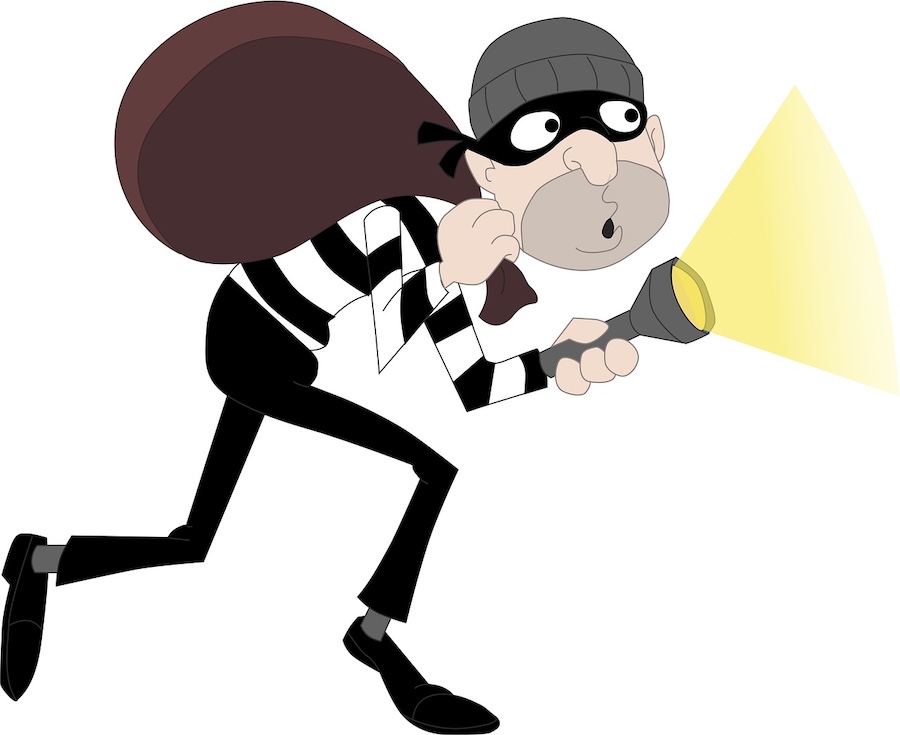
      Your readers likely understand that life can get busy. Amid daily activities, it’s essential to communicate concisely while maintaining clarity. However, suppose you have disclosed personal information about your location on your blog (including in photos) and informed readers that you will be away from home for an extended period. In that case, there is a potential for anyone reading the post to know your home is empty.

      An image of a burglar holding a SWAG bag and a torch.
      Image by katigori from Pixabay

      This can inadvertently expose you to risks, as not only are you sharing your plans, but you are also providing a crucial piece of information that can be misused. This is why it’s vital to exercise discretion when discussing your travel plans publicly; consider omitting specific details about dates and duration to ensure your privacy and security remain intact. Ultimately, while it’s important to engage with your audience and keep them informed, maintaining your home’s safety should always be a priority.

      7. Moving Forward

      Connecting with your audience is essential, but just as when checking comments on your blog, moderation is key. Share relatable experiences without revealing too much personal information. Consider using pseudonyms or altered details to disguise identities while still sharing relatable stories. Consider the potential consequences of your content before publishing it.

      Summary

      • Over-sharing personal details can attract unwanted attention and increase the risk of scams, harassment, or identity theft. The internet is public, and once shared, it’s hard to retract information.
      • Excessive personal sharing can affect your professional reputation. Employers may judge you based on your blog content, including comments that could be seen as discriminatory.
      • Blogging about personal experiences may strain relationships, especially if friends, family or work colleagues are depicted in ways that make them uncomfortable. It’s important to obtain consent and clearly communicate your intentions.
      • Even small blogs can face legal consequences for sharing personal information about others without consent. Be cautious when discussing sensitive topics or portraying individuals in a negative light.
      • Photographs can inadvertently reveal personal information. Consider whether photos might disclose details about your location or identity before including them in posts.
      • Informing readers about breaks is fine, but keep personal reasons private. Avoid sharing details about travel plans that could risk your home security.
      • Engage your audience while being mindful of privacy. Use pseudonyms or alter details to protect identities and think through the consequences of your posts.
      • While blogging fosters connection, it’s essential to share experiences without compromising privacy or safety. A balanced approach helps maintain your integrity as a blogger.

      Are you disclosing too much personal information regarding yourself and your family online, or do you consider what you are disclosing to be safe? What safeguards have you implemented to shield both yourself and your audience from potential scams, identity theft, and unwarranted scrutiny?

      The featured image in this blog post is taken from Pixabay. AI checked spelling and grammar mistakes.

      I’m getting tough with non-engaging comments. Comments such as ‘Nice post’ are marked as spam.

      Click the buttons below to follow Hugh on Social Media

      Copyright @ 2025 hughsviewsandnews.com – All rights reserved.

      The Best Ultimate Guide To Why Alt-Text Is Important

      What answers would you provide if I asked you what alt-text means and what advantages it offers to bloggers?

      What is alt-text, and why is it important?

      Alt-Text (short for alternative text) is a commonly used term. It is essential to include it in posts that contain pictures, images or photographs. This unsung hero of the digital world ensures that everyone can access and benefit from the images included in your blog posts.

      Blog posts that contain images, pictures, or photos attract, on average, 70% more traffic and clicks than those that do not. However, how many bloggers include alt-text information for these images, pictures, and photos? Unfortunately, the answer is not many. Furthermore, bloggers who fail to add alt-text to the images in their posts are missing out on providing some visitors with additional and important information.

      Alt-Text assists those with vision impairments understand the content of the images and photos used in your blog post. Without it, they would be unaware, potentially missing out on crucial information. Imagine you’re showing off a brand new cover for your next book and don’t add alt-text to the image. They won’t have any idea what that new book-cover looks like. But that’s not all.

      Utilising alt-text enhances your blog’s SEO rankings and helps search engines understand the content of your images. How will search engines determine what your pictures depict if no information is provided?

      Search engine crawlers extract several key details from an image, including its file name, captions, title, and alt-text. When these details are absent, the post containing the images is ranked significantly lower. Visitors using a screen reader or other devices that inform them of the image’s content will remain unaware of what those images depict.

      How to write alt-text.

      When writing alt-text, keep it descriptive and straightforward—ensure it aligns with the content on the page. Include some keywords where appropriate, but avoid overdoing it. Keyword stuffing is not advisable, as it disrupts the user experience and can lead search engines to consider your site spam. Trust me, you don’t want that!

      But where and how should you add alt text to your images, photographs, and pictures?

      How to add alt-text to your images, photos, and pictures.

      • Click on the image you have uploaded to the media library.
      • On the right-hand side, you will see several boxes to which you need to add information.
      • Alternative Text – In this box, add information that describes what is in the image.
      • Title – Give the image a title.
      • Caption — Add a caption to the image, although you don’t need to if it’s unnecessary.
      • Description — Describe what’s in the image. You can use the same information you added for alternative text if you like.
      • File URL – This information will already be populated.

      Here’s an example from my media library for the following photo.

      A photo of two Welsh Cardigan Corgis sitting on a sandy beach, gazing towards the camera. In the background, there are several buildings of a city and some mountains. There are a few white clouds in the sky.
      A walk on the beach with Toby and Austin, the Welsh Cardigan Corgis.
      • Here are the details of the alt-text and information I added to the photo.
      An image provides information about the Alt-Text added to a photo in the WordPress media library.
      Always add Alt-Text information to images, pictures and photos

      The next time you add an image, photo, or picture to your blog post, don’t just add the image and run. Make sure you include the details outlined in this post.

      Summary

      • Alt-Text, or alternative text, is crucial for bloggers who include images in their posts.
      • It enhances accessibility for those with vision impairments, ensuring they understand the content represented in images.
      • Additionally, it plays a significant role in improving SEO rankings by helping search engines identify image content.
      • Despite these advantages, many bloggers neglect to add alt-text to their images, missing out on valuable audience engagement and search engine visibility.
      • To effectively write alt-text, it should be descriptive, straightforward, and relevant to the content, with a mindful inclusion of keywords.
      • Bloggers can easily add alt-text by accessing the media library and providing a title, caption, and description of the images.
      • Overall, including alt-text enhances the user experience and optimises blog performance.

      Do you add alt-text and other details to the images and photos included in your blog posts? If not, what’s holding you back?

      The featured image in this blog post is taken from Pixabay. AI checked spelling and grammar mistakes.

      I’m getting tough with non-engaging comments. Comments such as ‘Nice post’ are marked as spam.

      Layout, content, settings, and format might differ on self-hosted blogs.

      Click the buttons below to follow Hugh on Social Media

      Copyright @ 2025 hughsviewsandnews.com – All rights reserved.

      Flash Fiction – Special Places

      In her final moments, she clung to the happy memories this special place held for her—the vibrant parties, the infectious laughter, the shared joy, and the wonderful people she had connected with. Their smiling faces flickered in her mind, a bittersweet reminder of the past.

      She remembered the day she’d lost the ring her parents had gifted her on her 21st birthday. Her future husband had found it and, at first, declined the reward her father had offered for its return. She was speechless that he had never proposed, but she’d been given away.

      As she lay on the floor, her happy, special place slipping away, the recent memory of losing her tongue, a punishment for the incessant accusations, was excruciating. This place hadn’t been happy or special for all of the time, just most of the time. She needed to find her next happy, special place again.

      Soon, a new special place will bring her happiness and peace.


      Written for Esther Chilton’s writing prompt – Special Places

      The featured image in this blog post was created using AI.

      I’m taking a proactive approach to comments to keep conversations meaningful. Constructive feedback is appreciated. Short comments like ‘Nice story’ do not help!

      Click the buttons below to follow Hugh on Social Media

      Copyright @ 2025 hughsviewsandnews.com – All rights reserved.

      Simple Blogging Tips And Insights Every Blogger Needs To Know

      Occasionally, I receive questions or comments about blogging and social media that inspire me to share key insights with my readers. Here are three recent examples of those topics. Hopefully, you’ll learn something from them.

      How to get less spam!

      In my recent post, “Astonishing! Some Bloggers Disable Comments on Their Blogs. Why?” many readers mentioned that they turn off comments due to the overwhelming number of spam comments that often come through. This is a valid concern! However, it’s worth noting that WordPress offers a setting that can help prevent you from seeing most spam comments. Activating this feature is simple.

      • On your blog’s dashboard, go to Jetpack – Akismet Anti-spam.
      Image highlighting Jetpack - Akismet Anti-spam on the dashboard of a WordPress blog
      Click Jetpack – Akismet Anti-spam
      • On the page that opens, look for the Settings box. Under Spam Filtering, ensure ‘Silently discard the worst and most pervasive spam so I never see it‘ is selected.
      Image highlighting the 'Silently discard the worst and most pervasive spam so I never see it' setting on WordPress.
      Ensure ‘Silently discard the worst and most pervasive spam so I never see it’ has been selected.
      • Click the ‘Save changes‘ button.

      You’ll now see much less spam in your blog’s spam folder. On average, I’m seeing no more than a few spam comments every week.

      For more details, check out my post, ‘Turn This Setting On To Stop Seeing Too Much Spam On Your WordPress Blog.’

      How do you find the people you want to follow?

      Author Liz Gauffreau recently left a comment on my post, ‘The Ultimate Guide to Engaging on Bluesky: Tips, Features, and Strategies for Success,’ saying she was struggling to find other users on Bluesky who read or write literary fiction.

      I asked Liz if she had checked out the Bluesky Starter Pack directory, where users can search for other users with similar interests. I included a link to the directory. This is how Liz replied.

      An image showing a reply from a blogger thanking me for the information I sent her.
      Job done!

      If you’re a Bluesky user, I recommend checking out the information about Starter Packs. They are an excellent way to discover other bloggers, writers, authors, photographers, and more. Starter Packs are also great for getting noticed and connecting with other users. Click the following link.

      What are Bluesky Starter Packs?

      And click the following link to check the Bluesky Starter Pack directory I sent to Liz.

      Bluesky Starter Pack Directory.

      I recently passed a milestone on Bluesky: getting over 5,000 followers. Given that I’ve only been on Bluesky since November 2024 and it took me nearly 12 years to reach 9,000 followers on X, I can’t emphasise enough how every blogger and writer should consider using Bluesky.

      If you haven’t already, give Bluesky a go.

      How to stop the theme you’re using from crashing your blog.

      Amanda, who blogs at ForestWood, recently published a post titled ‘It’s Time For A Change Of Theme.’ She was referring to a change of blog theme. I’d recently published a post about WordPress themes, so I was interested in what Amanda had to say. Needless to say, Amanda’s post inspired me (and many others) to leave a comment.

      You’ll have to read Amanda’s post to find out what she and I had to say, but it contained an important lesson some readers may have forgotten or may not know about regarding WordPress themes. Do not attempt to change your WordPress blog’s theme unless you’re using a theme still supported by WordPress.

      If, like Amanda, you are using a retired theme and click ‘activate’ on any of the current themes WordPress offers, you won’t be able to return to your retired theme!

      If you are using a retired WordPress theme that isn’t causing you any issues, you can continue using it. However, be cautious, as there are drawbacks to using a retired theme, including those related to online security. For more information, check out my recent post, “WordPress Themes: Something Exciting Is Happening,” which provides further details.

      Let’s wrap it up!

      • Use WordPress’s Jetpack – Akismet Anti-spam feature to significantly reduce spam comments. By enabling the option to “silently discard the worst and most pervasive spam,” users can keep their spam folder manageable.
      • Use the Bluesky Starter Pack Directory to connect with other users with similar interests. This resource helps you discover other bloggers, writers, authors and photographers and gain visibility.
      • If you are thinking of changing the theme of your WordPress blog, be aware that if the current theme you are using is retired and no longer supported by WordPress, you won’t be able to return to it.

      Do you have any questions about blogging or social media? Leave them in the comments section.

      The featured image in this blog post is taken from Pixabay. AI checked spelling and grammar mistakes.

      I’m getting tough with non-engaging comments. Comments such as ‘Nice post’ are marked as spam.

      Layout, content, settings, and format might differ on self-hosted blogs.

      Click the buttons below to follow Hugh on Social Media

      Copyright @ 2025 hughsviewsandnews.com – All rights reserved.

      Astonishing! Some Bloggers Kill Off Comments On Their Blogs. Why?

      I’ve always believed that engaging with comments is at the core of what makes blogging so vibrant and interactive.

      While I won’t reiterate what has been said about bloggers who choose not to respond to comments, I was taken aback to learn that some bloggers are opting to turn off comments entirely. Some claim that it’s the future of blogging, where people no longer want to engage, mainly because they don’t have the time.

      Wait a minute. A silent blog? No comments? No space for discussion or interaction with fellow bloggers and readers? Will these blogs be relegated to ‘library’ status – a place for reading but not engaging?

      Is it possible that some of those who neglect to respond to comments are also the ones shutting down comments altogether?

      What drives the decision to turn off comments?

      The leading reason appears to be time constraints. Many bloggers argue that responding to comments diverts precious time away from creating new content. This perspective honestly frustrates me.

      If your content generates a lot of comments, managing responses can indeed feel overwhelming. While it’s true that time spent responding might seem more effectively allocated to writing new posts, with proper time management, it doesn’t have to be a significant issue.

      Is there a limit to how many comments are too many?

      In my 11 years of blogging, I’ve managed and replied to over 25,000 comments. Whether that’s excessive is debatable, but as a blogger, I continuously seek more engagement. I always feel sad for those blogs that generate little to no comments from readers. What are they doing wrong?

      At times, responding to comments might take up an entire morning, time I could dedicate to crafting additional blog posts or short stories. Nevertheless, I’ve always believed that if someone takes the time to read my work and leave a comment, it’s only courteous to return the favour with a response.

      “Treat every visitor to your blog, just as you would a guest in your home.”

      This advice stuck with me early in my blogging journey, given by a blogger with an awe-inspiring follower count. She made it a point to respond to each comment (except comments from spammers or trolls), a lesson that remains ingrained in my approach.

      A priority every morning when I log into my blog is to respond to comments. Not only does this affirm that my writing is resonating with readers, but it also establishes a friendly atmosphere, showing visitors and commenters that their contributions are valued.

      Are all comments created equal?

      Absolutely not. Comments vary widely. Some reflect that the commenter has read the entire post, generating fresh ideas for future content. Others, however, leave you wondering if they merely clicked the ‘like’ button without engaging deeply with your work. Some find it difficult not to leave a comment, regardless of what it is. Perish the thought that they may upset a blogger by not leaving a comment every time.

      I acknowledge these lighter comments by liking them. At the very least, it signifies that I’ve read their input. However, I’ve grown tired of the short, non-engaging comments from the same bloggers all the time, especially those who obviously have not read the posts and who see my blog as a quick way to get some free marketing for their own blog.

      Do I have a meaningful quote about comments?

      Indeed, I do! This quote has resonated with many over the years:

      “Not addressing comments left on your blog is akin to inviting someone over for coffee and ignoring their presence.”

      The broader impact of comments.

      Comments can spark rich debates among readers. It’s always enlightening to see two or more bloggers engage in discussions about the subject I’ve tackled in my post. I regard this as a ‘healthy debate.’ A blogger once told me that encouraging dialogue through comments showcases your engagement with the audience, even if not every comment is directly addressed to you.

      But let’s revisit the question posed in the title: Why should bloggers eliminate comments from their blogs? I understand why some might temporarily disable comments (e.g. when they’re taking a blogging break), but turning them off completely seems contrary to the essence of blogging.

      After all, don’t comments facilitate communication between the reader and the author? Isn’t that what most bloggers aspire to do—to connect with their audience?

      Are you thinking about turning off comments on your blog? Are you somebody who can’t resist leaving a comment on every single post you check out, or do you just never bother to comment at all? Jump into the chat!

      The featured image in this blog post is taken from Pixabay. Spelling and grammar mistakes were checked with the help of AI.

      I’m getting tough with non-engaging comments. Any non-engaging comments, such as ‘Nice post’, are marked as spam.

      Click the buttons below to follow Hugh on Social Media

      Copyright @ 2025 hughsviewsandnews.com – All rights reserved.