

What answers would you provide if I asked you what alt-text means and what advantages it offers to bloggers?
What is alt-text, and why is it important?
Alt-Text (short for alternative text) is a commonly used term. It is essential to include it in posts that contain pictures, images or photographs. This unsung hero of the digital world ensures that everyone can access and benefit from the images included in your blog posts.
Blog posts that contain images, pictures, or photos attract, on average, 70% more traffic and clicks than those that do not. However, how many bloggers include alt-text information for these images, pictures, and photos? Unfortunately, the answer is not many. Furthermore, bloggers who fail to add alt-text to the images in their posts are missing out on providing some visitors with additional and important information.
Alt-Text assists those with vision impairments understand the content of the images and photos used in your blog post. Without it, they would be unaware, potentially missing out on crucial information. Imagine you’re showing off a brand new cover for your next book and don’t add alt-text to the image. They won’t have any idea what that new book-cover looks like. But that’s not all.
Utilising alt-text enhances your blog’s SEO rankings and helps search engines understand the content of your images. How will search engines determine what your pictures depict if no information is provided?
Search engine crawlers extract several key details from an image, including its file name, captions, title, and alt-text. When these details are absent, the post containing the images is ranked significantly lower. Visitors using a screen reader or other devices that inform them of the image’s content will remain unaware of what those images depict.
How to write alt-text.
When writing alt-text, keep it descriptive and straightforward—ensure it aligns with the content on the page. Include some keywords where appropriate, but avoid overdoing it. Keyword stuffing is not advisable, as it disrupts the user experience and can lead search engines to consider your site spam. Trust me, you don’t want that!
But where and how should you add alt text to your images, photographs, and pictures?
How to add alt-text to your images, photos, and pictures.
- Click on the image you have uploaded to the media library.
- On the right-hand side, you will see several boxes to which you need to add information.
- Alternative Text – In this box, add information that describes what is in the image.
- Title – Give the image a title.
- Caption — Add a caption to the image, although you don’t need to if it’s unnecessary.
- Description — Describe what’s in the image. You can use the same information you added for alternative text if you like.
- File URL – This information will already be populated.
Here’s an example from my media library for the following photo.
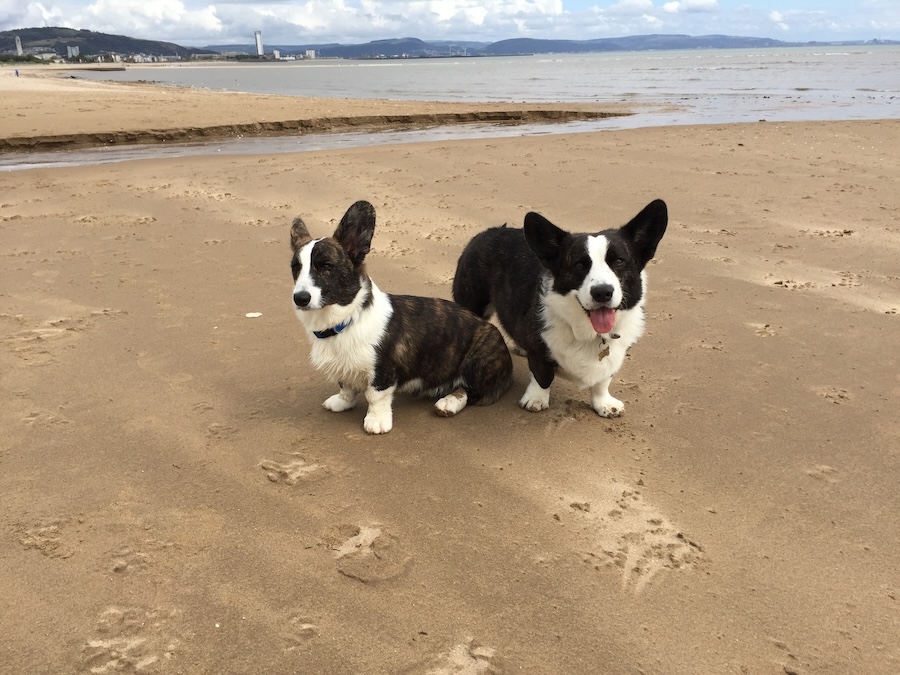
- Here are the details of the alt-text and information I added to the photo.

The next time you add an image, photo, or picture to your blog post, don’t just add the image and run. Make sure you include the details outlined in this post.
Summary
- Alt-Text, or alternative text, is crucial for bloggers who include images in their posts.
- It enhances accessibility for those with vision impairments, ensuring they understand the content represented in images.
- Additionally, it plays a significant role in improving SEO rankings by helping search engines identify image content.
- Despite these advantages, many bloggers neglect to add alt-text to their images, missing out on valuable audience engagement and search engine visibility.
- To effectively write alt-text, it should be descriptive, straightforward, and relevant to the content, with a mindful inclusion of keywords.
- Bloggers can easily add alt-text by accessing the media library and providing a title, caption, and description of the images.
- Overall, including alt-text enhances the user experience and optimises blog performance.
Do you add alt-text and other details to the images and photos included in your blog posts? If not, what’s holding you back?
The featured image in this blog post is taken from Pixabay. AI checked spelling and grammar mistakes.
I’m getting tough with non-engaging comments. Comments such as ‘Nice post’ are marked as spam.
Layout, content, settings, and format might differ on self-hosted blogs.
Click the buttons below to follow Hugh on Social Media
Copyright @ 2025 hughsviewsandnews.com – All rights reserved.
Discover more from Hugh's Views & News
Subscribe to get the latest posts sent to your email.
 Hugh's Views & News
That’s a nice clear explanation of how and why, Hugh. Thank you for that.
I’m glad you think so, Norah. Many bloggers don’t add alt-text information to their images or photos, meaning that not everyone will know what’s in them.
That’s a good point, Hugh.
Lots of good information. Thanks to you all.
Hi Hugh, I do try to add alt text but don’t with my feature images if they’re not actually also in the text. Your image showing what you write is really helpful as I was never 100% sure i was doing it right, or what to put in the other bit. I’m guessing alt text and description really say the same thing?
I agree that alt text is important for accessibility
Hi Brenda, I’m glad this post has been helpful. Alt-text and description can be the same, although you can add some extra information in the description box if you like.
If an image is purely for decorative purposes, then it does not need alt-text adding to it. I added alt-text information to the featured image in this post because it had something to do with the subject of the post. Where there is no connection, alt-text is not needed.
I hope that helps.
I like the idea of Alt-text, Hugh, but I’m currently not using that feature. What’s holding me back? The time it would take to add this text as well as the title/caption, as my posts often contain over 100 photos. It’s time I don’t have to invest into improving the photo info, since my posts already take 8-10 hours to create and I don’t make any money with that.
It’s your blog, Liesbet, so it’s up to you and you alone to decide what you do.
Some Plugins can add alt-text for you, but there may be an initial cost to install any.
Maybe ChatGPT can help with that. :)
I’m sure it won’t be long before that happens. I haven’t seen it yet, but that doesn’t mean it’s not already available.
Hi Hugh. What about featured images culled from a library like Pexels or Pixaby or the WP gallery, if even there still is one (I don’t know). Do those already include such info?
The rule of thumb is that if an image, picture or photo is for decorative purposes only, then alt-text isn’t needed, Walt. However, if it adds value to the subject of the post or has important information, alt-text should be added.
Hi Hugh, replying from Southern Utah as we journey homeward! Interesting to read comments saying they’d never considered the alt-text field. I’ve used it since I began blogging! I learned then to put a dash between each word for some reason, but abandoned that practice quickly.
Recently, another blogger told me she doesn’t use alt text because she believes google makes it easier to find and steal her images. Hmmm.
As usual, great post full of good ideas!
Does that blogger not watermark her photos and images, Terri? What a crazy thing to think that Google will steal her photos, given that anyone visiting her site can steal them (with or without alt-text). You just need to have the correct procedures in place to try to prevent theft of your work, but I know you already know that.
Yes, I’m somewhat shocked by how many bloggers do not use alt-text on their photos, images and pictures. Some see it as a chore, when it should come naturally when drafting blog posts. Some of these bloggers treat blogging as a sprint rather than a marathon, although I know that some bloggers may have never considered doing it. Some will tell you they don’t have the time to add alt-text, meaning they probably don’t care that they are excluding some visitors from their blog. It’s such a shame, given that blogging should always be inclusive.
I hope you had a safe and enjoyable trip home.
She watermarks them. People get ideas in their heads…
I’ve mentioned this before, I learned from Cee Neuner to resize images for our blogs (and social media) to 700×700 to reduce the size for media files storage, and to prevent a photo robbery from enlarging and printing for sale.
Bloggers like her and you really have taught us a LOT! We’re driving through Utah today and arriving in Montana later. Have a great rest of the week!
That’s a great tip about remembering to resize images, too, Terri. Very important, especially for those with limited space in their media library.
Editing photos for my posts takes longer than writing the post itself 😆
I never publish a post until I’m 100% happy with everything. If there’s no time, I hold on to it until there is. It’s one of the reasons why I’ve dropped my posting schedule to three to four posts a month, Terri. And if that drops to two a month, I won’t worry about it. It’s about the enjoyment.
Yes! I like to keep my Sunday Stills schedule. I start working ahead on images weeks before. And recycle used ones when appropriate. I’ve learned so much over the years and its worth the effort to do things right.
Good info as usual, Hugh! I haven’t made adding Alt Text a habit, but maybe I should.
I think of Alt-Text as including everybody who visits my blog, Janis. I don’t want to leave anybody out, so adding alt-text is a must for me. It’s something that comes naturally whenever I write a post.
Great post, and thank you for this valuable information, Hugh. I never paid attention to alt-text, but I will now that I understand its benefits. I appreciate you sharing your helpful tips.
I believe many bloggers are in the same position and don’t realise how vital Alt-Text is, especially those who use screen readers, Eugi.
That is a very good information. I have to admit, I never paid attention to that box. Ok, I actually don’t share a lot of photos. Those I share are part of my quotes. But I will keep it in mind for future potos because it makes complete sense to provide some information. Thans a lot, Hugh.
I’m glad you think so, Erika. Some bloggers won’t see the need to complete alt-text information, which would prevent some visitors to their blog from obtaining information. As bloggers, we should always be inclusive and include everyone.
You said that so well, Hugh! If we don’t want to share fully what we share then why blogging at all, right?
Absolutely, Erika. Blogging is all about inclusivity.
Thank you for the great tip, Hugh. I have just started adding alt text, but wasn’t sure how it differed from ‘description’. I can see it’s pretty similar.
Is there a quick way of generating alt text for an image, such as via AI?
Hi Jacqueline, yes, Alt-Text plugins are available, including the “Image Alt Text” plugin on WordPress. However, there may be a charge for downloading and using some of them.
Ah, that would be very useful. Unfortunately, I chose the wrong WP to use plugins… an elementary mishtayke, but not one that is easy to rectify. I don’t think I can migrate my hard won blog!
I shall keep composing my own Alt-Text!
Thanks for bringing this to my attention, Hugh
You’re very welcome, Cathy.
I didn’t know this, Hugh. Once again, you bring us some interesting and very useful information. Thank you.
I’m glad it has helped, Esther. I figured that many bloggers do not know the importance of adding alt-text to the images, photos and pictures they add to their blog posts. I have a number of followers who are blind and who often thank me for adding alt-text information to the images I add to posts. It’s where I got the idea for this post from.
Wasn’t aware of this Hugh, thanks for the information. Would this apply to a Wordless Wednesday post too?
Hi Paul, yes, it applies to any photo, picture or image you add to any post unless it is for decorative purposes only and does not warrant any information. In the case of Wordless Wednesday posts, a visitor viewing your post using a screen reader would not know what was in the photo unless you had added alt-text and a description to the photo.
Hope that helps.
It does, thanks again Hugh
Thank you for this valuable information, Hugh. This answers a few questions for me.
I’m delighted this post helped answer some questions, Darlene. Feedback like that goes a long way in telling me to write and publish more posts like this.
I never even knew that this was a thing!! :D
I guess we learn something new everyday.
Great post Hugh and informative as always. I have to admit I do not do this and had completely forgotten about it. I think it’s a great idea, although for me it’s just an extra thing I to have to do. I will try my best to remember, especially if it helps other readers. Many thanks for the reminder and info.
Adding alt-text will certainly help visitors to your blog who use a screen-reader, Wayne. Otherwise, they won’t know what is in your photos.
For those unconcerned about SEO helping their blogs reach new audiences, then it won’t matter.
However, for those with vision impairments, it will certainly help a lot if you include alt-text on your images, photos and pictures so they know what other readers are seeing and what you want to show.