

If you missed my recent post, 7 Common Mistakes To Avoid When Deciding Whether To Follow A Blog, you won’t have seen the fantastic discussions in the comments section that raised many questions.
One of those questions was, ‘How do I Unsubscribe From A WordPress Blog I’m No Longer Interested In Reading?’
Not sure why you should unfollow a blog? Read the post for the answers.
For this post, I’m using a desktop computer.
1. From The WordPress Reader
Ensure you are viewing posts from the WordPress Reader.
Click the three horizontal dots (meatball menu) next to the blog you want to unfollow and click the ‘Unsubscribe‘ button.
2. From A Post
Open the post from the WordPress Reader.
Right-click on the post title and click ‘Open in a new tab.’
Click the ‘Subscribe‘ button in the screen’s floating action bar in the lower right corner.
You’ll now be unsubscribed from following that blog.
3. From An email Notification
If you get email notifications of new posts, click the ‘Manage your email settings or unsubscribe’ link in the email.
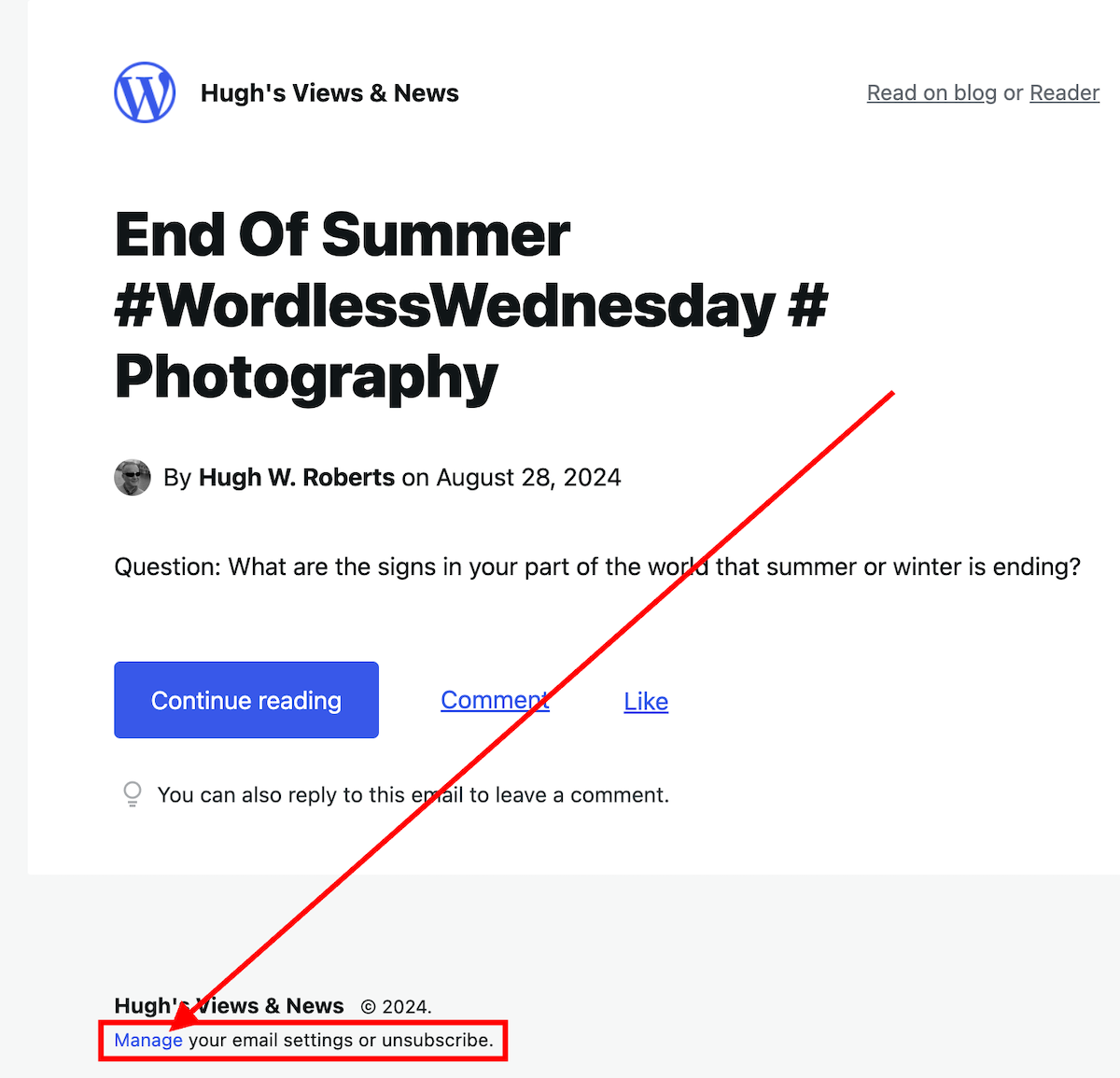
On the new page that opens, click the ‘unsubscribe‘ button.
4. From the ‘Manage’ subscriptions list on the WordPress Reader
From the ‘manage‘ section of the blogs you’re following, click on the ‘Manage‘ link (next to ‘Subscriptions‘).

A list of all the blogs you’re following will show.
Click the three horizontal dots (meatball menu) next to the blog you want to unfollow and click the ‘Unsubscribe‘ button.
5. From a WordPress Web Address
Ensure you are signed into WordPress.
Type or click on the following URL address https://wordpress.com/following/edit
A list of all the blogs you are following will show.
Click the three horizontal dots (meatball menu) next to the blog you want to unfollow.
Click the ‘Unsubscribe‘ button.
If you have any questions, please leave them in the comments section.
More blogging tips posts from Hugh
7 Common Mistakes To Avoid When Deciding Whether To Follow A Blog
Are you following too many blogs?
7 common mistakes to look out for before following a blog.
Keep reading
WordPress Problems: Don’t Panic! How To Solve Issues Quickly
WordPress users often face problems, but they may not always be caused by their blogging platform. Device issues, internet browsers, poor blog housekeeping and retired themes can all contribute to problems.
My post outlines what to do if you’re experiencing issues with using WordPress.
Keep reading
Blogging Simplified: Adding Images From Your Phone To A WordPress Post
You can now add images to WordPress posts directly from your phone using the Jetpack app, with simple resizing options.
Read my posts for all the details.
Keep reading
Click the buttons below to follow Hugh on Social Media
Copyright @ 2024 hughsviewsandnews.com – All rights reserved.
 Hugh's Views & News