
Are you having problems leaving comments on WordPress.com blogs?
If so, then I’ve reported two problems I’ve been having today when trying to leave comments on blogs.
Details of problems.
When trying to leave a comment, I’m getting the problem as detailed in the following image.
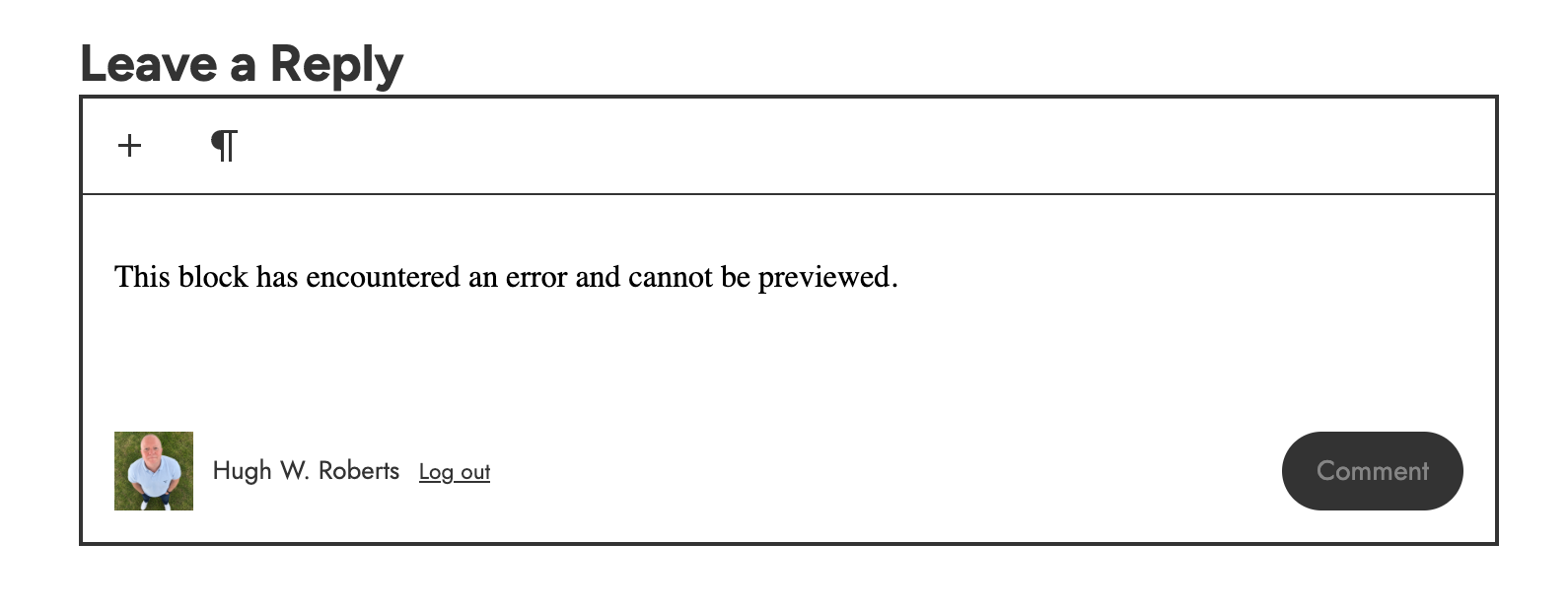
When clicking in the comments box, the error message ‘This block has encountered an error and cannot be previewed,’ prevents me from being able to type anything.
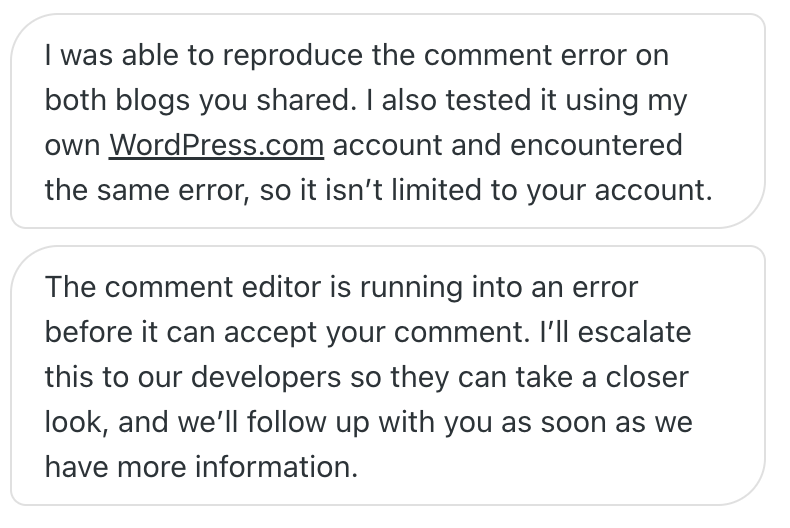
Thankfully, the WordPress Engineer I spoke with was able to reproduce the same error.
The problem does not occur when leaving a comment via the WordPress Reader, providing I do not click the title of the post and open it in a new window.
This is what the engineer told me.
The other problem I started recently encountering when trying to leave a comment is being asked to sign in when I am already sign in.
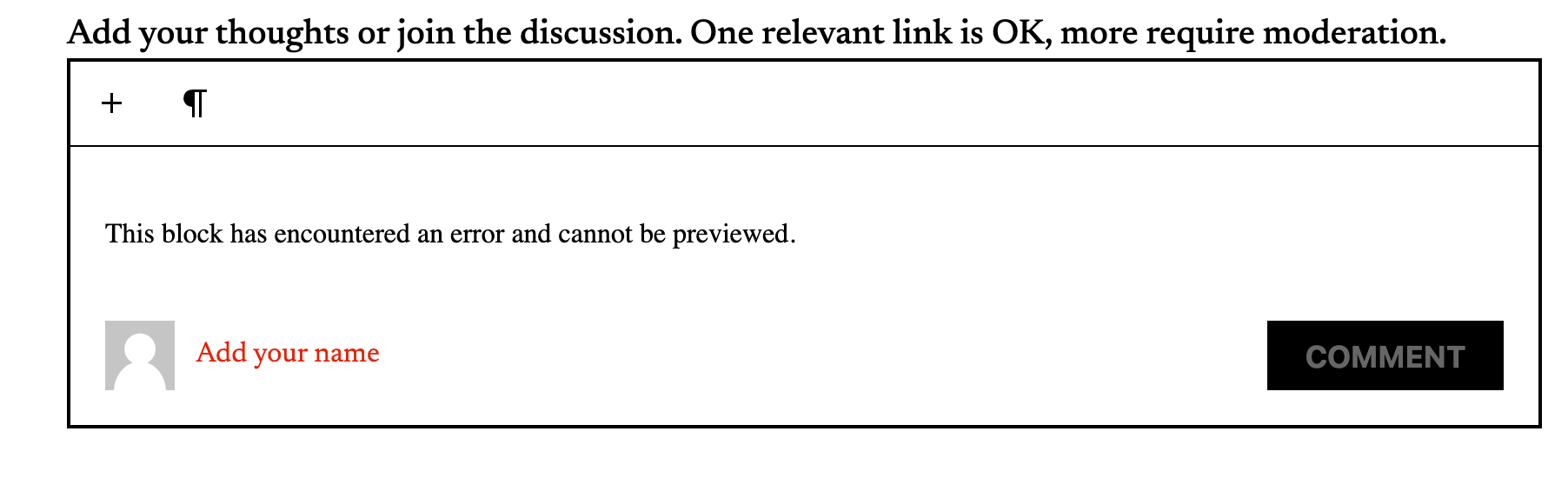
As you will see in above image, I’m being asked to ‘Add my name.’
When I click on the ‘Add your name’ box, another box opens asking me if I want to log in using my WordPress account or log in as a guest.
Given I am already logged in, the engineer told me that it’s also something that should not be happening.
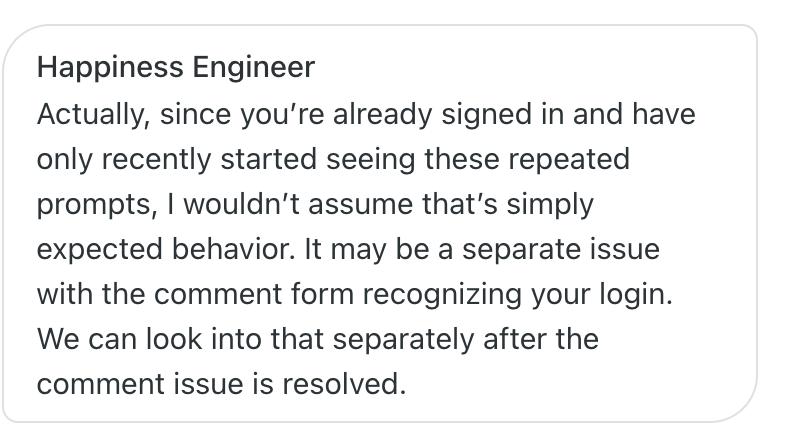
They’re investigating both problems and are getting back to me. Once they do, I’ll update this post with details.
These problems may not be affecting all WordPress users, but since WordPress was able to reproduce them, I wanted to inform you all that help is underway if you are being affected.
Update: I’m delighted to say that WordPress have been in touch and have resolved the two issues I was experiencing with leaving comments.

Copyright @ 2026 hughsviewsandnews.com – All rights reserved.
The featured image in this post was created using the WordPress image generator. AI was used to check for grammar and spelling mistakes and to help with the layout of the post.
You can follow me on the following sites.
Please feel free to share this post.















Feel free to leave a comment. Engagement helps keep blogs alive and forms community.