
How I Finally Switched My Blog to a Block Theme – Challenges, Wins, and Must-Know Tips for WordPress Bloggers

Switching My Blog From a Classic to a Block Theme

Hello. Thank you for joining me on the other side. If you are unsure what I am talking about, check out my last post, ‘Why Now Is The Time To Pull Up My ‘Big Boy’ Trousers’ About My Blog‘ for the answers.

I did it! All those months of worry and “what-ifs” are now a thing of the past. I’ve launched my blog into the 21st century, joining many of you who have already done the same thing.

Ten years ago, when I first changed the theme of my blog, only Classic themes were available. It took me a whole weekend to change themes.

Over the years, and since the introduction of Block themes, WordPress has made it easier to change a blog’s theme. And I have to say that I am thankful to them for making it an easy process. If I can do it, anyone can.


The Challenges I Faced

How long did it take me to change from a Classic to a Block theme?

Two years! But all of that was my fault because I was too scared to face the change! I kept giving myself excuses as to why I shouldn’t do it. Given that there is a lot of information and many tutorials on how to make the switch, all those excuses were just me telling myself I lacked confidence. That’s something I regret.

When I checked out all the Block themes and sat down to make the switch, I had a new theme up and running within an hour. Sure, I had to make some changes along the way, but I was shocked by how easy it was to make the switch. A whole weekend to change the theme of a blog turned into an hour!

Were there any challenges in making the change?

  • Yes! But everything we do comes with its challenges, and blogging is no different. The first challenge was the time I wasted checking out all the Block themes. I spent far too long trying lots of them out, when what I should have done was stick with the first one I liked and knew would work for me.
  • Another challenge was the persistence with which I told myself this was going to be difficult and turn out badly. It wasn’t! I also stopped listening to people telling me I didn’t need to make the change, and those who were negative about it. I was surprised by how quickly I made the switch, though watching tutorials and reading advice on how to do it certainly helped.
  • My biggest challenge was being unpredictable and not following the correct instructions when making some changes. For example, while adding blocks to the sidebar of my new-look blog, WordPress prompted me several times with the message, “Are you sure you do not want to save the changes?” and I still answered “Yes!” What was I thinking? Who knows?

The Positives of Making the Change

What were the positives about making the change?

  • The excitement about changing the theme of my blog was the feeling I had when I was a kid in a sweet shop, with so much choice, although that was a time-wasting trap I fell into. But the feeling kept me positive throughout the process.
  • Another positive was all the wonderful support and tutorials out there on how to change your blog’s theme from Classic to Block. Sure, you need some time to watch and learn, but we make time for learning something new throughout our whole lives, so why not this?
  • But the biggest positive was the feeling I got when I saw my blog and its new theme for the first time. I felt I had taken a massive step forward on my blogging journey. The old theme I’ve been using for the last five years now seems so outdated, even though it’s still one of the few Classic themes WordPress has not retired…yet.
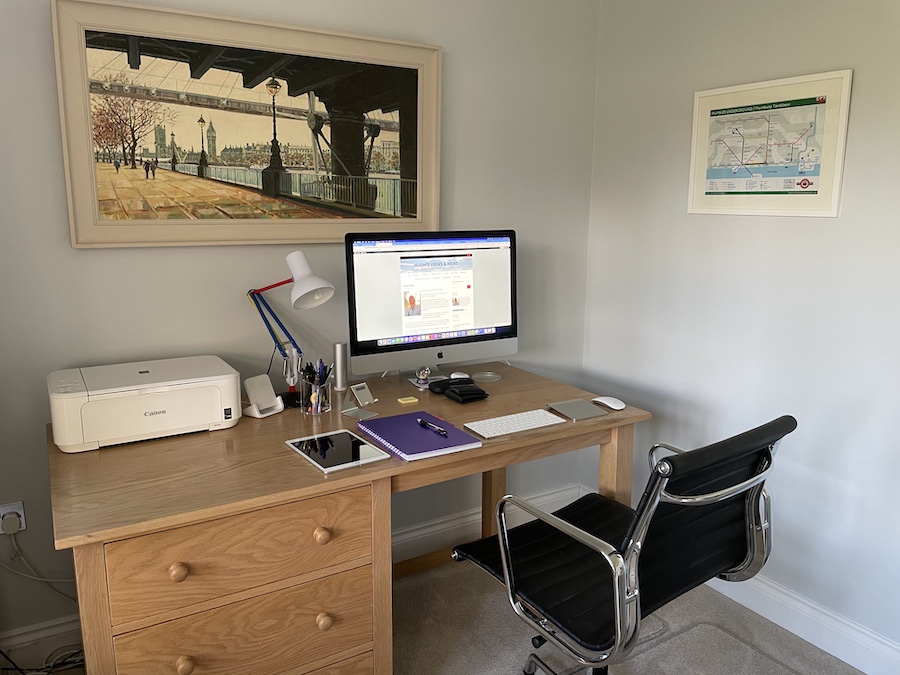
A photo of a neat and tidy desk with a desktop computer, lamp, iPad, keyboard, printer and stationery items on it.
Where I blog from

My Recommendations for Changing Blog Themes

What recommendations do I make when changing blog themes?

  • Don’t put it off. If it’s something you want (and know) you have to do, stop making excuses for not doing it. Not having enough time to make the change is probably the king of all the excuses, but time should never be a problem or an excuse.
  • Consider taking your blog offline while you make the change. Although I did not do this, there is an option to do so. On the dashboard of your blog, go to SettingsReading, and scroll down to Site Visibility. Click the ‘Coming Soon‘ option before clicking the Save button at the bottom of the page. Doing this will remove any ‘panic’ about visitors to your blog seeing errors while you are working on the switch.
  • I opted for informing my readers in a post that I was making changes. I’d recommend you do the same unless you take your blog offline.
  • Take some time to watch tutorials and read information on how to make the switch from a Classic to a Block theme. WordPress has a post titled “Switch from a classic theme to a block theme” that explains everything you need to know.
  • Do not listen to anyone who dislikes or hates change and who will try to put you off from making the change. Believe in yourself and leave those negative people behind.
  • Don’t spend too much time checking out all the different themes. I wasted almost two weeks doing that and should have stuck to the first theme (this one) I liked.
  • Take the chance to do some blog housekeeping while switching themes. I updated my social media blocks, book links, audited categories and tags, and updated my ‘About‘ page.

Closing Thoughts and Thank You

Thank you to everyone who has already been in touch, saying how much they like my new-look blog and to everyone who has given me feedback to help make further improvements.

If you have questions about switching from a Classic to a Block theme, don’t be afraid to reach out. I’m always happy to help.

In the meantime, I’d love your feedback on the new theme for my blog. Let me know if there is anything you like or don’t like. I’m happy for any suggestions to make my blog as welcoming and engaging as possible.

Oh! And most importantly, for those wanting to know, the new theme I chose is called “Nook.”

Have you changed the theme of your WordPress blog from Classic to Block? Did you encounter any problems? What were they, and how did you resolve them?

The featured image on this blog post is sourced from Pixabay. AI reviewed spelling and grammar errors and helped with the post’s layout.

You can follow me at the following sites.

Copyright @ 2026 hughsviewsandnews.com – All rights reserved.


Discover more from Hugh’s Views & News  

Subscribe to get the latest posts sent to your email.

71 responses to “How I Finally Switched My Blog to a Block Theme – Challenges, Wins, and Must-Know Tips for WordPress Bloggers”

  1. Sunday Stills: What’s Growing in Your #Garden? – Second Wind Leisure Perspectives avatar

    […] World and Hugh’s Views and News for how they each switched […]

  2. You're Not Stuck: The Surprising Power Of Finally Changing Your Blog Theme avatar

    […] ‘Why Now Is The Time To Pull Up My ‘Big Boy’ Trousers’ About My Blog and ‘How I Finally Switched My Blog to a Block Theme – Challenges, Wins, and Must-Know Tips for WordPre…. […]

  3. Sunday Stills: Lands of the Giants for #Earth Day – Second Wind Leisure Perspectives avatar

    […] Deb’s World and Hugh’s Views and News for how they each switched […]

  4. BookerTalk avatar

    You got me thinking with your post Hugh. I had to change my theme when the one I was using became no longer supported by WordPress (no warning that would happen – the blog editing options just stopped working). I’ve no idea whether the theme I’m using is a block theme – how can you find that out?

    I’m not particularly keen on the one I ended up with. Yours looks very clean and easy on the eye. I’m tempted to switch to this one – only thing I would like to have is the header image showing my blog name that I currently use. Is that possible within the Nook theme?

    1. Hugh W. Roberts avatar

      I’m not sure why WordPress rely on users having to discover that their theme is no longer supported, Karen. It would be nice if they told us, even with a message when you log into your blog. You have to know where to look if you want to find out.

      To determine if your WordPress theme is a Block or Classic theme, navigate to Appearance in your dashboard. If you see Editor, you are using a Block theme. If you see Customise, you are using a Classic theme. Block themes enable full site editing (headers, footers, templates) via blocks, while classic themes use the customiser. Block themes work much better with the Block editor.

      With Block themes, you can add whatever you want anywhere. However, the header you have on your current blog may not look as good on the ‘Nook’ theme. I used to have a header photo on my old theme (which I changed every month), but it didn’t look good on ‘Nook.’ There’s only one way to find out, but at least there are lots of other `block themes’ you can experiment with.

      1. BookerTalk avatar

        Thanks Hugh. It seems I’m already using a block theme without being aware of it. Yes there are many themes but a high percentage of them are designed more like websites than blog sites.

        1. Hugh W. Roberts avatar

          That’s true, but 167 under the ‘Blog’ tab, so still a big choice for bloggers. I think I must have tried them all before coming back to one of the first ones. Good to hear you’re already using a Block theme, though.

          1. BookerTalk avatar

            I tried about 20 and then gave up and settled for the least worst option!

            1. Hugh W. Roberts avatar

              I like the theme I chose a lot. There were too many to choose from, but I’m glad I found something I like.

  5. Change your blog theme from a classic to a block theme avatar

    […] was reading Hugh’s post about how he updated his blog theme from a ‘classic’ theme to a &#8216… and it got me […]

  6. Debbie avatar

    Hi Hugh, this was a very timely post. I have been wondering about updating my blog theme for a while and your post prompted me to look at the alternatives available.

    I didn’t know if my previous theme was a block one or not so that started me on the process – it was a classic theme. So I took the plunge and within an hour or so I had a new look on my Deb’s World blog. It wasn’t hard, as you say, but it was a bit scary and fiddly trying to make sure all the bits I wanted to include were there and if not how did I find them and add them in. I actually enjoyed the process and am writing a post about it as we speak. Is it OK to link to your post?

    Thanks so much for sharing your updates and skills. I like the new look of your blog!

    1. Hugh W. Roberts avatar

      Hi Debbie,

      Yes, please do link up to my post. Thank you for considering it.

      I always thought you had a Block theme, as your blog looked very of its time. I agree that it can be a scary thought to change the theme of your blog, but I was surprised by how easy and quick it was to do. Like you, I enjoyed fiddling around with all the different settings and getting everything in the places I wanted. I’m still moving things around, but it’s all part of the process and, as you said, is enjoyable. Hopefully, we can convince many more bloggers to follow us in changing themes, especially those who have never changed themes. Some blogs I started following when I first came to the world of blogging are still using the same old, retired Classic themes, and now look very outdated. Those old themes are the ones that cause most problems because WordPress no longer fix them.

      I’ve already found that using the Block editor is a much better experience now that I have a Block theme. I’m glad you like my new theme. I’m delighted with how it all turned out.

      I look forward to reading your post.

      1. Debbie avatar

        I’ve published my post now Hugh! I’m having trouble with posts as I seem to have changed the template and now have to manually edit all my posts so they actually show up! Arrrgh!!!! I’ve tried the help section and it seems I can’t bulk edit this change. I also had to add in a comment block to my posts but thankfully that added it to all of them – it’s a learning curve that’s for sure.

        Thanks for your comments and great advice.

        1. Hugh W. Roberts avatar

          Another option is to ask AI to help you with the template, Debbie. Whatever you ask, it does it automatically for you. So far, I have not had any problems with AI carrying out my instructions, although you can tweak anything you don’t like. I asked AI to change the layout of my ‘About’ page. It came up with some brilliant suggestions.

  7. 40 things for Friday #170 (Yep, we’re gonna hype ourselves all the way up here.) – Riddle from the Middle avatar

    […] And then Dan shared Hugh’s Views and News post on how he switched his blog to a Block […]

  8. JenT avatar

    Well done for taking the plunge, Hugh! Nook is a lovely theme and very much suits your content. <3

    1. Hugh W. Roberts avatar

      Thanks, Jen. It was much easier to make the switch than I thought. I think WordPress have made it much easier over time. If I can do it, anyone can.

      1. JenT avatar

        They may have, but I think you’re being modest. :) Regardless, Nook especially is a ready replacement for so many Classic themes. Definitely one of my favorites. Did you know you can rate it in the Theme Showcase page?

        1. Hugh W. Roberts avatar

          No, I wasn’t aware you could rate themes. Thanks for the info. I’ll take a look.

  9. Laura avatar

    Dan sent me this way and he’s right, this is a pretty inspirational post. I’ve been fighting the idea of changing for a while but you’re right, I haven’t spent time watching the tutorials or researching the new system. Thanks for the advice!

    1. Hugh W. Roberts avatar

      I’m glad you found it inspirational, Laura. I hope I have inspired you to take the first steps to making the switch. And, of course, if you need any help or have any questions during the switch, reach out, and I’ll be delighted to help. I’m sure Dan will also help out.

      1. Laura avatar

        Thank you!! I appreciate it.

  10. lois avatar

    Did Dan tell you to write this for me?! 😀😂 He and I keep talking about me making the switch, but….😬 I am afraid I would totally screw it up and wind up deleting my blog. Is that even possible? Anyhow, thanks for this, Hugh. I am saving it so when I take the plunge, I can reference this and consider it a badly needed pep talk.

    1. Hugh W. Roberts avatar

      Oh, I had that same question so many times – ‘would I end up deleting my blog?’ It kept me putting it off for so long. But the WordPress information on making the switch I mentioned in the post was very helpful. And now I’ve come through unscathed on the other side, I wonder what all the fuss was about and why I put it off for so long.

      Don’t hesitate to reach out to me with any questions or for any help when you do the switch, Lois. I’m sure Dan would help, too. And I’m always happy to help.

  11. Luciana Cavallaro avatar

    My big takeaway and possibly a mistake was going from wordpress.com to wordpress.org and no longer having the traffic to my website I once had.

    Should have just changed the look and feel!

    1. Hugh W. Roberts avatar

      I’ve heard the same thing happen with others who went self-hosted. I’ve never made the switch, but I do wonder why it affects the traffic.

  12. Magic — 1LinerWeds – No Facilities avatar

    […] do — and highly capable, I might add — he has chronicled the process. I would encourage you to read his latest post on the subject. Hugh admits to being afraid to make the change, and he dispels those fears in this […]

  13. Liesbet @ Roaming About avatar

    Congratulations, Hugh!! Yes, you did it!!! So cool. And the new theme looks great. Well done.

    Like you, I would spend too much time picking a new theme. Because that’s how I work. When I need to make a choice, I look at (or check out) every option and then work my way back from that, deleting the ones I like the least. Like you, I should more often trust my gut when I come across a theme, photos, a rental apartment, an informational article, … and pick that from the start. Much less time would be wasted!!

    1. Hugh W. Roberts avatar

      Thank you, Liesbet. I’m glad you like the new look of the blog.

      Likewise, I need to trust my gut more often when making any choice. I wasted almost two weeks looking through all the themes and trying them out on my blog. I was like a child in a sweet shop, wanting to try everything. Plus, it became too overwhelming and almost ruined the whole process. Luckily, I escaped before that happened.

Leave a reply to Magic — 1LinerWeds – No Facilities Cancel reply

I’m Hugh

Welcome to my blog. I’m delighted to have you here. This is the place to discover tips on blogging and WordPress, flash fiction, photography, and more. I enjoy engaging with my readers, so please feel free to explore, join discussions, and contact me. I’m happy to assist! Find out more about me and my blog by clicking the ‘Meet Hugh’ button.

Let’s connect

Subscribe to Hugh’s Views And News

Latest Posts

Looking for your next quick read? Try my books

An image of book covers, book, tablet and mobile phone, for the book Glimpses.
An image for the book More Glimpses - showing a book cover, tablet and mobile phone.

Follow Hugh in the Fediverse

Hugh's Views & News  
Hugh's Views & News  
@hughsviewsandnews.com@hughsviewsandnews.com

WordPress & Blogging tips, flash fiction, photography and lots more!

301 posts
6 followers
A widget with the words 'Team Effort - Story Chat Digest - Where Authors Meet - Author'

Recommend Blogs To Follow


Boomer Eco Crusader
Boomer Eco Crusader
Live Green | Declutter | Simplify Life

Jacqueline Lambert
Jacqueline Lambert
Award-Winning Travel Humour Writer

Spo-Reflections
Spo-Reflections
To live is to battle with trolls in the vaults of heart and brain. To write; this is to sit in judgment over one's Self. Henrik Ibsen

Anne R. Allen’s Blog… with Ruth Harris
Writing about writing. Mostly.

Fancying France
The musings of a ‘femme d’un certain âge’ who divides her time between SW France and SE England

SONGS AND SCRIPTS AND DUNKING BISCUITS
Every day tales of a winging-it creative

Marsha Ingrao         Always Write
Marsha Ingrao Always Write
Having fun blogging with friends

Curiosities, Castles and Coffee Shops
The musings of a curious mind

WrookieSchU
WrookieSchU
Live life 🙌🏼

WPcomMaven
WPcomMaven
Helping you make the most of your free WordPress.com website since 2011

Second Wind Leisure Perspectives
Fun, Photography & Friends

Share Your Light
Share Your Light
You are a miracle – Let it happen

No Facilities
No Facilities
Random thoughts, life lessons, hopes and dreams

Esther Chilton
Writer, Tutor and Editor

Roaming About
A Life Less Ordinary

Saying nothing in particular
Jan … JT Twissel

The Chicago Files
The Chicago Files
A Canadian Perspective on Living in the Windy City!

Thank you to all my visitors

472,458 hits

255,253 visitors

Most Viewed Posts & Pages Over The Last 24 Hours

Copyright Protected Blog

COPYRIGHT ©2011-2031 Hugh’s Views And News BLOG – All Rights Reserved.

This work by Hugh W. Roberts, and/or Hugh’s Views And News blog, is licensed under a Creative Commons Attribution-Noncommercial-NoDerivatives 4.0 International License. Unauthorised use and/or duplication of this material (text and images) without express and written permission from this blog’s author and/or owner is strictly prohibited. If you want to use posts, excerpts, photos and links, you may contact me first. You must give full and clear credit to Hugh W. Roberts and Hugh’s Views And News dot com with links to the original content.