
Earlier this week, in my post, ‘Is This WordPress Problem Affecting You? It’s Been Reported.’ I outlined a problem where excerpts no longer appeared in WordPress’s new post email notifications.
Is This WordPress Problem Affecting You? It’s Been Reported
I’m delighted to say that the problem has now been fixed. Unfortunately, users will need to change the ‘For each new post email, include‘ setting back to ‘Excerpt,’ as the fix has caused the setting to default back to ‘Full text.’
Do the following now if you want your new post email notifications to only show an excerpt.
- On the dashboard of your blog, go to Settings – Newsletter.
- Scroll down to the Emails sections of the Newsletter settings page, and change the ‘For each new post email, include‘ setting back to ‘Excerpt.’
- Click the ‘Save Settings‘ button.
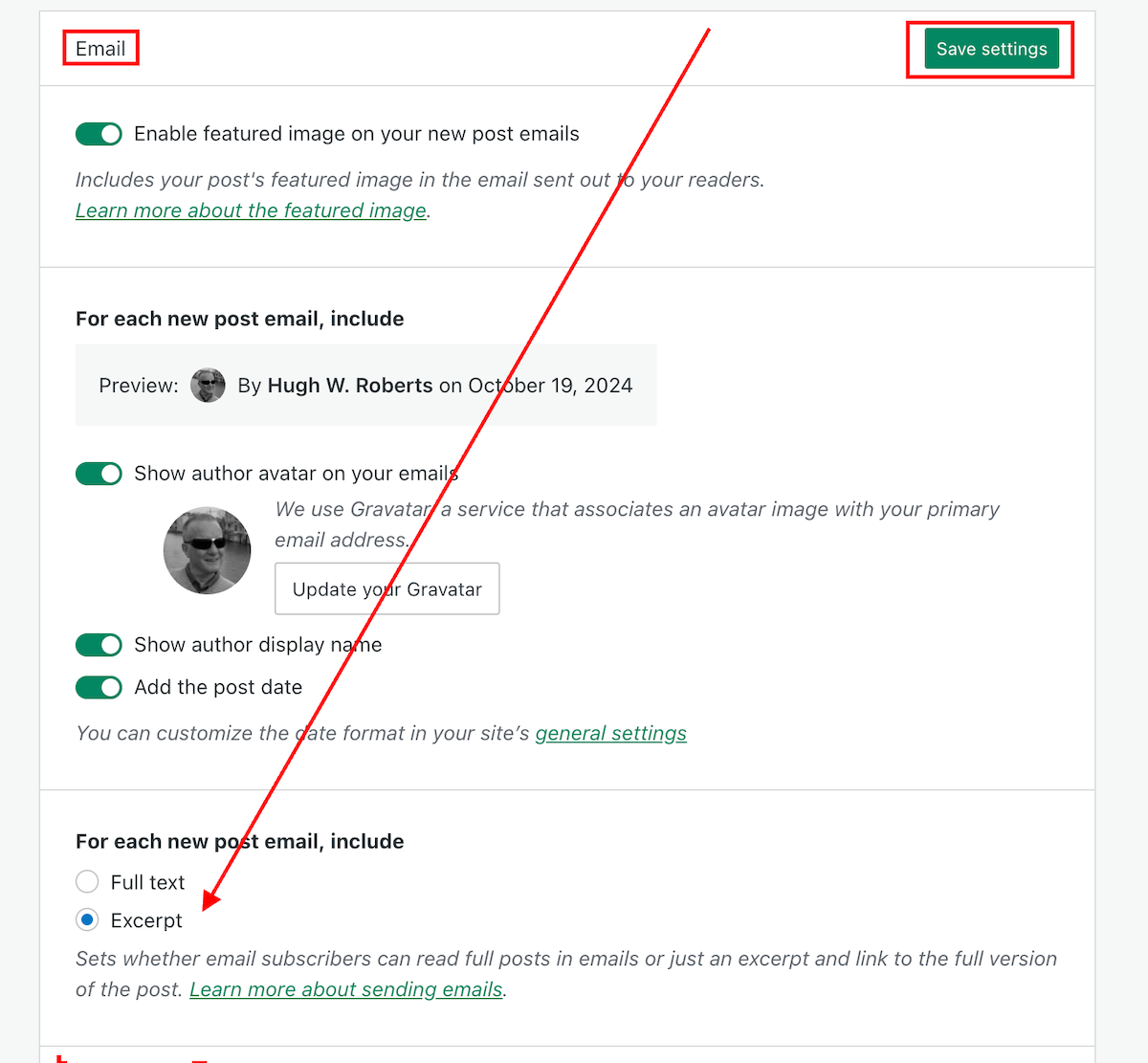
Your new post notification emails will now only show an excerpt rather than the full post.
The ‘For each new post email, include‘ setting can also be found on your blog’s dashboard under Settings—Reading.
My thanks to Dave Martin at Automattic and WordPress for fixing this problem.
Layout, content, settings, and format might differ on self-hosted blogs.
Any questions? Leave them in the comments section.
Follow Hugh on social media. Click the links below.
Copyright @ 2024 hughsviewsandnews.com – All rights reserved.
 Hugh's Views & News